About Monkey 2 › Forums › Monkey 2 Projects › Data Packer (read directly from stream)
This topic contains 7 replies, has 4 voices, and was last updated by  nerobot 1 year, 4 months ago.
-
AuthorPosts
-
November 16, 2017 at 11:16 am #11740
Hi guys.
I was playing with data packing – pack any resources like images into single pack-file and then read them directly from file stream.
This time I done with pack/unpack images.
How to pack files:
Monkey12Local packer:=New Packer( AppDir()+"data.bin" ) 'where to savepacker.Pack( New String[]( "asset::blue.png","asset::red.png" ) ) 'what to saveHow to read images:
Monkey1_img=packer.GetImage( "asset::red.png" )Packer produce two files – binary one and json one.
I decided to use 2 files to simplify process, to pack info into single file we must precalculate sizes, check this info size in bytes…
See attached demo.
Is it useful for anyone?
Attachments:
November 16, 2017 at 11:47 am #11742Nice it’s definitely something I’m going to look into for Star Rogue

I will go for the one data file approach that I started with MX1 this was easier to distribute and allowed for all types of media to be packed. However the reading from stream is something I will definitely look at as it will simplify the whole process if it can be used for meshes, textures etc.
November 16, 2017 at 6:21 pm #11749Wonderful! Very useful indeed.
 November 16, 2017 at 11:49 pm #11756
This solution depends on Stream.Seek( position:Int ) method, but not all streams are seek-able.
This time I know only that it works fine for desktops.
Also need to test very big pack file – about 500 mb and monitoring RAM usage.
I expect to see low RAM usage because it just jumps to resource offset in file stream and read only needed data part.
November 17, 2017 at 8:13 am #11766Some ideas about using data packer.
I want to use it for release but don’t want to re-pack every time while developing.
My approach is to have 2 imports with different ‘configs’ for resource manager:
Monkey12#Import "ResDev"'#Import "ResRelease"We use one of them at a time – just comment/uncomment two lines.
Inside of them we have something like:
Monkey123456789101112' ResDevNamespace datapacker' just import assets files#Import "assets/"Function InitAssets()' do nothingEndMonkey1234567891011121314' ResReleaseNamespace datapacker' import our packed files instead of all assets files#Import "packs/@/"' Assets is a singleton class, you should use it for all loading stuffFunction InitAssets()Assets.UsePack( "assets.bin" ) ' or do it another wayEndDon’t forget to call our InitAssets() in Main():
Monkey12345678910Function Main()InitAssets()New AppInstanceNew MyWindowApp.Run()EndOf course, we should use our Assets class for any loading stuff to get all discussed here benefits (easy swapping between loading-from-single-files and loading-from-packs).
Also, we can try to find single-files in assets folder if not found in pack-file.
Attachments:
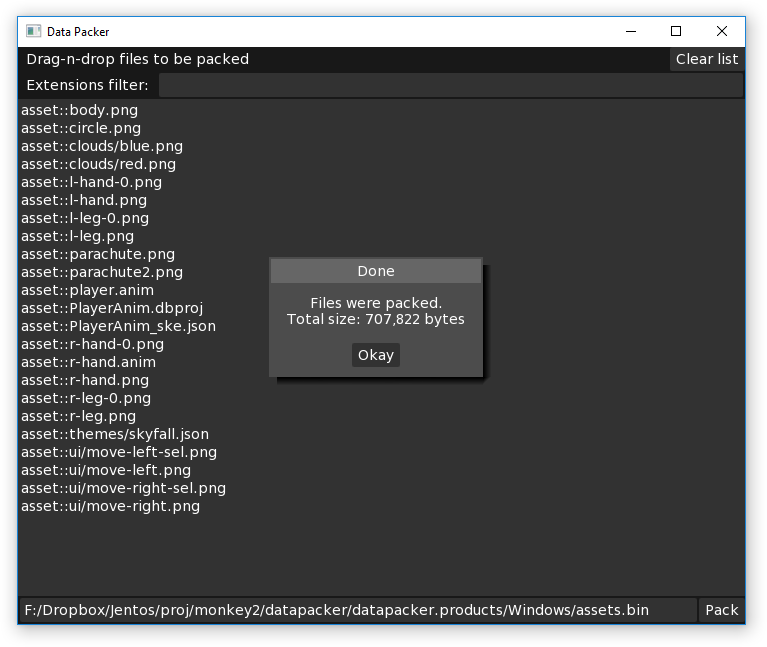
November 17, 2017 at 10:16 am #11775In addition to GUI app:
- there is a single output file now, info section with names / offsets / sizes placed alogn with binaries;
- addet GetText() method to extract textual files.
November 25, 2017 at 6:44 am #11963Now this, I would find very useful.
November 25, 2017 at 10:00 am #11969I really like that monkey2 work with raw bytes to create resourses like images, strings, fonts.
I’m going to add font loading from pack file.
-
AuthorPosts



You must be logged in to reply to this topic.