About Monkey 2 › Forums › Monkey 2 Programming Help › Geometry Wars style glowy lines and particles
This topic contains 15 replies, has 4 voices, and was last updated by  Matthew Smith
 2 years, 9 months ago.
-
AuthorPosts
-
July 12, 2016 at 12:21 pm #2069
Is it possible to do this sort of rendering as yet? Some example code I have from BlitzMax appears to use SetBlend Lightblend to achieve this look for particles and images. Is this something that we might get eventually get if not already available? (the additional mojo2 stuff?)
Sorry if a dumb question but whilst I’ve always been around I’ve not used Max or Monkey for quite a while.
July 12, 2016 at 1:54 pm #2072Maybe shaders will make this possible. I have no idea how these work. If someone can get glowy lines working, I will port my vector object engine over
 July 12, 2016 at 8:04 pm #2075
Try BlendMode.Additive.
July 12, 2016 at 9:19 pm #2078Thanks will try that. Got an idea to merge a couple of different arcady shooters into a level based game but using geometry wars style graphics.
Redo Thrust Wiebo!
July 12, 2016 at 11:40 pm #2080Thanks Mark – that does certainly help! Will do some more confirming later tonight.
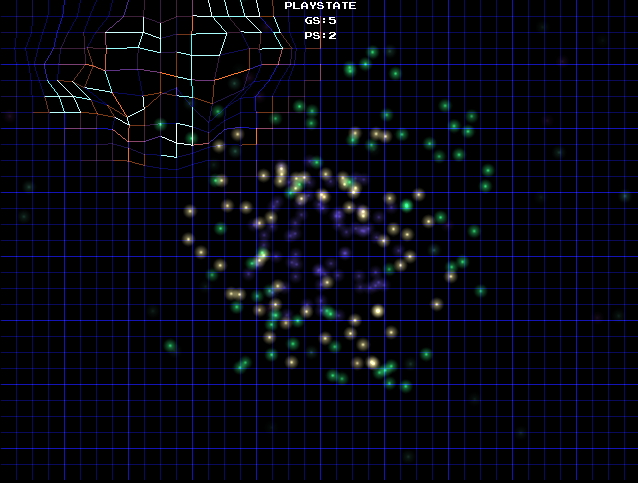
July 14, 2016 at 1:21 am #2110So having a play with this – Additive certainly does the job with images!
As for lines (ie. DrawLine) they don’t appear affected by this change for glowy line style drawing. Is there a chance we will see line smoothing/antialias ability? Or can something recommend a different method (I found one on the Monkey forum with draws lines using a image – have to test that one). Also can we get a line width option?
I’ve hacked around the canvas stuff with glEnable, glHint etc – but i’m out of my depth as usual :)!
Attachments:
July 14, 2016 at 5:05 am #2116As for lines (ie. DrawLine) they don’t appear affected by this change for glowy line style drawing.
I think they are – the intersections between the bright and dark blue lines appear to be slighty brighter.
But that may be an optical illusion! Another thing to remember is that blending results are clamped to [0,1] so adding Color( 0,0,1 ) to Color( 0,0,.5 ) will still give you Color( 0,0,1 ).
I just hacked in a LineWidth too, now up at github, although it’s not very clever. It basically just draws a rotated rect if LineWidth>1 and, unless blendmode is Opaque, attempts to ‘smooth’ it. The ends of the line are ‘hard clipped’ so it looks more like a cylinder if LineWidth is too big, but it’s not bad for a quick hack IMO.
I really want to wait until shaders are going before getting too carried away with this stuff, but this should give people something to play with until that happens.
July 14, 2016 at 5:34 am #2117Thanks so much for adding that in. I’ll have a play

No worries about the shader stuff – everything still developing obviously.
Thanks Mark!
July 14, 2016 at 6:15 am #2118Looking forward to next screenshot!
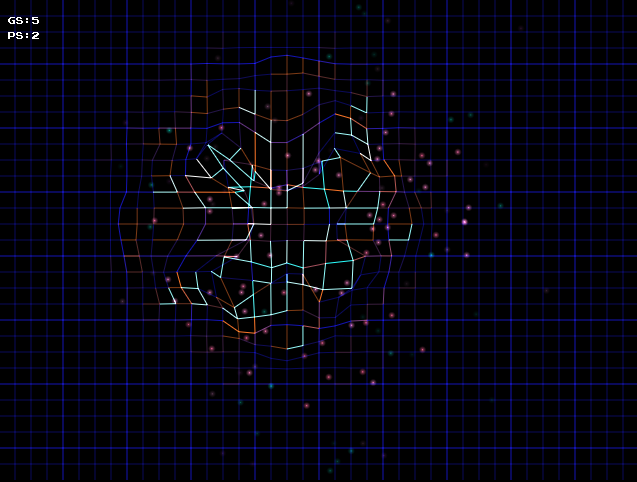
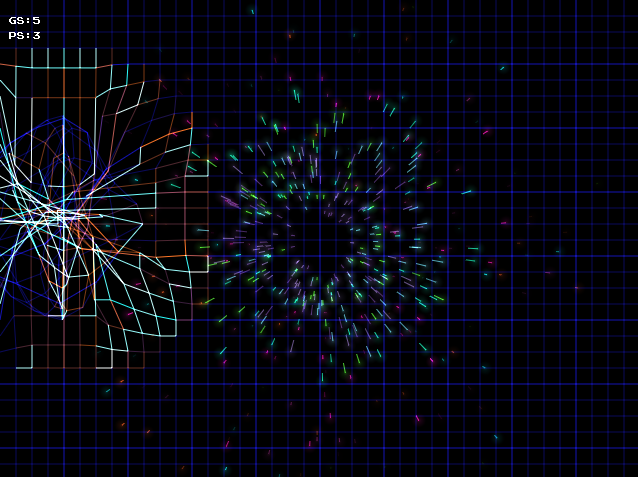
July 14, 2016 at 6:38 am #2119Cheeky bugger! Thickened up the lines a little – made a massive difference! The great man does it again! The second pick has some particles drawn using lines and a glowing head – looks great on-screen!
Awesome work my friend – now to use it! So happy to have my blitz/monkey mojo back on for a change. Have my own business doing tax software in .Net and frankly bored with it but must do work which takes away my time on this stuff.
Attachments:
July 14, 2016 at 11:41 am #2134I’ve posted up the particle engine side here for anyone interested:
http://monkey2.monkey-x.com/forums/topic/basic-particle-engine/
July 14, 2016 at 2:25 pm #2138Yes, I found that widening the line width makes all the difference. You need that fat line to accentuate the overlaps
BUT: what is missing in your pictures is the glow around the line. Eventhough overlapping lines do show glow, the line itself should do that as well. This was the main thing that the blitzmax module from indiepath provided. After I changed his default image to a fat line, I got those nice results.
Maybe if you draw two extra lines for each line: 2 with a low alpha to simulate glow, and then the main line. Just an idea, I know it’s kinda hack-ey.
I am no shader expert, but that might be the best solution in the end?
July 14, 2016 at 5:06 pm #2141Today you could use a bloom/glow shader (on the scene, maybe together with additional objects’ texture glow data [f.e. in the alpha channel]). In Max you could use an additively blend ‘glow’ texture on a quad strip (so, vertex and texcoord [uv] info), looking relatively nice but fillrate bound on old hardware.
July 14, 2016 at 8:39 pm #2142We should go back to CRT Vector displays
July 14, 2016 at 9:03 pm #2143 -
AuthorPosts




You must be logged in to reply to this topic.