About Monkey 2 › Forums › Monkey 2 Programming Help › Scaling a ShadowCaster?
This topic contains 8 replies, has 2 voices, and was last updated by  Richard Betson
 2 years, 5 months ago.
-
AuthorPosts
-
October 21, 2016 at 9:52 am #4556
Hi,
I’m trying to figure out how to scale a shadow caster. When I scale the canvas (or an image) the shadow caster that is linked to an image does not scale. I’ve added some scaling to the simplelight demo (see below) as an example of what I am trying to do.
I would have thought the shadow caster would scale with the canvas or an image but it does not seem too.
Edit – Using Monkey 2 v-1.0.7
Monkey123456789101112131415161718192021222324252627282930313233343536373839404142434445464748495051525354555657585960616263646566676869707172737475767778798081828384858687888990919293Namespace myapp#Import "<std>"#Import "<mojo>"#Import "Slate Tiles II_D.png"#Import "Slate Tiles II_N.png"#Import "Slate Tiles II_S.png"#Import "pointlight_light.png"#Import "Monkey2-logo-48.png"Using std..Using mojo..Class MyWindow Extends WindowField _floor:ImageField _light:ImageField _logo:ImageField _shadowcaster:ShadowCaster 'Added for this testMethod New()ClearColor=Color.Black_floor=Image.LoadBump( "asset::Slate Tiles II_D.png","asset::Slate Tiles II_N.png","asset::Slate Tiles II_S.png",.5,True )_light=Image.LoadLight( "asset::pointlight_light.png" )_light.Handle=New Vec2f( .5 )_light.Scale=New Vec2f( 3 )_logo=Image.Load( "asset::Monkey2-logo-48.png" )_logo.Handle=New Vec2f( .5 )_logo.ShadowCaster=New ShadowCaster( _logo.Width/2,20 )EndMethod OnRender( canvas:Canvas ) OverrideApp.RequestRender()canvas.AmbientLight=Color.DarkGreycanvas.BeginLighting()'--- Scale ---------------canvas.Translate(320,240)canvas.Scale(.5,.5)canvas.Translate(-320,-240)'-------------------------canvas.AddLight( _light,Mouse.X,Mouse.Y )For Local x:=0 Until Width Step _floor.WidthFor Local y:=0 Until Height Step _floor.Heightcanvas.DrawImage( _floor,x,y )NextNextFor Local an:=0.0 Until TwoPi Step TwoPi/8.0canvas.DrawImage( _logo,Width/2+Cos( an ) * Width/4,Height/2 + Sin( an ) * Height/4 )Nextcanvas.EndLighting()canvas.DrawText( App.FPS,Width/2,0,.5,0 )EndEndFunction Main()New AppInstanceNew MyWindowApp.Run()EndOctober 21, 2016 at 9:33 pm #4561Still stuck. It seems that the shadow caster is just not effected by canvas properties like scale. Which is confusing me a bit as when I read this blog quote from Mark it appears to me that shadow casters and lights work with the canvas API.
There are few restrictions on what you can do in lighting mode: you can’t modify the viewport, scissor or ambientlight properties, or Clear() the render target – this stuff must all be setup before you enter lighting mode – but apart from that you can use the full canvas API.
So that statement leads me to believe that shadow casters should scale with the canvas, but they don’t. Shadow casters also do not rotate with the canvas (canvas.Roate()).
October 23, 2016 at 1:37 am #4581Fix coming! Ditto for lights…
October 23, 2016 at 5:36 am #4583Awesome! Thanks.
 October 23, 2016 at 5:52 am #4584
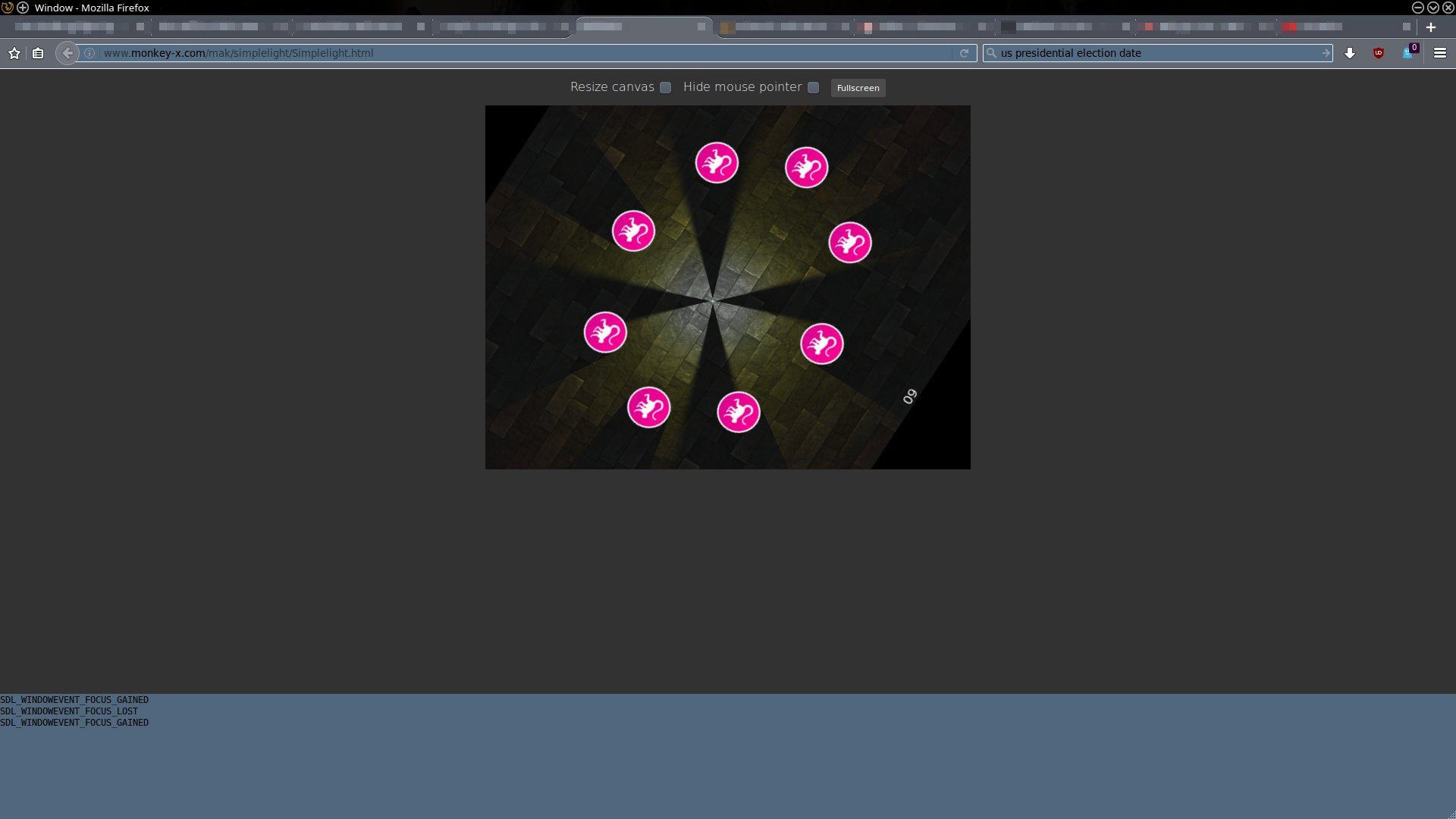
Haven’t committed this yet, but it all seems to be working:
http://www.monkey-x.com/mak/simplelight/Simplelight.html
October 23, 2016 at 7:00 am #4585That is way cool!
It’s working great on my Linux Firefox and Chromium. Exactly what I need. Hell of a fix.Here is what it looks like on Firefox.
Attachments:
October 23, 2016 at 8:08 pm #4595Fixes now available at github!
October 24, 2016 at 2:23 am #4601Super! Off to get my copy.
October 27, 2016 at 6:23 am #4662This fix looks to be working great! Thanks.
-
AuthorPosts

You must be logged in to reply to this topic.