Ted21 profiling

About Monkey 2 Forums Monkey 2 Projects Ted21 profiling

This topic contains 2 replies, has 2 voices, and was last updated by  cocon 1 year, 9 months ago.

Viewing 3 posts - 1 through 3 (of 3 total)
  • Author
    Posts
  • #9110

    AdamStrange
    Participant

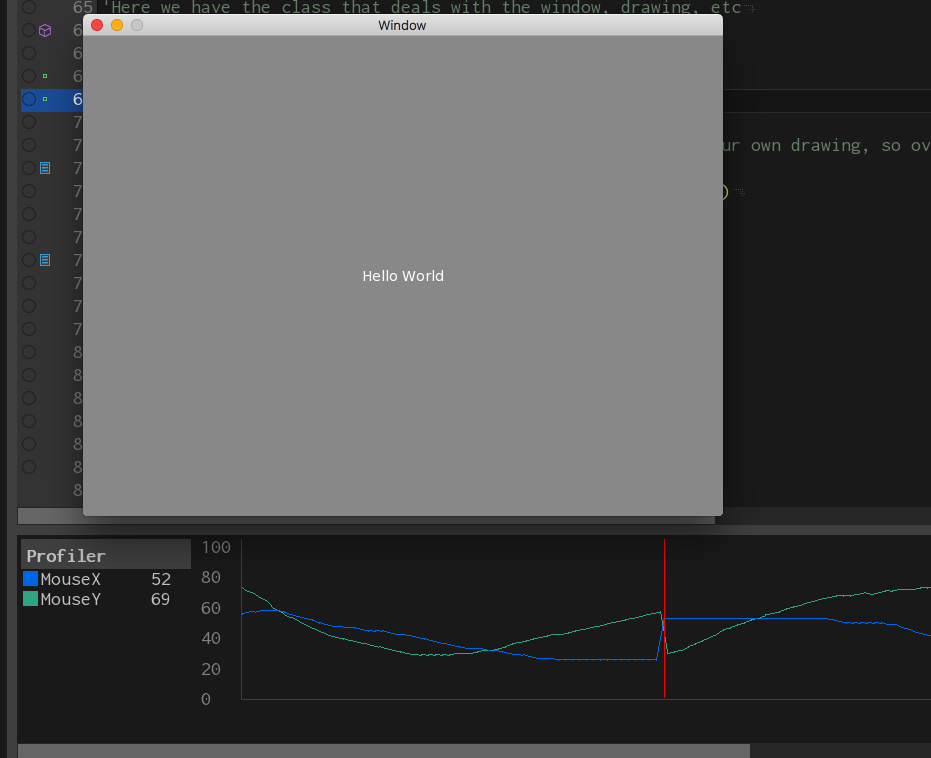
    Here’s a little something:

    I thought a profiler for Ted21 would be interesting to work on.

    It’s got up to 9 variables that can be updated while in debug. it’s basically a secondary console view.

    The red Playhead moves along as each variable is updated realtime.

    #9118

    AdamStrange
    Participant

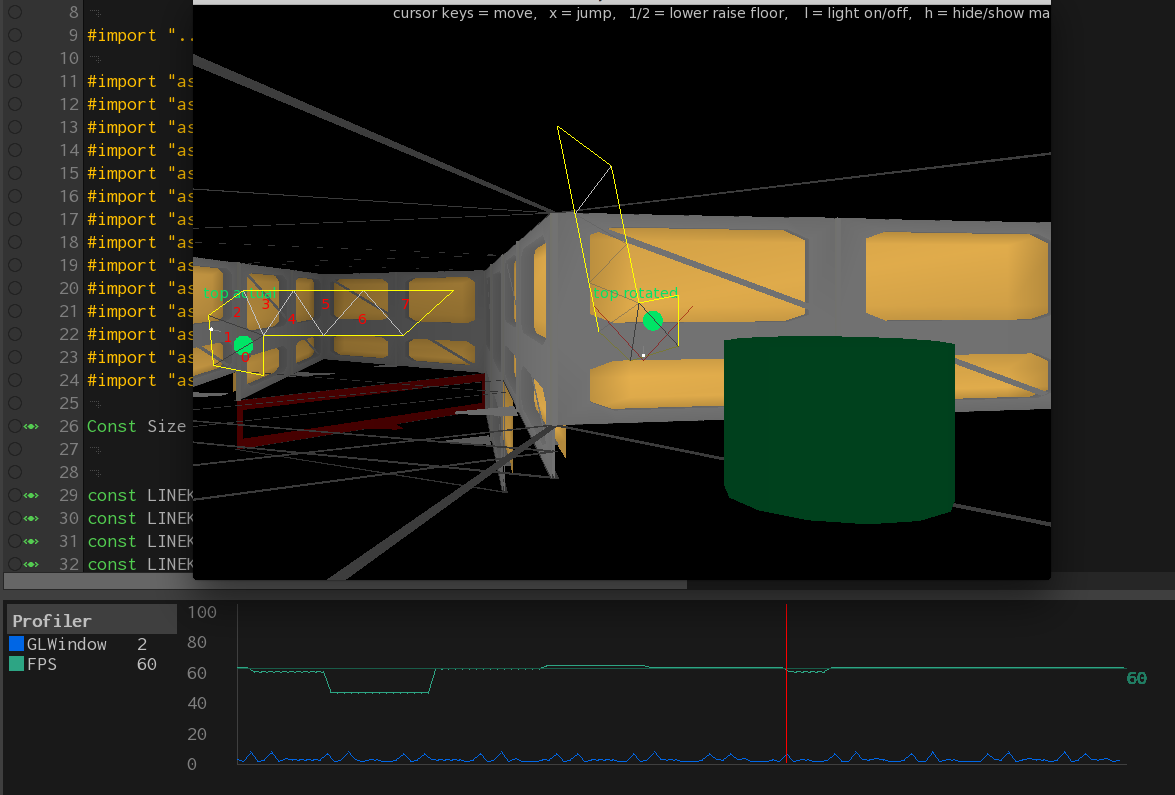
    Here’s another shot

    This time showing something more like real world usage: profiling my doom investigations and 3d performance.

    there are two profile variables being used. one watching the FPS and one the millisecs taken by the GL rendering.

    This is in debug mode and you can see there is a double spike in the gl (sort of like a heartbeat) every few 100 milliseconds or so.

    You can also see the fps sits ate just above or below 60. I’ve added marker lines at 60 so you can see the deviation.

    the sudden drop in fps was when I moved off the window to activate the screen capture.

    #9119

    cocon
    Participant

    Great idea, this might help to understand speed issues better.

    Perhaps also adding a trace command would help to register values to the profiler directly. For example currently you can use Print which is the default output stream, but is not “useful” in such cases as looking at numerical values.

Viewing 3 posts - 1 through 3 (of 3 total)

You must be logged in to reply to this topic.