About Monkey 2 › Forums › Monkey 2 Projects › Ted2Go IDE
This topic contains 596 replies, has 46 voices, and was last updated by  nerobot 3 months ago.
-
AuthorPosts
-
July 8, 2018 at 1:41 pm #15009
I improve ted2go from time t time.
Latest monkey2 version has version with local members in completion list – big improvement.
But there also were some serious bugs related to new stuff.
And good news – I fixed few of them today and push into dev branch.
- better parsing – it parse main files of current changed docs
- better completion – it also looking at main file of current doc to grab their imports
Need testing.
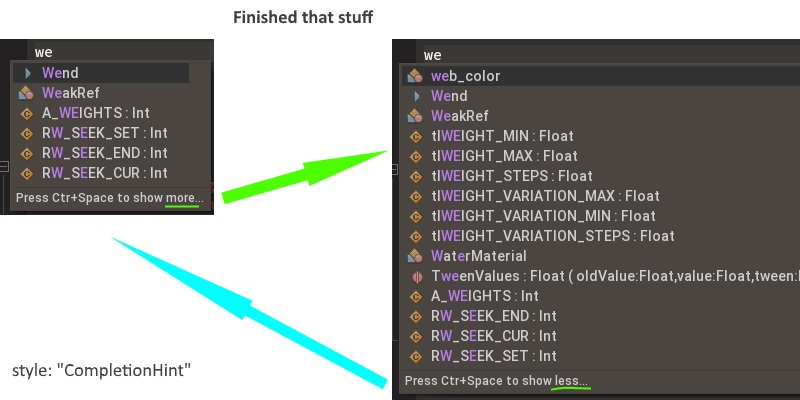
And show more/less stuff should works fine now.

Attachments:
August 26, 2018 at 1:48 pm #15331Fullscreen Editor is not really full screen. It is letterboxed to a 4×3 ratio and is even smaller than a non fullscreen editor. On my laptop monitor, with fullscreen window and my current font size and layout, I get 116 columns. In fullscreen editor mode, I get only 96. If I do fullscreen Window mode, and turn off all the dock views, I get 142 columns, an extra 46 columns. Problem with that solution is 1) I still get the icons and menu at top, so the vertical space is shorter, and 2) It is much easier to switch from Fullscreen editor and back with Shift-F11, instead of doing Alt-1-2-3-4-5-6-7 to switch back and forth.
What would be a nice feature is to allow any dock to become fullscreen. At times I will try and read the documentation and have to drag the window up into the editor to see more at a time. Would be handy to switch between views with a single key combination.
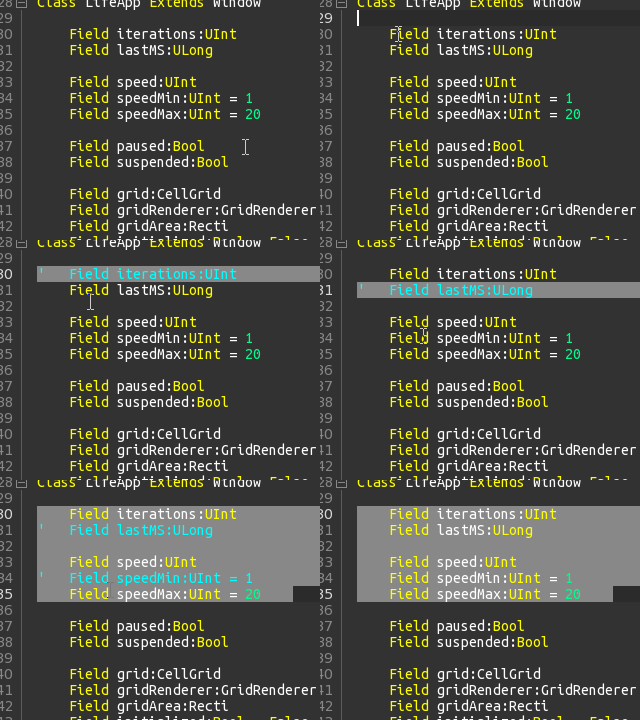
August 29, 2018 at 1:52 pm #15352Here’s an improved way to handle commenting behavior. Looks like is the same as Sublime.
Everything is based only on toggling behavior, however the only last case is where Ctrl+Shift+’ is used which is forced uncomment.
August 30, 2018 at 1:35 pm #15357Fullscreen Editor is not really full screen. It is letterboxed to a 4×3 ratio and is even smaller than a non fullscreen editor.
fullscreen editor is 70% of desktop width, to be centered. are you really need very long code lines?
Problem with that solution is 1) I still get the icons and menu at top, so the vertical space is shorter,
what version of ide do you use? there is no icons and menu at top in latest version
and 2) It is much easier to switch from Fullscreen editor and back with Shift-F11, instead of doing Alt-1-2-3-4-5-6-7 to switch back and forth.
you can back from fullscreen editor by pressing Esc key
 (or press Shift+F11 again)
What would be a nice feature is to allow any dock to become fullscreen. At times I will try and read the documentation and have to drag the window up into the editor to see more at a time. Would be handy to switch between views with a single key combination.
I agree.
But have no time to do that, sorry.August 30, 2018 at 1:39 pm #15358Here’s an improved way to handle commenting behavior. Looks like is the same as Sublime.
Everything is based only on toggling behavior, however the only last case is where Ctrl+Shift+’ is used which is forced uncomment.
I see no difference with current ted2go behaviour – there are also ctrl+’ to comment and shift+ctrl+’ to uncomment.
And if you have selection you can just press ' to comment seleted lines (I’m not fully glad with that but nobody complain).
August 30, 2018 at 5:06 pm #15359I actually like and use ‘ to comment blocks of code, it’s great!
September 2, 2018 at 10:23 am #15367I did not know about single quote toggling lines, even by reading the source I did not notice that.
Some considerations about improvements.
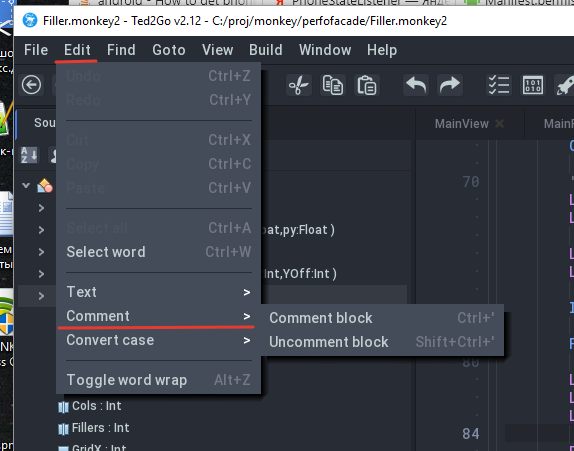
Option 1: Add menu item Edit>Comment>…
Option 2: Perhaps you would do Ctrl+SingleQuote=Toggle, Ctrl+Alt+SingleQuote=Append, Ctrl+Shift+SingleQuote=ReduceSeptember 2, 2018 at 10:30 am #15368Option1 – is already here – screenshot.
Option2 – no, let’s use existing stuff, ctrl+alt seems like overhead for me, sorry.
Attachments:
September 5, 2018 at 12:41 pm #15378I needed these shortcuts…
I first started creating some DebugActions but soon turned out to become a full fledged refactor. I changed my mind and just added these shortcuts right where the actions are declared.
That help dialog box placed there is only for documentation purposes (to not forget about the shortcuts).
Attachments:
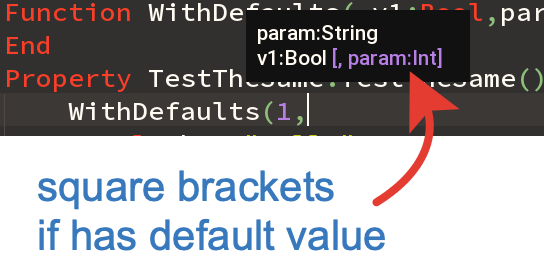
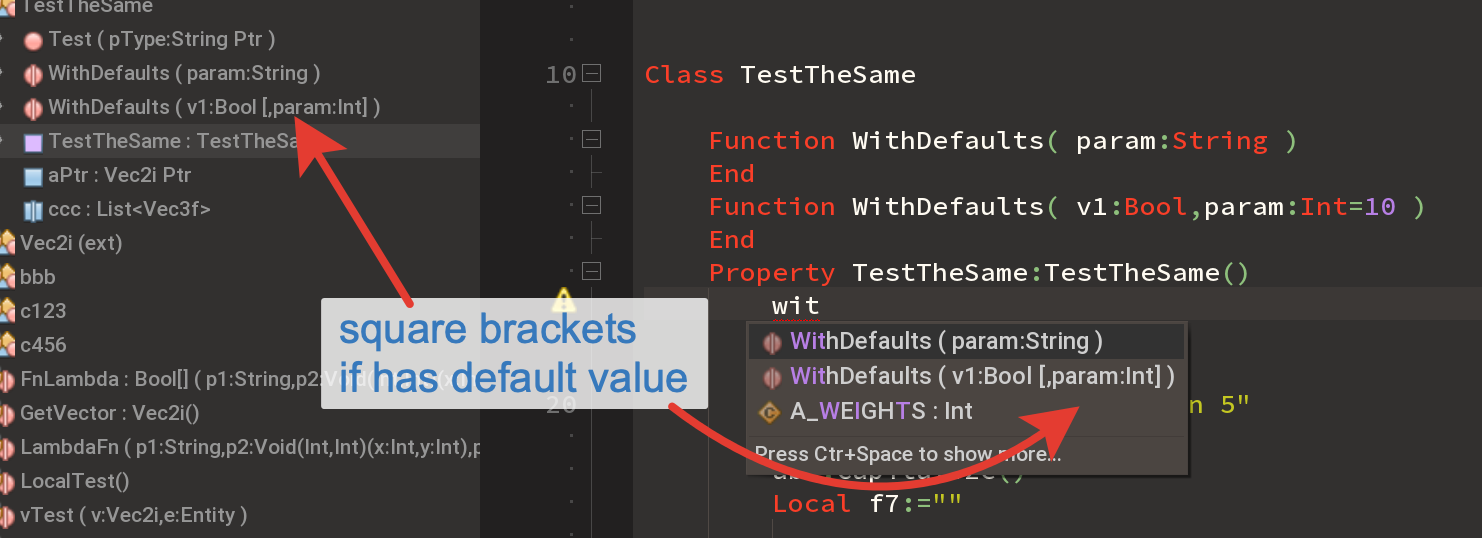
January 11, 2019 at 6:10 pm #15882There are some improvements in params hinting system, see screenshots.
This time it can show just brackets – there is no actual default value shown.
Available in dev-branch.
January 15, 2019 at 4:00 am #15908Been a while since I last used Monkey – I must say Ted2Go is now very impressive with all its features! Great job nerobot!
January 16, 2019 at 12:49 am #15916Yeah! Thanks.
-
AuthorPosts





You must be logged in to reply to this topic.