About Monkey 2 › Forums › Monkey 2 Projects › TimelineFX module version 1 for Monkey2 available
This topic contains 16 replies, has 5 voices, and was last updated by  dubbsta 2 years, 3 months ago.
-
AuthorPosts
-
January 3, 2017 at 1:43 am #6152
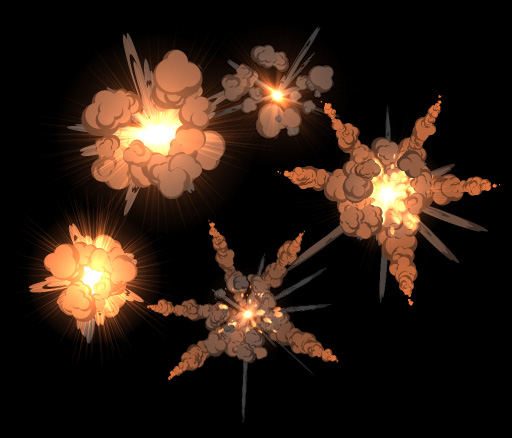
Had some time over Christmas to finish of the port of TimelineFX to Monkey2. In the process of trying to get it up onto the module manager, but in the meantime you can grab it from GitHub here: https://github.com/peterigz/timelinefx.monkey2.
I’m also converting a little game I started in Blitzmax to demo a more extensive example of usage which I’ll put up on GitHub at some point. You can find out more about TimelineFX here and download a few effects libraries to play around with (there’s one in the samples folder as well). I’d like to re-do the editor in Monkey2 as well as I have a few plans for it but one step at a time
 January 3, 2017 at 10:11 am #6162
Wohoo, that’s awesome! Thanks!
January 3, 2017 at 11:47 am #6163Wow, looking great.
January 9, 2017 at 10:43 am #6326I had a try but some assets are missing from the “performance test” “component” and “gameobject” samples
nice effects!
January 9, 2017 at 7:05 pm #6348definitely getting this! does it work for both monkeys, its just export the images right?
January 9, 2017 at 7:25 pm #6350The editor can export sprite sheets, but you can also use the effects realtime in your game, so it’s up to what your needs are. There is a Monkey 1 version but I haven’t looked at that in a long time so I don’t know if it’s buggy or not.
Thanks, abakobo, I saw you github issue and fixed that
January 9, 2017 at 10:32 pm #6352cool! when you say monkey 1 version you’re talking about the module not a separate program. so if i buy timeline i can use it with both monkey1 and 2 realtime? sorry got confused.
January 9, 2017 at 11:05 pm #6354That’s right I mean Monkey 1 as a module, the editor is actually written in Blitzmax. So you can use the editor with Monkey 1 and 2, although like I say I haven’t tested Monkey 1 in a while but I can fix bugs if you find any.
January 10, 2017 at 12:08 am #6356oh wow blitzmax! cool to know thanks. im gonna shoot for this week!
January 11, 2017 at 5:47 pm #6416h
January 12, 2017 at 2:45 pm #6458I’ve just set up a discount for monkey2 users, use “MONKEY2” code at the checkout to get 25% off until the end of Jan!
January 12, 2017 at 3:03 pm #6459Bought!
Edit: BTW: is it compatible with Pyro 2?
January 12, 2017 at 5:03 pm #6461Great
I cannot see any reason why it wouldn’t work with pyro 2. I can look at some of the pyro 2 examples and implement some effects there.January 13, 2017 at 2:12 am #6476i was to impatient and bought it before you responded hehe, thanks though awesome piece of software
January 13, 2017 at 2:21 am #6477Ahh sorry, it was bad timing as I was away for a day and a bit so didn’t get a chance till today, thanks for purchasing
-
AuthorPosts


You must be logged in to reply to this topic.