Forum Replies Created
-
AuthorPosts
-
Roger, Mark. I will be more cautious when using unsigned values. I’ll make the necessary changes to the code right now. And again, thanks for the explanation.
I’m trying to understand by now why this happened. If I was drawing based on Int coordinates and not UInt. UInt is serving exclusively only to get the ID of the tiles, and nothing more. But… That’s it.
Why there is no tile with negative ID. So I found it unnecessary to use an Int.
I made several basic mistakes there. Lol
That’s the problem coming from BlitzMax, which did not give you that many options. There it only had Int and not UInt. It was all more “simple”.
I hope Ia do not make the same mistakes and thank you for the tips.
Got it. So I must have done something wrong, but I’ll try to explain my logic behind this rendering loop.
Monkey123456789Method RenderLayer(canvas:Canvas, layerId:UInt)For Local y:UInt = 0 Until layers[layerId].heightFor Local x:UInt = 0 Until layers[layerId].widthIf (layers[layerId].map[x, y] > -1)canvas.DrawImage(tileArray[layers[layerId].map[x, y]].image, layers[layerId].x + x * tileWidth, layers[layerId].y + y * tileHeight)EndNextNextEndIn the first For Local y, I put it as UInt because it only traverses the array with the id’s of the images that represent the tiles, since there is none with id under 0. And so I did with For Local x.
When drawing the tiles, I did this based on: x of the tile(float) + x of the loop For(UInt) * tileWidth and in the same way with the y coordinate.
Does this seem to make sense or dir I really make a mistake?
Nerobot, this makes all sense, however, the only change I made was in the x and y of the TiledLayer class, I was Int and I moved to Float.
The x and y found in: map[x, y], are UInt, since there is no image with id less than zero in the array.
Problema solved. I changed the coordinates to Float and, like magic, the problem ended. I do not know if it’s a Monkey2 bug, but for me, that should not happen.
Anyway, I appreciate everyone’s help and it’s the tip for anyone who has the same problem.
Great tips. I still have not much knowledge about Monkey2. Only now have I realized the rean benefit of overloading an operator…
I’ll folow some of your tips.
On the cut in the images when moving to the left or top corner, if I use the canvas.Translate(x, y) method, the same “error” does not happen, however everything on the screen is moved, and I want to do just scroll of the map (in this case).
I forgot to send the whole project. Below is the link
https://drive.google.com/open?id=0B2lZ_pN3kwOJVm9fTVBqT1hWWTQI can post codes here. I get an illegal operation error. The I send the two code via download.
https://drive.google.com/open?id=0B2lZ_pN3kwOJLUJTYWUwUjA2dVk
I’m not able to post the codes here, so the download link is going.
https://drive.google.com/open?id=0B2lZ_pN3kwOJZTFvbFVsTEtqa0U
I was able to interpret the basics of the Tiled system. Below is the code and below an example use.
Remembering that I am developing these classes for my personal use, I only share those who like information and learn new things.
The code still needs a lot of change and there are unnecessary things in it…
Comments:
- All files, including the images used on the map, must all be in the same folder.
- Does not load any additional information, such as: custom properties, objects, animations… Only layers without any custom configuration.
<p id=”tw-target-text” class=”tw-data-text tw-ta tw-text-small crayon-selected” dir=”ltr” data-placeholder=”Tradução”><span lang=”en”>Another step completed.</span></p>
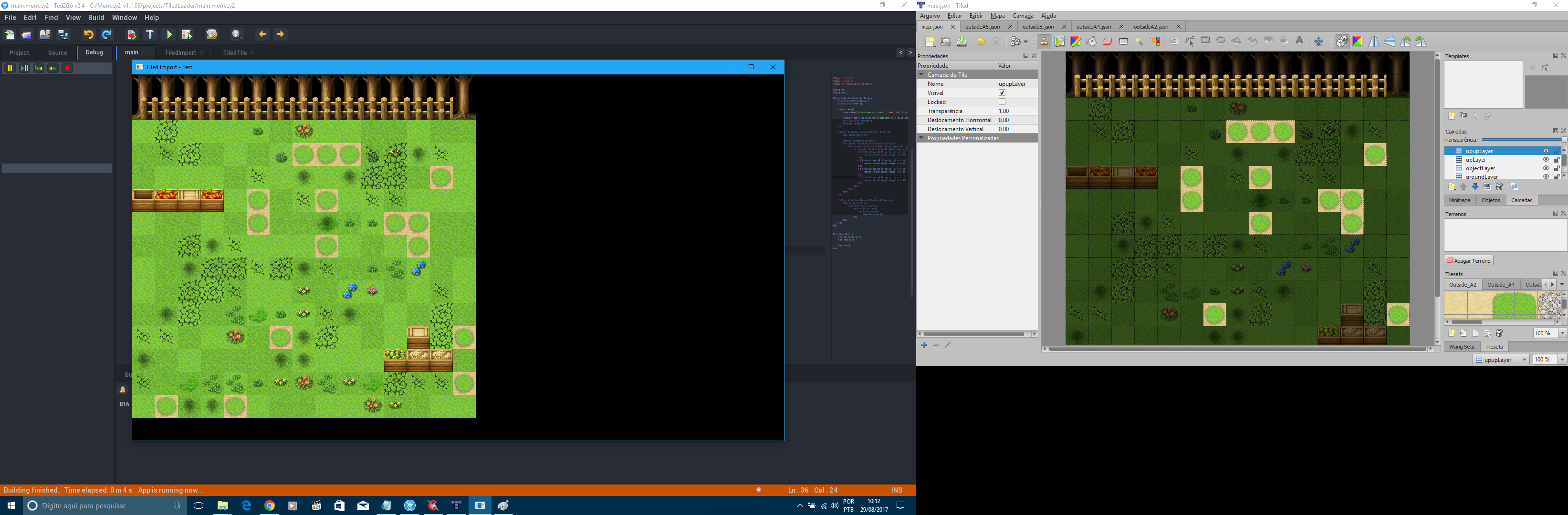
You can now load a map composed of multiple images and any number of layers. In this map I use 4 layers and 4 different images in the same project.When it is “usable”, I will send the download link. Remembering that I am only doing this for study purposes. I indicate the version of Playniax.
Attachments:
First test completed successfully!!!!
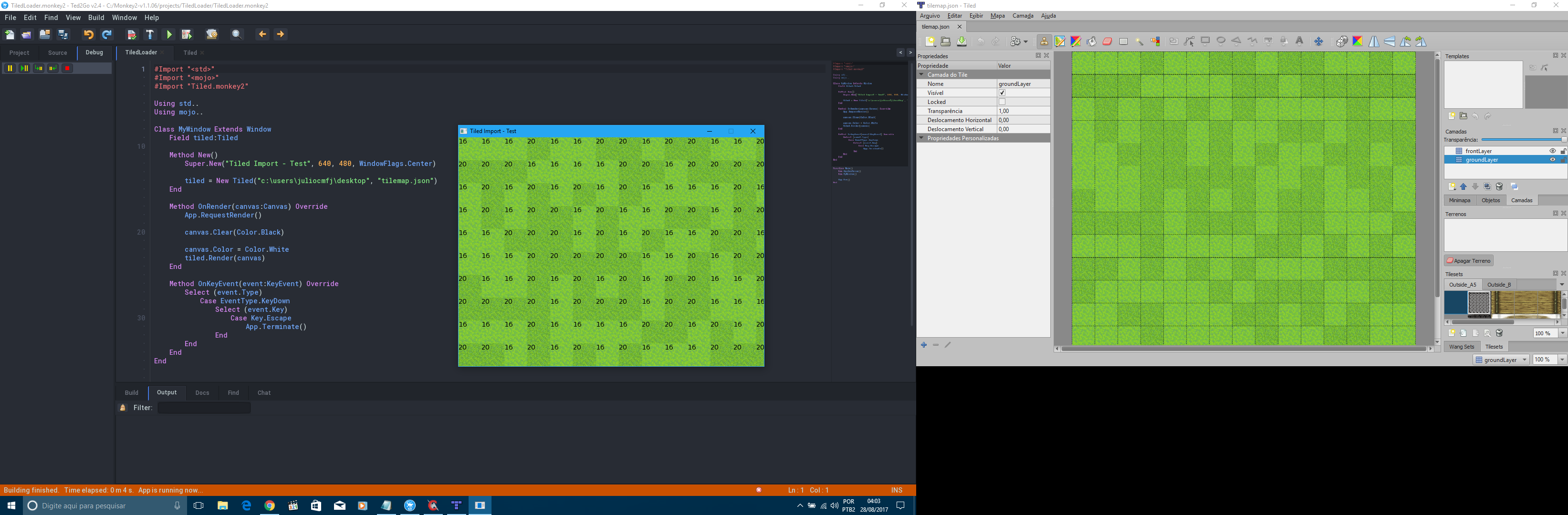
I was able to load and display a map with a layer and a tileset associated with it.
In the image is the print with the map being executed and the main code.
Attachments:
Monkey1Success!!!! -
AuthorPosts