
Forum Replies Created
-
AuthorPosts
-
Calculus v2.8 beta available. https://play.google.com/store/apps/details?id=com.poly.calculus
Calculus is now at version 2.2 beta.
What’s new:
- Graphing of the polynomials improved
- Missing features of editing a constant added
- While scrolling the polynomial, picking up a term works better
Good to know that the ads are working.
I’ve been working really hard on this app. I published today version 2.0 beta, that also graphs the polynomial(s).
The app can also be used just to graph functions.
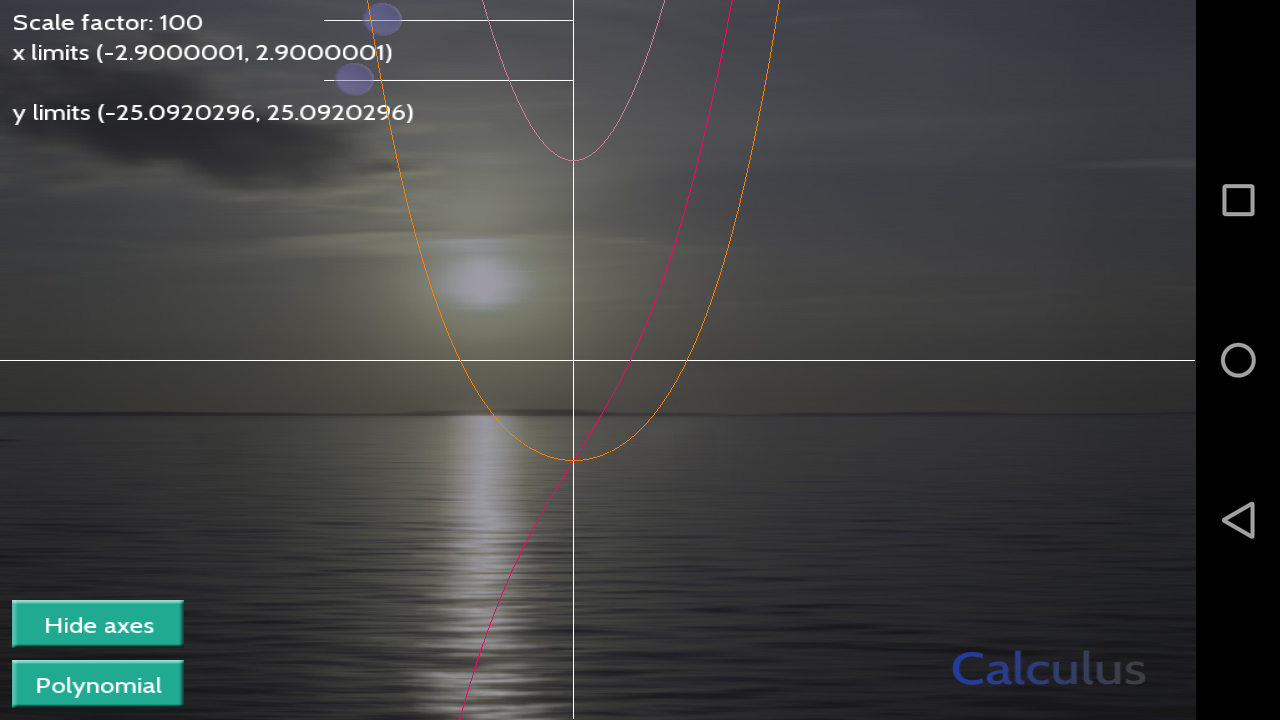
I’ve been very passionate with my calculus app, version 1.3 already available. Same link as above.
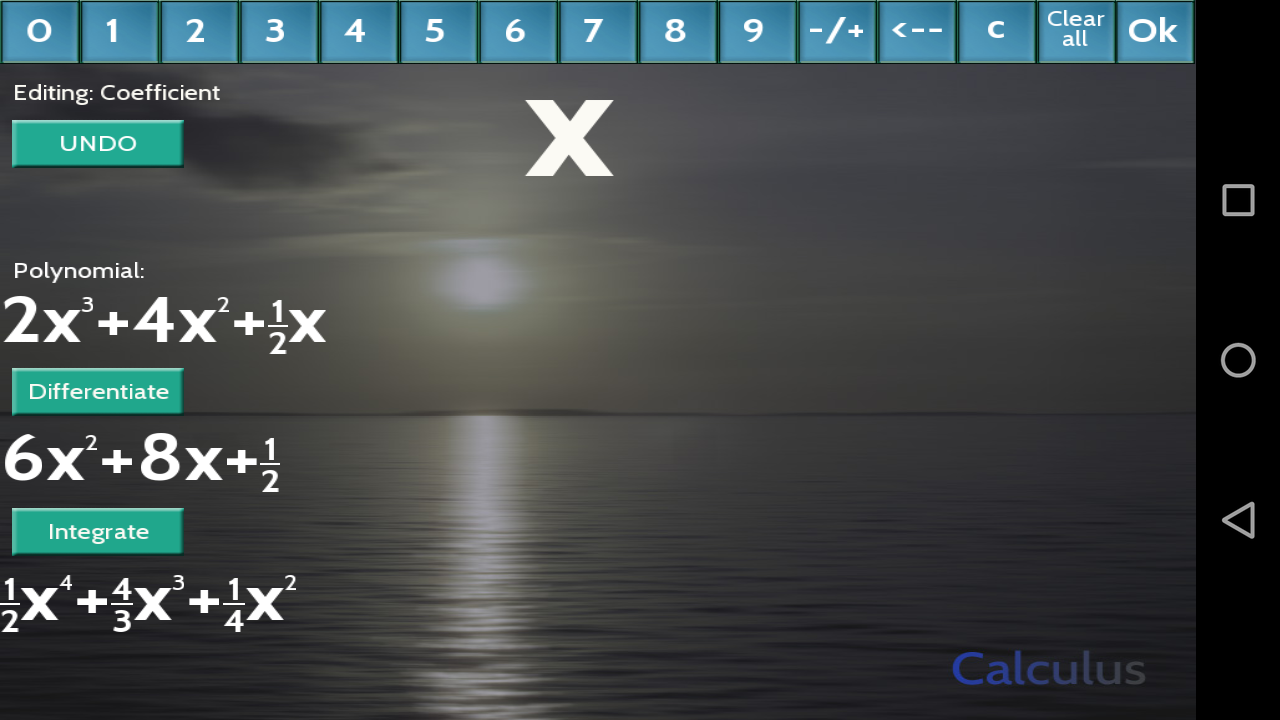
What’s new:
- an UNDO button added
Version 1.2 available on Google Play. Link.
What’s new:
- any term of the polynomial can be picked up to be edited by touching
- editing of the term improved
I got the test ads working with this app, but the real ads don’t show up on my Android devices. All I changed was the IDs of the ads. Still, on Play Console in Google’s test pictures the ads seem to show up. Is there a kind soul who would test at least, that do the ads work..
Version 1.1 beta of Calculus published.
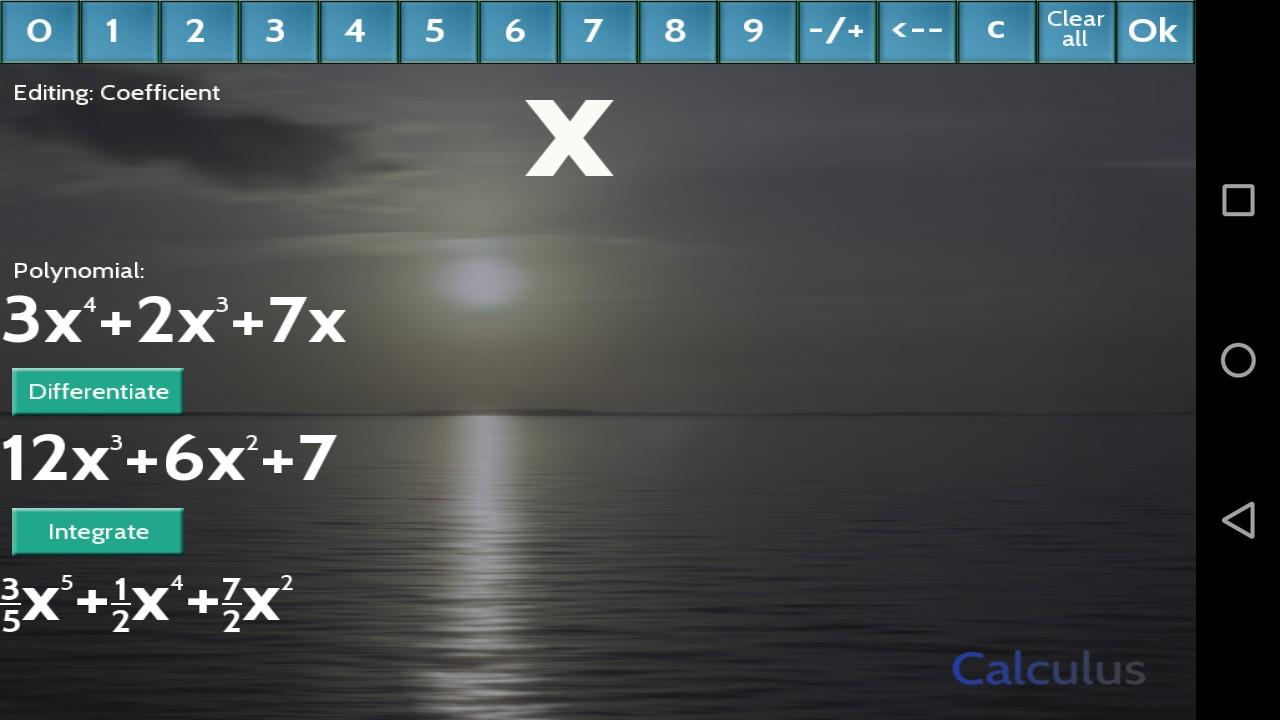
What’s new:- Two changes in GUI: Only one button for minus and plus, added “backspace” button for editing.
- While editing the 4 digits of the exponent always fit to the screen
- Also the derivative can be fetched to be further edited
Edit: I almost forgot, the testing link: https://play.google.com/apps/testing/com.poly.calculus
I got more familiar with the Android Studio and solved my Admob problem. It wasn’t hard.
I added bits and pieces to Monkey2AdView.java and Cradle built for APKs were successful.
My own example program shows banner ads, it all it does, but banner banana example crashes on my Android device. Same happens, if I try to add ads to any app, that does something else than just shows ads.
Any thoughts?
Thanks, it works well too.

Yes, my first published Monkey2 app. I hope it works well on Android devices.
When compiling the modules to Android, I got following:
PLEASE ATTACH THE FOLLOWING FILES TO THE BUG REPORT:
Preprocessed source(s) and associated run script(s) are located at:
clang.exe: note: diagnostic msg: C:\Users\PC-123\AppData\Local\Temp\sqlite3-42a748.c
clang.exe: note: diagnostic msg: C:\Users\PC-123\AppData\Local\Temp\sqlite3-42a748.sh********************
make: *** [obj/local/armeabi-v7a/objs/mx2_sqlite/__/__/__/sqlite-amalgamation/sqlite3.o] Error 1Though my app doesn’t need “sqlite”, so compiling it to Android went through without errors.
If needed, I can upload files mentioned above.
Edited: I managed to create my first Monkey2 made Android apk. Question removed.
-
AuthorPosts