About Monkey 2 › Forums › Monkey 2 Projects › doom research
This topic contains 29 replies, has 4 voices, and was last updated by  AdamStrange
 1 year, 9 months ago.
-
AuthorPosts
-
June 25, 2017 at 10:30 am #8912
After some tentative steps back into 3d. I thought I’de take a look into maps and collision.
This leads back to Doom and a method I tinkered with many years ago:
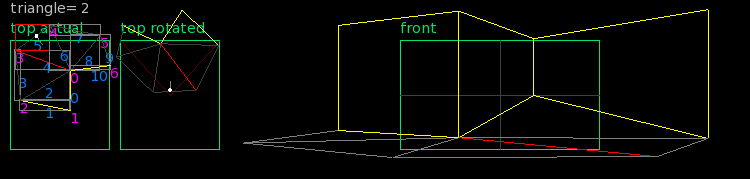
Consider it this way:
You have a map that is constructed ONLY of triangles. Each triangle is made from 3 lines and each line is made from 2 vertexes, there is no duplication in any data.
A Line can be thought of as
NONE (grey) – it does nothing and just joins areas together
TRIGGER (red) – similar to NONE, but it signals if the player has gone over it
WALL (yellow) – the player has gone over the line and is bounced back (collided with).
The images are presented:
top – the actual top down view with vertexes and lines numbered
top rotated – the vertexes rotated and lines drawn so that everything is facing the player correctly – used for depth testing
front – a faux 3d view giving a basic look in 3d. Yes – the corner of one vertex has been raised at the floor creating an upward slope!
Assuming no actual 3d geometry (at this stage), this would be the first step in creating a proper 1st person engine.
On adding geometry, You would have a 3d geometry map of different 3d objects, and this collision map.
You would have no calculations done on complex 3d models at all. just the simple map shown above.
thoughts?
June 25, 2017 at 2:40 pm #8915Ah loved these engine back in the day and would love to see one made in MX2
 June 26, 2017 at 5:31 am #8934
small steps this stage. but looking positive
June 26, 2017 at 11:16 am #8939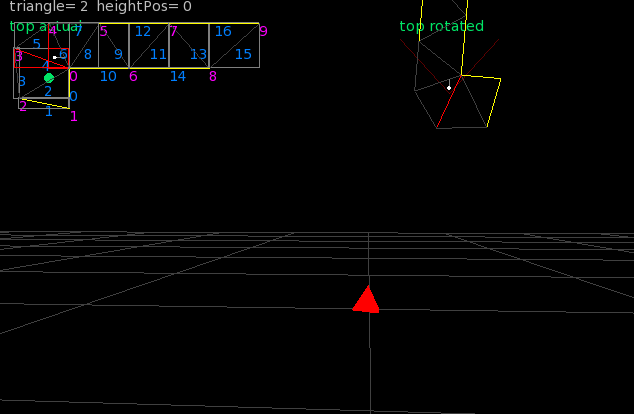
Moved direct into 3d. so I’ve now got a proper openGL 3d view, with the 2d map being added so I can see whats going on.
The red diamond, is just a marker denoting 1 in the X axis, with the grid being at .5 spaces
June 26, 2017 at 1:14 pm #8940ah that’s cheating it has to be 100% 2d no 3d opengl stuff lol
 June 27, 2017 at 5:52 am #8951
Using 3d as the display was always my intention. but I take your point…
I am using the original doom concepts though.
Using a few custom models I can now view a basic framework:

You can see it’s the same map with the lines, etc. I’m working on sliding collision as it currently stutters, so I am looking into using some vectors and other weird stuff.
But the essence of it is operational
June 27, 2017 at 7:41 am #8953ooh, solved the stuttering with sliding collision and some interesting math.
for any line, it has a normalised vector (all calculated automatically when you add a line) and also an angle (of direction)
when you collide with a line, you can compare your angle of direction with the lines angle of direction. if you add 90 (degrees) you should be parallel to the line
using this you get a – if you are facing towards the core vertex of the line or a + if you are facing away. you use this to modify the position – simples….
and heres the code:
Monkey123456789101112131415Local hitAngle:float = trueAngle - PIHALFhitAngle = -(hitAngle - line.angle)If hitAngle > PI Then hitAngle = hitAngle-PI2'if _debugTrip Then'Print "angle= "+trueAngle+" line= "+line.angle+" hit= "+hitAngle'_debugTrip = false'End IfIf hitAngle < 0 Thenpx = opx + line.normalXpy = opy + line.normalYElse If hitAngle > 0 Thenpx = opx - line.normalXpy = opy - line.normalYEnd Ifwith the debug code as well
px, py is the position you are checking
ops,opy is the old position
June 27, 2017 at 12:00 pm #8955replacing the blank walls with some test geometry
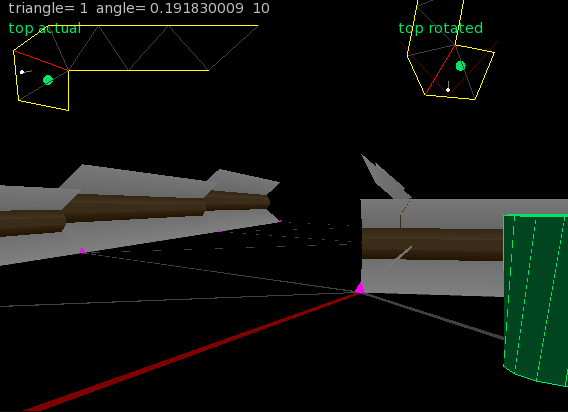
although there are height errors, you can see that we don’t need to test for the geometry, just the underlying map
as proof of working, it is not too bad. I need to add heights to things now
June 27, 2017 at 1:26 pm #8956taking the above a single step further by adding some more ‘stuff’ to the wall and correcting the heights:
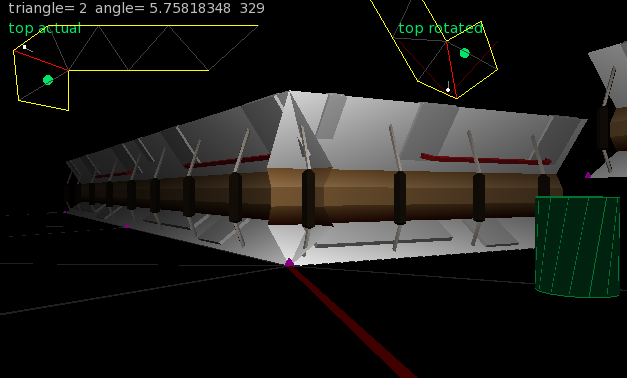
and maybe boost the light a bit:
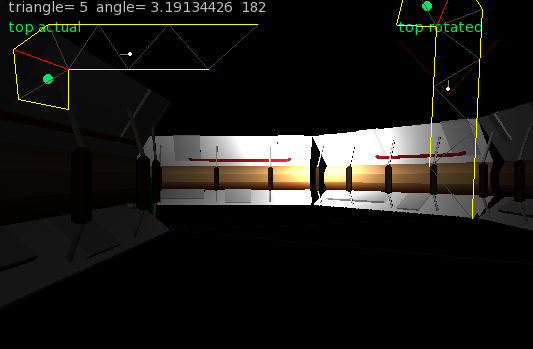
there are no textures and just a single light. you can see it’s all the same map as was being used before…
June 27, 2017 at 2:33 pm #8957And the final one for the day adding some cross braces along the lines. Again the map has not changed, just added a single model to the drawing:
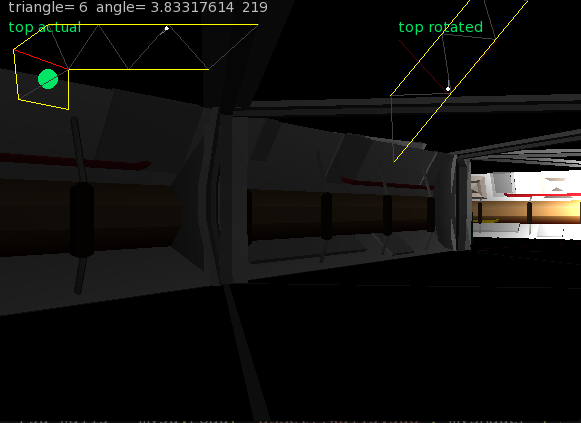 June 27, 2017 at 6:01 pm #8958
very nice
June 27, 2017 at 9:53 pm #8964A year ago I played “Brutal Doom” and I was hooked for weeks. I have put also attempts to study the source code, however mostly at this time I am interested in the system design generally, not touched the graphics at all.
June 28, 2017 at 5:23 am #8981I’de be very interested in any suggestions to do with AI?
June 28, 2017 at 12:11 pm #8994From observation rather than reading the source, there seems to be an awful lot of navigating by zig-zagging, with the added gameplay bonus that the player is often tracking horizontally by necessity.
June 29, 2017 at 7:56 am #9037interesting to note the diagonal behaviour.
Still working on the base map generation.
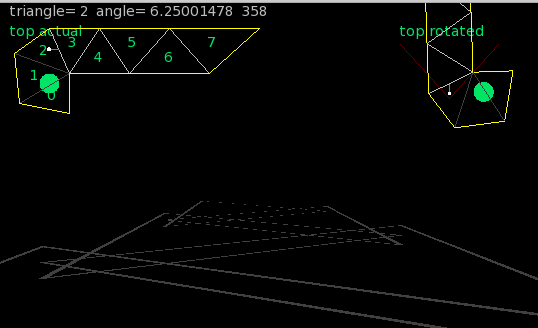
Here you can see I’ve removed the wall objects, but you can see that each triangle now has a floor level. this is shown in the main pic by the triangles dropping in height -Stairs!
Also looking at the two top maps you can see all exterior walls are now yellow. and triangles that are connected, BUT have different heights are shown as a lighter grey.
Previously this was done when you defined the linekind, but I’ve now removed this and it is all automatically calculated!
Unlike doom where there is a long wait when a map is created and it goes into the BSP (Binary space partitioning), this is all realtime and be calculated whenever it needs to be.
I think next will be to streamline the vertex rotations, and use them as a “behind me, remove me” system to speed up drawing…
-
AuthorPosts


You must be logged in to reply to this topic.