About Monkey 2 › Forums › Monkey 2 Projects › doom research
This topic contains 29 replies, has 4 voices, and was last updated by  AdamStrange
 1 year, 9 months ago.
-
AuthorPosts
-
June 29, 2017 at 12:39 pm #9040
Without getting too deep into the AI algorithms the most easy and thin approach would be to get inspired by Shiffman’s work: http://natureofcode.com/book/chapter-6-autonomous-agents/ . It’s true that here are more advanced algorithms and dedicated libraries, perhaps in more advanced and specific needs, it would make sense to link to an AI library if it is needed, this approach however has a good balance between ease of implementation and results.
The agents would have two states, 1: random walk (example 6.11), 2: attack (example 6.12), and then there could be some clever state management to define the AI tactic.
June 30, 2017 at 10:17 am #9050There’s some very interesting stuff in there. thanks for that one.
Still bogged down with sliding collision. but slowly moving forward…
June 30, 2017 at 11:27 am #9051Sliding collision sorted – phew
Here’s a shot showing automatic culling of walls, plus floors at different heights with walls at correct floor heights:
This is now the basic Doom map system complete.
July 1, 2017 at 1:38 am #9067Have you found the portal system of Doom any useful?
My personal note on this is that it has some good parts, it’s minimal so it doesn’t pump the engine with lots of concepts, also the ease of level design is phenomenal.
The downsides is that because there are no reusable assets, is somehow like painting the level, changes would be costly. An typical example is when making sliding it involves too much steps, where a simple asset would be much better.
I would be 50-50 on this for going into a hybrid approach and mixing classic portals with 3D assets, but I am not sure yet.
July 1, 2017 at 5:31 am #9069I’m not actually using any doom code or concepts. I’m coming at it from a map perspective. The portal system and bsp systems are there to throw away geometry and unneeded rendering. At this stage I want to get the map right and operational.
I thought about using map sections/sectors, which would do something similar.
One of main aims was to see if I could actually do it. on this small scale it looks possible.
July 1, 2017 at 7:17 am #9070Got jumping working now and different heights with correct jump systems and fall systems. I needed to go back to doom and test the timings and they more or less match now
 July 1, 2017 at 1:19 pm #9073
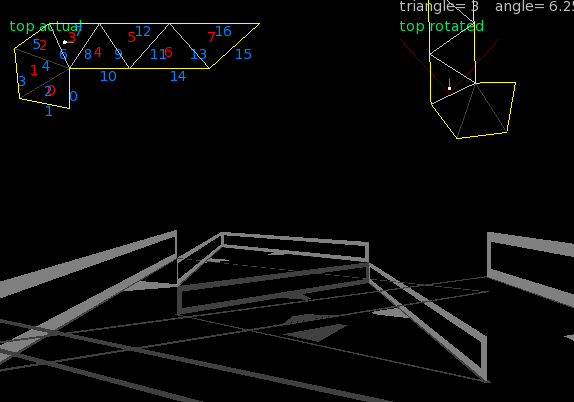
last one for the day. not too interesting in the 3d visuals front:

But.. if you look at the 2d maps you can see the following:
top left shows triangle culling dependant on the facing direction. the number in aqua are the triangles being culled
middle shows line culling. in this case it does a (very) simple test to determine if a line can be seen and then takes the previous triangle culling. Any line that is shown faded/dark has been culled.
I think that the triangle culling could be extended to included triangle connected with the culled triangle? but currently I am happy about this as a culling system so far.
Culling becomes more and more important as the complexity increases. You don’t want to send any data to be rendered if it isn’t seen…
July 1, 2017 at 3:51 pm #9074looking nice
 July 2, 2017 at 11:28 am #9084
Next up is ceilings and walls
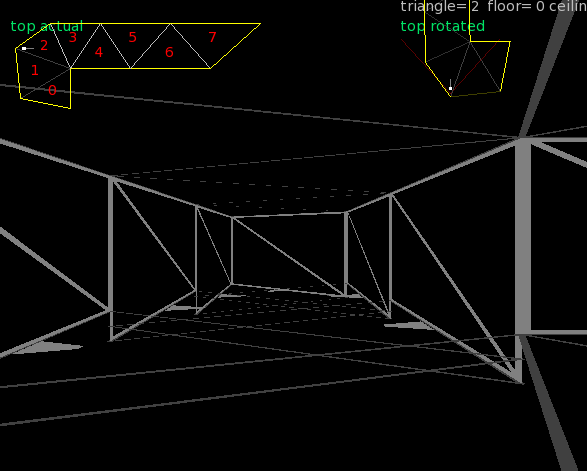
The walls are the lighter grey with a slash through them. they also have a small label on the bottom so you can see which direction they are facing.
Although this show shows progressive dropping floors, the ceilings remain at the same level, and the wall models are correctly scaled.
I’ve put in place provision for floor heights that can change – so lists are no possible too.
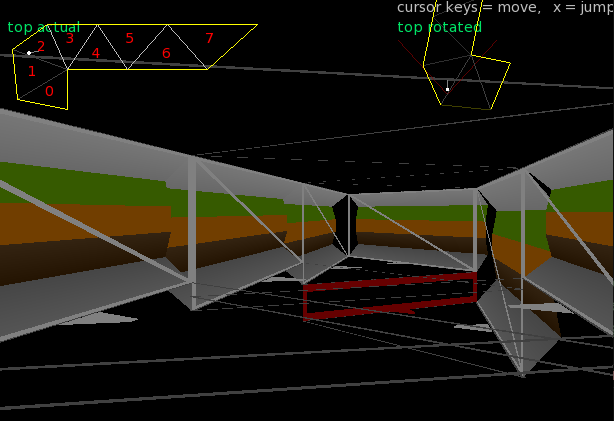
and here’s a shot with some debug wall models added
 July 4, 2017 at 2:24 pm #9129
and another with completely different models…
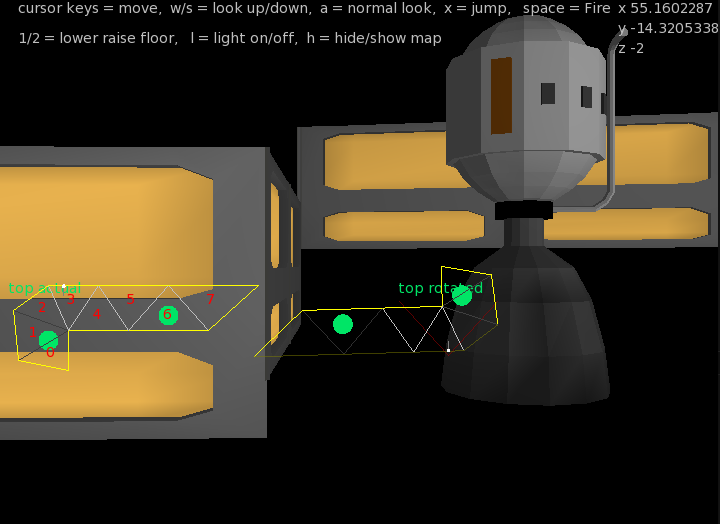
working on looking up/down and firing. and also actors. Where an actor is anything that moves…
July 6, 2017 at 6:45 am #9150it’s got nasty. I need to rewrite the triangle and line systems so that it could include floor. This meant getting winding directions or triangles, deciding and manipulating which way a line was facing, etc
So now I’ve got potential floor code and just putting back the wall code, and need to do the same with the steps.
Don’t worry if this all sounds gibberish? You shouldn’t have to think about any of it with a map editor…
July 13, 2017 at 10:20 am #9291ok. After a lot of tweaking and dealing with ‘step’ problems. here’s the result:
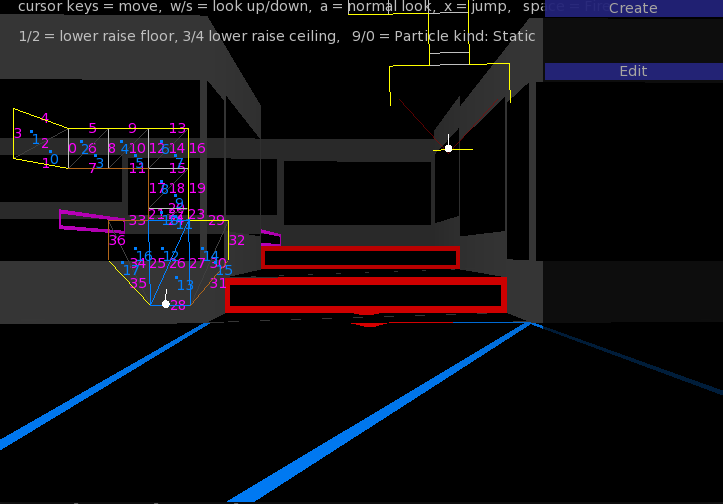
You can see that the default (initial) simple map has gone. This map was created in about 2 minutes.
In essence you click a line (in the map) and decide to extend a triangle or quad – buttons will appear in the left panel gui
You can select vertexes, lines or triangles.
vertexes and lines will allow dragging to change the map
triangles can be multiple selected and their floors raised and lowered – steps will appear automatically and correct and have very little overhead when being recalculated – so platforms, rising stairs is a possibility.
selecting anything one the map and making changes is all done realtime in the 3d view.
It’s a bit like staring in a cube and then carving out the places you can go.
July 14, 2017 at 11:11 am #9318Now that I’ve fixed the steps, I’ve done the same for the ceilings. so for any triangle it can have a separate floor and ceiling height, that can be adjusted in realtime.
I’ve been working on the gui and added dynamic side panels which can either be left or right.
And now for something different…

triangles now have a light parameter from 0 to 1. this sets the overall light a triangle has and allows for doom1 style lighting effects. NOTE: this is NOT lighting and doesn’t use any lights as such.
So given a trigger you could turn on/off lights, flash them, etc
I’m working on a lighting system that will give loads of lights with very little overhead (not deferred either)
July 16, 2017 at 6:26 am #9354all going well. The latest is pillars.
a pillar is a thing that you can’t pass through:
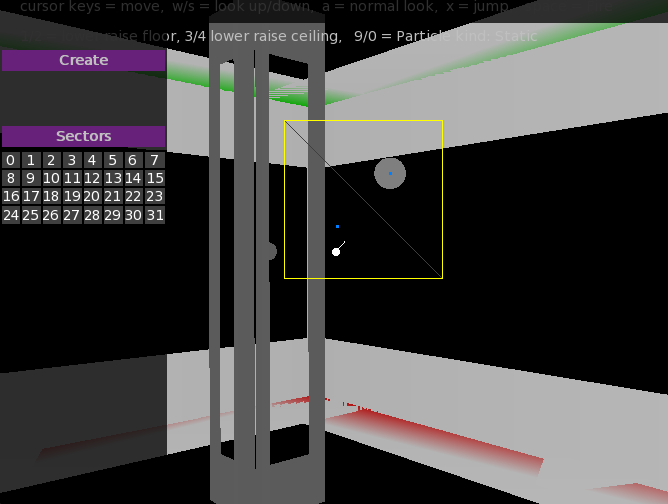
just select a triangle and the “create pillar” and a pillar will appear in the middle of any selected triangles.
You can see a pillar above in grey with it shown on the map as a grey blob.
Pillars automatically adjust to the triangle they are on and collision is automatically handled as well. there will be controls for making a pillar bigger or smaller and moving a pillar around.
July 17, 2017 at 7:59 am #9376tiny update
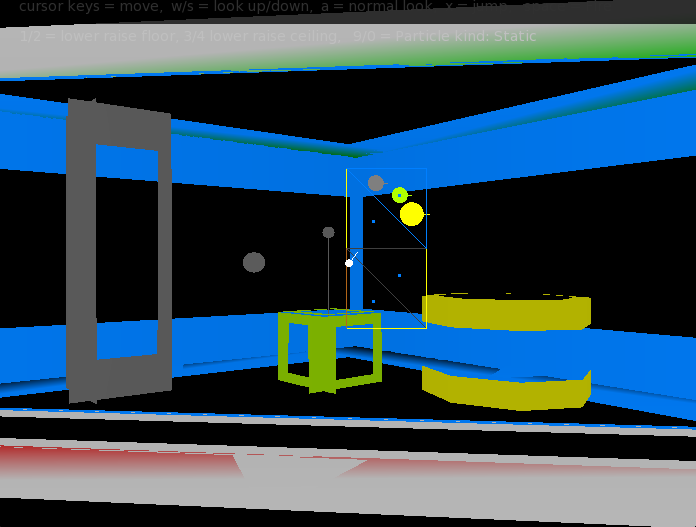
pic shows 3 of the 4 kinds of unit:
grey pillar – can’t pass
lime pickup – just as it says
yellow box. Original it was a box, but I decided a sort of circle made more sense as that is the collision it uses. basically it is something you can jump onto, climb onto, fall onto, etc. it will also stop you if it is too high. and it responds to things being fired, etc
the last one -not shown is ‘ignore’. it is a things that is ignored as if it is not there (collision wise)
-
AuthorPosts


You must be logged in to reply to this topic.