About Monkey 2 › Forums › Monkey 2 Projects › Ted21 progress
This topic contains 85 replies, has 22 voices, and was last updated by  AdamStrange
 2 years, 7 months ago.
-
AuthorPosts
-
July 31, 2016 at 10:53 am #2576

Sexy… Lovely
 July 31, 2016 at 11:14 am #2577
Superb work, flawless victory!
~ One thing I haven’t seen other editors do is also highlight where about you are in the code (in the code description) as you move around.
I thought of this feature a few times, it would be nice to see it once in an IDE, thankfully now in TED it will be awesome.
July 31, 2016 at 12:11 pm #2579One thing I haven’t seen other editors do is also highlight where about you are in the code (in the code description) as you move around.
yep, that’s something i want to address as it kinds annoys me too
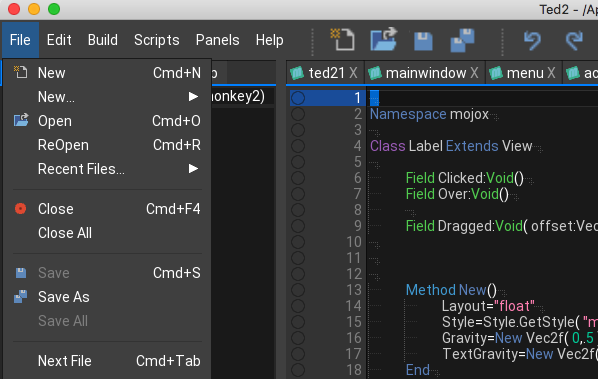
OK here’s the latest ( i’m on a roll today – possibly a ham one?).
Menus now have icons – these are the same as used everywhere else, so they all tie up. Plus added the little arrow to submenus.
Also menus now drop open as you move around them. I’m going to look at doing the same with the submenus too
Attachments:
July 31, 2016 at 1:55 pm #2582And another.
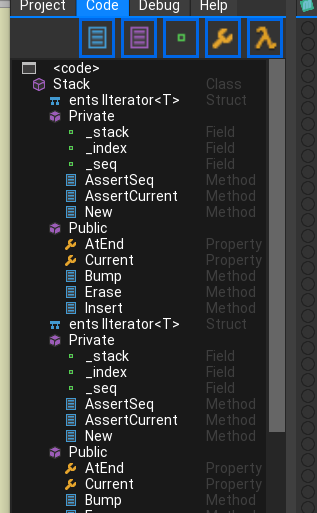
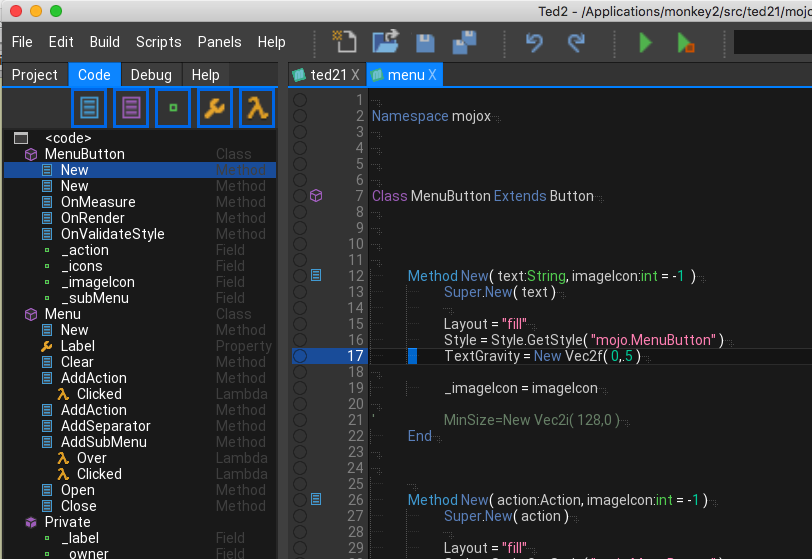
In the code view I’ve added the class primitives: public, private, etc
I think there might be trouble brewing here as I have classed them in the same way that c++ would do.
So when you define a class (or struct, etc) any private/public keywords should be the same indenting as the class, etc.
This is different to how Mark indents his code with the Public/private being indented
Og course it’s a style thing, but my personal view is it makes the code much simpler to read. Anyway here is a shot of it in operation. Note the inverted class icon for these.
Attachments:
August 1, 2016 at 1:00 am #2600Perhaps it might be good to switch from “raw presentation” to “formal presentation” just as having two options. But consider this a todo task for sometime in future, no worries.
August 1, 2016 at 7:40 am #2605started work on the status bar so it now shows the line column and char
Attachments:
August 1, 2016 at 10:23 am #2617This is looking good, I’ve held off playing with Monkey2 cus’ of no ‘proper‘ editor, is there a plan later down the line for Intellisense? I just cant live without that.
August 1, 2016 at 10:50 am #2618Currently everything is on the table. But intellisense is a bit further off
August 1, 2016 at 11:25 am #2619One thing I haven’t seen other editors do is also highlight where about you are in the code (in the code description) as you move around.
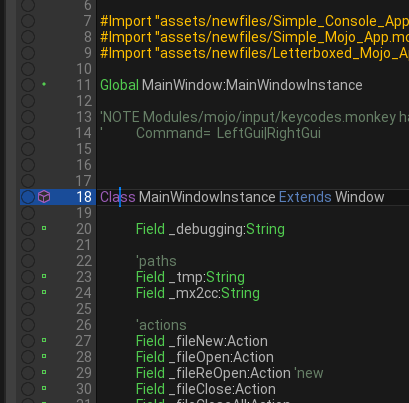
Integrated and fully operational. When clicking and moving the cursor, your current (important) code is highlighted in the code view.
So now you can click to jump to code and the code view will let you know (generally) where you are in the code.
One more last little thing on this. I’ve also added the code icons to the codeline gutter (next to the debug) so the code will also visually prompt you.
Attachments:
August 1, 2016 at 8:38 pm #2666Great job so far. Can’t wait to try it out.
August 1, 2016 at 8:54 pm #2667Excellent work!
Can you add an option to have a skinny cursor? The fat cursor makes me feel like I’m coding on the C64 again, or that I’m in “overwrite” mode or something.
 August 2, 2016 at 5:07 am #2677
skinny cursor – sorted
new button graphics made bigger
end of document debugstop fixed
git updated
August 3, 2016 at 10:05 am #2704added tab/return hide and show big cursor to menu with hotkeys
git updated
Attachments:
August 4, 2016 at 1:53 pm #2747ok, been working on the help and got it functional, but not allowing copying of text. that seems to be related to the litehtml viewer. I’ll get that working soonish.
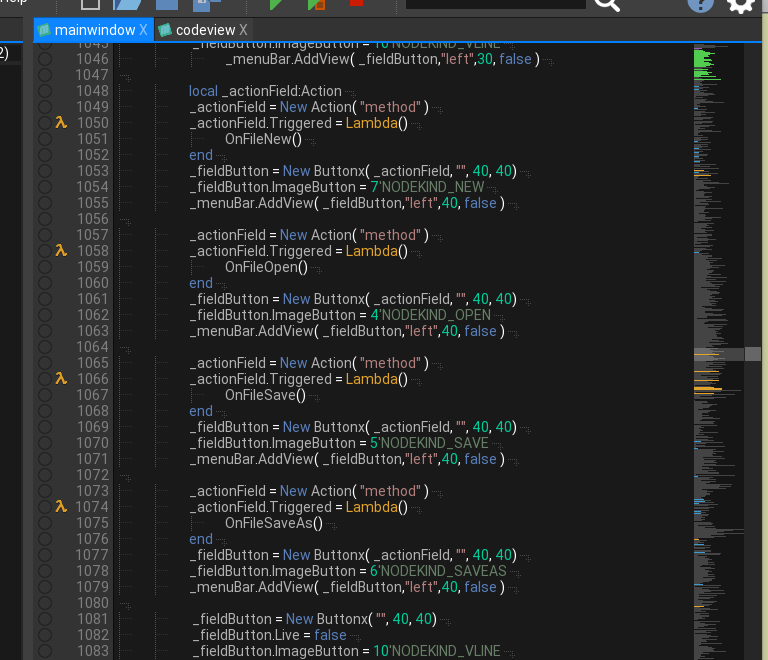
New right code overview – this is basically an overlay into the text showing the basic text layout.
Code lines are grey with important code lines (the ones hi lighted in the code view) are coloured the same colors as the code view.
Nice thing is it is FAAAAAST. It uses the same (dirty) way of keeping track of where you are. There is a line buffer with the eol, code icon, etc. It’s very simple just to peek into this…
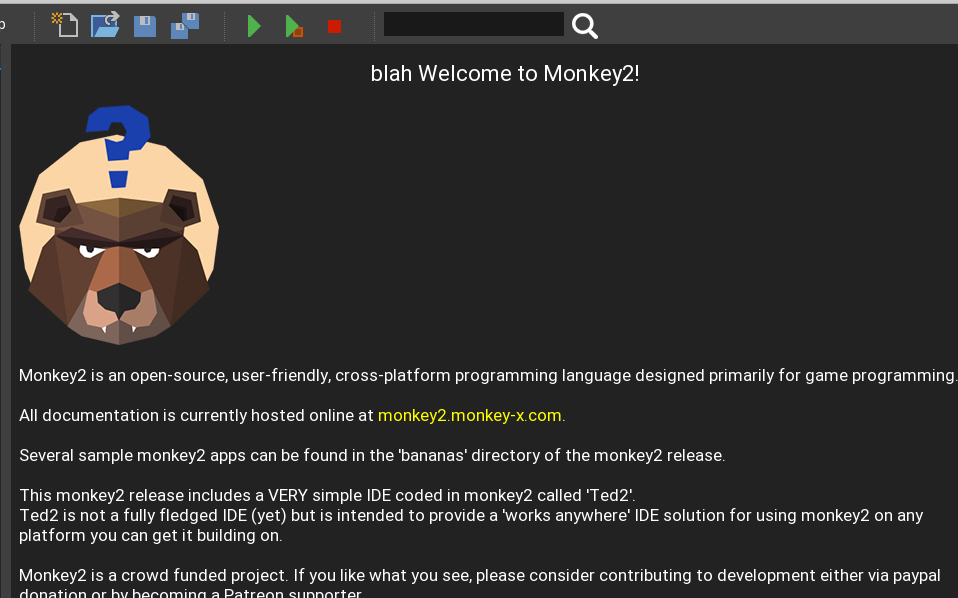
August 4, 2016 at 2:33 pm #2755In my continued campaign to rid Ted21 of those nasty dialogs;
The html help is starting to take shape with the first steps to a new welcome screen:
All still experimental, but now I can refocus things better
 YAY!
YAY!Attachments:
-
AuthorPosts







You must be logged in to reply to this topic.