About Monkey 2 › Forums › Monkey 2 Projects › Ted2Go IDE
This topic contains 596 replies, has 46 voices, and was last updated by  nerobot 3 months ago.
-
AuthorPosts
-
January 12, 2018 at 10:57 pm #12840
its good that you like it!
but the first theme should be impressive with a good color combination and not only yellow like in ´warm´
this yellow theme makes for a very bad first impression to new users
i was really scared when i first opened ted2 and saw this theme as the default one thinking this was as good as it gets
so i was surprised to see some other really nice themes in there instead and its weird that they are not default
´hollow´ is fantastic
but this is not the place to discuss themes but thats what i think
 January 12, 2018 at 11:04 pm #12841
Hehe you sure do like “Hollow” eh?
Well I’m glad someone likes it!I’ve said it before, but I’ll say it again; I think the way to go is to have a sort of “setup” the first time Ted2Go is started.
It could ask things like “What theme do you want?” with a list showing all themes and displaying them in real-time.
And also a few other things, like how auto-complete should work.That way there is no “default”, and it’s instead tailored to the user.
January 13, 2018 at 4:16 am #12842Yes, it’s time to add setup wizard.
I like prime themes except of bold font. That’s why I revert default theme to warm.
If wizard will take a long time I can set back prime one.
January 13, 2018 at 11:36 am #12845Latest docs are easily themable too.
Put something like this in “theme.css” to change the docs colors:
CSS1234567891011121314151617181920212223242526272829303132/*This stylesheet changes monkeydocs from default white to dark blue with yellow linksTo make docss use white theme, rename or delete this stylesheet.To change docs theme, change the colors below.If you find something that needs adding, add it to the correct color group, seperating with a commma.*//* main background color */body{background-color: #123;}/* text color */body,pre,code{color: #fff;}/* link color */a , a:hover, a:visited , a:active {color: #ec0;}/* table header and <pre> background */pre,th ,code{background: #456;}tr:nth-child(even){background: #182838;}tr:nth-child(odd){background: #1e2e3e;}February 25, 2018 at 2:43 pm #13722Hi guys.
There are some recent improvements in develop branch:
- New feature – using spaced indentation! Now, you can
- use spaces instead of tabs;
- set desired tab size (works with tabs and spaces);
- and even automatically fix “wrong” indentation.
- New feature – duplicate line or selected area with shortcut Ctrl+Shift+D (or just Ctrl+D on windows).
- Improved support of array type in code completion and code tree view.
- Completion list – some colors added into theme file:
- completion-list-selected – color of selected line
- completion-list-marked-bg– background color of highlighted chars
- completion-list-marked-text – foreground color of highlighted chars
- Added some preprocessor directives into completion list:
- __WEB_TARGET__ , __DEBUG__ , __RELEASE__ , __CONFIG__ , __MAKEDOCS__
- Added option “Rename folder” into Project browser context menu; and now open a *containing folder* by option “open on desktop” for files (don’t try to open file itself).
- Now storing latest opened tab in prefs dialog.
Attachments:
February 26, 2018 at 8:20 am #13735Awesome, thanks for adding that!
February 27, 2018 at 12:41 am #13742This is cool. Thanks for all your efforts on this.
February 27, 2018 at 12:46 am #13743Enjoy coding and bla bla bla.
Forgot to say – I also removed IRC chat stuff to cooperate all community in a single place – Discord.
February 27, 2018 at 1:20 pm #13751Great work and thanks for the CTRL + D shortcut!
Some other usefull shortcuts which I still miss are:
CTRL + ENTER => starts a new line before current line
SHIFT + CTRL + ENTER => starts a new after before current lineFebruary 27, 2018 at 1:23 pm #13752after before
sounds interesting
in what editor do you use it? (I want to try it)
February 27, 2018 at 1:49 pm #13753In Visual Studio 2017.
OK the after before was a typo
 February 28, 2018 at 4:24 pm #13774
Now I am throwing away some stuff and cleaning up my drives, this code I had written a year ago (there was no Ted2Go back then
). It does not mean much but anyways… If for some reason there is something useful it would not mind to grab it. The implementation does not match Ted2Go but with a few porting it will work. There were about a dozen of features but all of them were added to mojox or Ted2GoLine commenting is interesting since it uses toggling, similar behavior to Sublime.
Monkey1234567891011121314151617181920212223242526272829303132333435363738394041424344454647484950515253545556575859606162636465666768697071727374757677787980818283Class PluginTextView_LineComment Extends PluginTextViewPublicProperty Name:String() OverrideReturn "Toggle comment for lines."EndProperty Shortcut:String() OverrideReturn "Alt + C"EndProtectedMethod New()AddPlugin(Self)EndMethod OnFilterKeyEvent(event:KeyEvent, textView:TextView) OverrideIf IsModifierPressed(event.Modifiers, Modifier.Alt)If IsEventKeyDown(event) And event.Key = Key.C' the status of the first line will define the operation that is going to be used.' when it is to add comment, it will always be done (characters will be appended).' when it is to remove comment, it will be done when: a) comment character is found, b) is in the same identation levelLocal operation := "None"Local indexComment := 0Local indexCommentStart := 0Local lineStart := textView.Document.FindLine(Min(textView.Cursor, textView.Anchor))Local lineEnd := textView.Document.FindLine(Max(textView.Cursor, textView.Anchor))For Local i := lineStart To lineEndindexComment = SearchCommentCharacterIndex(textView.Document.GetLine(i))If operation = "None"If indexComment = -1 operation = "Add" Else operation = "Remove"indexCommentStart = indexCommentEndIf operation = "Add"AddComment(textView, i)Elseif operation = "Remove" And (indexComment <> -1) And (indexCommentStart = indexComment)RemoveComment(textView, i, indexComment)EndNextevent.Eat()EndEndEndPrivateMethod SearchCommentCharacterIndex:Int(line:String)For Local i := 0 Until line.LengthLocal s := String.FromChar(line[i])If s = "'" Return iIf TextViewFeat.IsCharacterAlphaNumeric(s) Return -1NextReturn -1EndMethod AddComment(textView:TextView, line:Int)Local cursorCurrent := textView.CursorLocal cursorStartLine := TextViewFeat.LineStartIndex(line)textView.SelectText(cursorStartLine, cursorStartLine)textView.ReplaceText("'") ' characters shift one position to the righttextView.SelectText(cursorCurrent + 1, cursorCurrent + 1)EndMethod RemoveComment(textView:TextView, line:Int, index:Int)Local cursorCurrent := textView.CursorLocal cursorStartLine := TextViewFeat.LineStartIndex(line)Local characterIndex := cursorStartLine + indextextView.SelectText(characterIndex, characterIndex + 1)textView.ReplaceText("") ' characters shift one position to the lefttextView.SelectText(cursorCurrent - 1, cursorCurrent - 1)EndGlobal _instance := New PluginTextView_LineCommentEndMove lines up and down is a shortcut for cut and paste.
Monkey123456789101112131415161718192021222324252627282930313233343536373839404142434445464748495051525354555657585960616263646566676869707172737475767778798081828384858687888990919293949596979899100101102103104105106107108109110111112113114115116117118119120121122123124125126127128129130Class PluginTextView_MoveLine Extends PluginTextViewPublicProperty Name:String() OverrideReturn "Move a line or a selection of lines."EndProperty Shortcut:String() OverrideReturn "Alt + Up/Down Arrow"EndProtectedMethod New()AddPlugin(Self)EndMethod OnFilterKeyEvent(event:KeyEvent, textView:TextView) OverrideIf IsModifierPressed(event.Modifiers, Modifier.Alt)If event.Type = EventType.KeyDownIf event.Key = Key.UpMoveLineVertical(textView, -1)event.Eat()ReturnEndIf event.Key = Key.DownMoveLineVertical(textView, 1)event.Eat()ReturnEndIf event.Key = Key.EnterPrint("Cursor: " + textView.Cursor)event.Eat()ReturnEndEndEndEndPrivateMethod Column:Int(index:Int)Return index - TextViewFeat.TextViewInstance.Document.StartOfLine(TextViewFeat.TextViewInstance.Document.FindLine(index))EndMethod MoveLineVertical(textView:TextView, delta:Int)Local textViewAnchor := Min(textView.Anchor, textView.Cursor)Local textViewCursor := Max(textView.Anchor, textView.Cursor)' get linesLocal blockLineStart := textView.Document.FindLine(textViewAnchor)Local blockLineEnd := textView.Document.FindLine(textViewCursor)' store cursor and anchor column indexLocal storeAnchorColumn := Self.Column(textViewAnchor)Local storeCursorColumn := Self.Column(textViewCursor)' recalculate line rangeIf delta = 0 Then ReturnIf delta < 0 Then blockLineStart -= 1If delta > 0 Then blockLineEnd += 1' validate line rangeIf blockLineStart < 0 Then ReturnIf blockLineStart >= textView.Document.NumLines Then Return' get the text rangeLocal blockLines := New StringListFor Local line := blockLineStart To blockLineEndblockLines.Add(textView.Document.GetLine(line))Next' perform the line swappingIf delta < 0 ' when moving up first cell becomes the lastLocal a := blockLines.RemoveFirst()blockLines.AddLast(a)Else ' when moving down last cell becomes the firstLocal z := blockLines.RemoveLast()blockLines.AddFirst(z)End' replace the textLocal blockText := blockLines.Join("~n")textView.SelectText(TextViewFeat.LineStartIndex(blockLineStart), TextViewFeat.LineEndIndex(blockLineEnd))textView.ReplaceText(blockText)' restore cursor positionLocal getPosition := Lambda:Int(textView:TextView, line:Int, column:Int)Return textView.Document.StartOfLine(line) + columnEndIf textViewAnchor = textViewCursor' no text is selectedLocal newCursor := 0If delta < 0newCursor = getPosition(textView, blockLineStart, storeCursorColumn)ElsenewCursor = getPosition(textView, blockLineStart + 1, storeCursorColumn)EndtextView.SelectText(newCursor, newCursor)Else' text is selectedLocal newAnchor := 0Local newCursor := 0If delta < 0newAnchor = getPosition(textView, blockLineStart, storeAnchorColumn)newCursor = getPosition(textView, blockLineEnd - 1, storeCursorColumn)ElsenewAnchor = getPosition(textView, blockLineStart + 1, storeAnchorColumn)newCursor = getPosition(textView, blockLineEnd, storeCursorColumn)EndtextView.SelectText(newAnchor, newCursor)EndEndMethod MoveLineHorizontal(textView:TextView, direction:Int)EndGlobal _instance := New PluginTextView_MoveLineEndMarch 11, 2018 at 3:45 pm #13963@cocon thanks! maybe I’ll get something of your code.
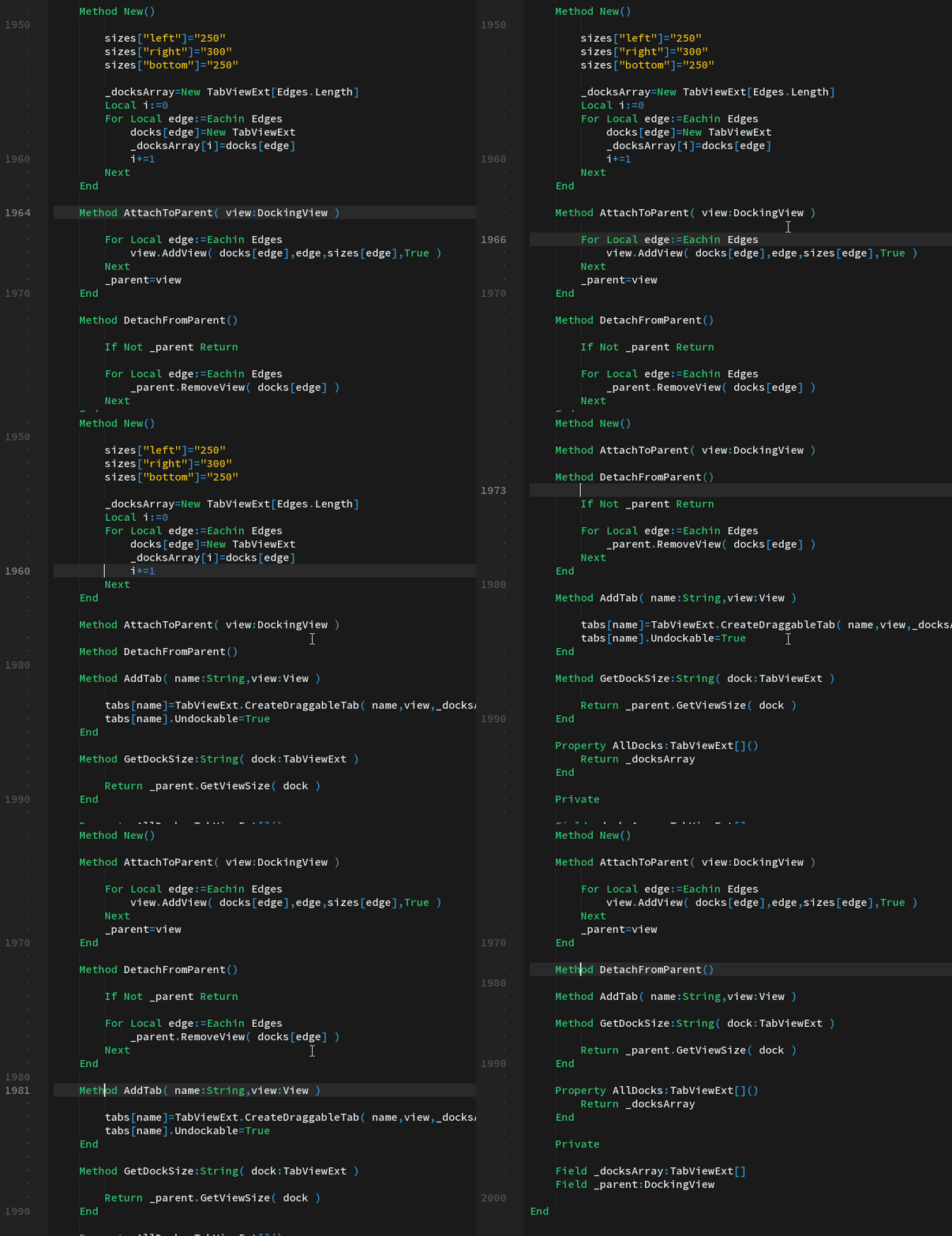
There is a little GIF about folding. I almost get it working.
Need to add +/- folding icons into gutter view and checking lines deletion and isertion.
Attachments:
April 2, 2018 at 4:54 pm #14208we got more syntax highlighting options yet?
April 3, 2018 at 3:47 am #14216Do you want separated colors for code members like class-names, functions, methods, const, etc?
We have no such stuff yet.
- New feature – using spaced indentation! Now, you can
-
AuthorPosts



You must be logged in to reply to this topic.