About Monkey 2 › Forums › Monkey 2 Projects › Ted2Go IDE
This topic contains 596 replies, has 46 voices, and was last updated by  nerobot 3 months ago.
-
AuthorPosts
-
November 8, 2017 at 4:25 pm #11558
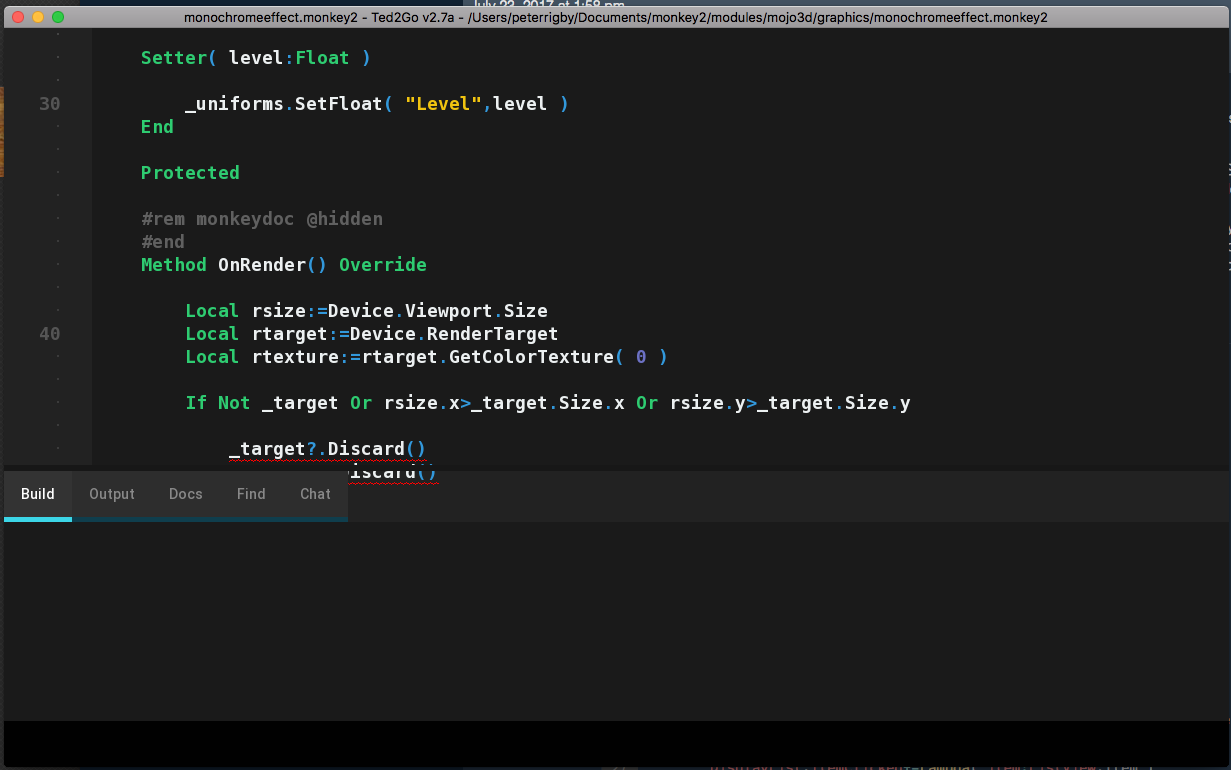
I have an issue on MacBook when using a second monitor. The IDE displays fine on the laptop but if I drag the window onto the monitor then it gets clipped (see attachment). I guessing this is something to do with the fact that the displays have different resolutions, the MacBook is retina 2880 x 1800 and the monitor is 2560 x 1440.
Let me know if there’s a specific place in the code I can take a look and help debug if needed.
Attachments:
November 9, 2017 at 1:59 am #11581I can’t read the last item in this list
Added it TODO.
The IDE displays fine on the laptop but if I drag the window onto the monitor then it gets clipped (see attachment)
Seems to be addressed to Monkey2 not ted2go to fit window into current monitor dimension. Will read SDL docs.
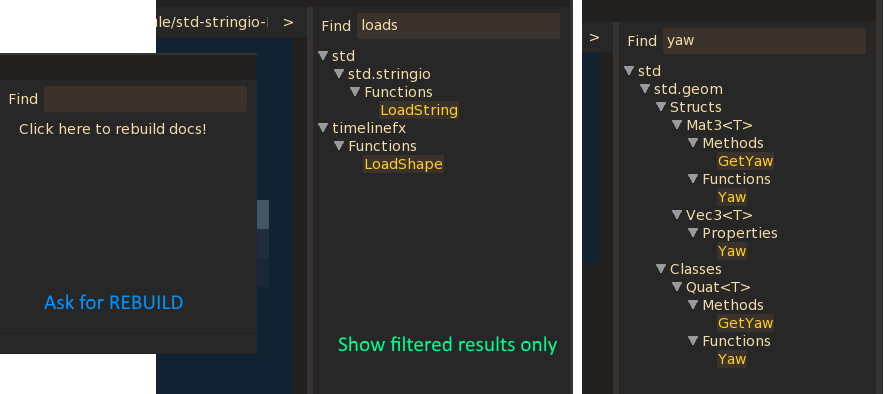
November 9, 2017 at 5:59 am #11587Yesterday I fixed some issues with docs tree view, pushed into dev:
- Fixed incorrect mouse click position;
- Show help for ident by second F1 press;
- Fixed results highlighting.
I also tried to show-results-only in tree, would it be usefull for anyone? see screenshot.
But I left all items, with results highlighting.
Attachments:
November 9, 2017 at 8:20 pm #11606I haven’t used M2 in a while now, but I noticed that locking build file produces a red line under the tab, breaking some of the themes.
Turns out it’s a feature heh.Here are the themes updated to use ‘TabButtonLocked’

http://hezkore.com/captures/theme-updates.zipIf you ever want any help with the themes or anything Nero, either mail me or drop by the IRC room and tell me what you need.
November 10, 2017 at 2:50 am #11612Here are the themes updated to use ‘TabButtonLocked’
Tx! Pushed into dev.
If you ever want any help with the themes or anything Nero, either mail me or drop by the IRC room and tell me what you need.
Okay.
November 17, 2017 at 9:40 pm #11781I’ve made a minor change to the theme ‘Hollow’ (json only)
Made the menu separators easier to see.
http://hezkore.com/captures/theme-hollow.zipFeel free to add it if you want.
Oh and I still think there should be a “Please restart Ted2Go” alert message when switching theme.
Going between some image heavy themes sometimes has some really odd results.Like the tabs and checkboxes being wrong in the theme ‘Smooth’:
 November 18, 2017 at 12:47 pm #11799
It’s a really nice editor / IDE one of my favourites so far.
I miss few little things like including smileys and symbols in the remarks of the code as you could with the Monkey1 editor. It’s also sometimes important to be able to play around quickly with colours and fonts.
On the MacOS the font changer actually appears to be a retro file requester you need to find fonts for yourself instead of having the standard dropdown menu with previews? Maybe I’m doing it wrong.
I would like to throw out and mention additional ideas I would love to see :
– To be to be able to see and play all media right in the editor. Included pictures could appear in the source, and sounds could have a play button for instance.
– The search might get a “highlight all found words” mode where you could skip between all using actual keys instead of screen buttons. A more complex variant would be to also create an additional tab that gets filled with all the instances of found words as a list.
– Another idea would be live conversion of whatever the cursor is at, say a number will somehow offer other bases such as hex dec bin to be edited and viewed, and colours could couple RGB with names when actual names exist).
I don’t know if any of these ideas are sensible enough to implement or not but I for one would really enjoy having them.
November 19, 2017 at 11:13 am #11820nerobot: I also tried to show-results-only in tree, would it be usefull for anyone? see screenshot.
Yes pls!
And pls add the Autocompletion thing i mention befor (would be so usefull) November 19, 2017 at 1:28 pm #11821
I’ve made a minor change to the theme ‘Hollow’ (json only)
Thanks, added.
Oh and I still think there should be a “Please restart Ted2Go” alert message when switching theme.
I think there is something wrong in mojo itself. Will try to understand.
@phatpeter thanks for ideas

Yes pls!
There is a problem – if you want to look at other members – you can’t because of fiter, if you removed filder – you need to find desired item by hand in docs tree. Therefore I decided to left whole list. You can press Enter to goto next found item.
And pls add the Autocompletion thing i mention befor (would be so usefull)
Give me a link to your post, please.
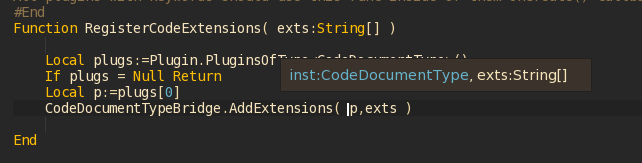
November 19, 2017 at 6:56 pm #11828November 24, 2017 at 11:19 am #11942I almost done new cool feature – hint for parameters types!
You can try it out by pushing params_hint branch (will be in dev soon).
Click on GIF image to see more details.
Attachments:
November 24, 2017 at 2:23 pm #11948Nice feature! as I get older hints help with remembering all the parameters!
November 24, 2017 at 8:11 pm #11949You are my hero nerobot!!!
November 24, 2017 at 8:19 pm #11950Very nice!
I used this a lot back in Blide and Jungle, but had completely forgotten about it!
Would it be possible to make a separate ‘hint’ for colours?
Like, say you’re typing ‘New Color()’ and as you enter inside the ‘()’ a colour wheel pops up and you can preview the colour.
Possibly even set the colour from the colour wheel.November 24, 2017 at 9:30 pm #11952Very good work
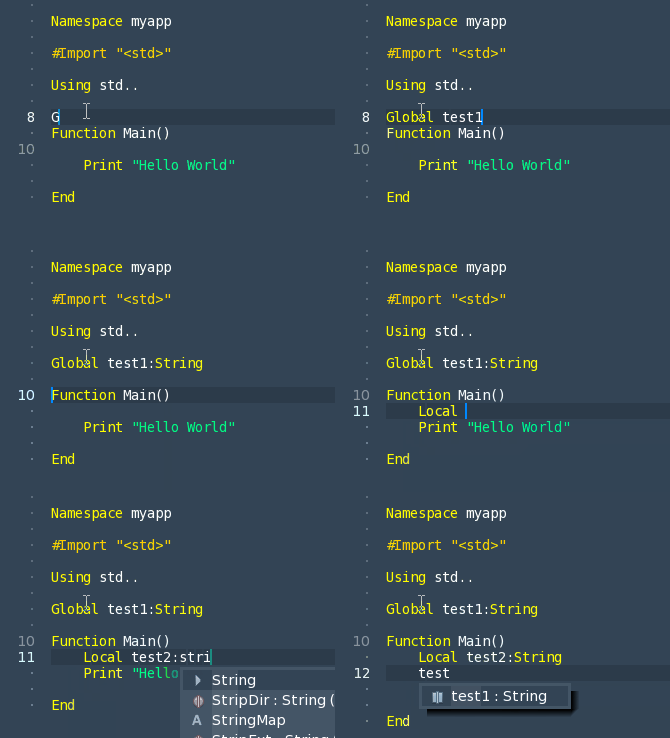
I love the editor, but one feature i still miss. Local vars not parse. See Gif.
And is it possible to make a fullsreen mode, like Sublime TextAttachments:
-
AuthorPosts






You must be logged in to reply to this topic.