
Forum Replies Created
-
AuthorPosts
-
small thoughts on the list (still I know)
make your – + boxes a bit smaller
think about a folder as open and closed, so when it is not being used it is closed
one last trick is not to use lines of the list connectors, but dotted lines – makes them look nicer. Easy if they are graphics, not so easy if they are a drawn linethe blue used in your selections. is should possible be lighter so the black text stands out – again look at windows and the ui systems. If I remember they used a more desaturated color.
Also watch your alignments with the ok/cancel buttons. if you look to the text boxes above – they jar slightly.
But in saying all of that – brilliant work

take a look at the base win32 icons:
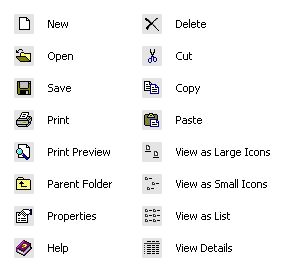
MS used a very limited color set (carefully chosen) that worked at very small resolutions 16×16 pixels.in the tree editor, check the image sizes being used and also the alpha component. Monkey2 can use transparent png files without issue.
The yellow “folders” look more like blobs than folders, so maybe have a look at tightening u you icon graphics so they don’t look to square?
Just a suggestion
@nerobot erm. ok. why?
Why not use:
Method OnKeyEvent( event:KeyEvent ) Override
end methodWhich is the normal way of trapping key codes. But not in this case cause he wants to check if a key is pressed, hence using scancode
Work ongoing nicely now.
Quick comparison of cpu usage. The old method which hammered the CPU and GPU, went up with each model displayed.
so it usually started at about 15% and then settled on 35% going up if I added lots more models (20 or 30) – it was this that caught my eye that something was amis with the code.Here is a current pic:
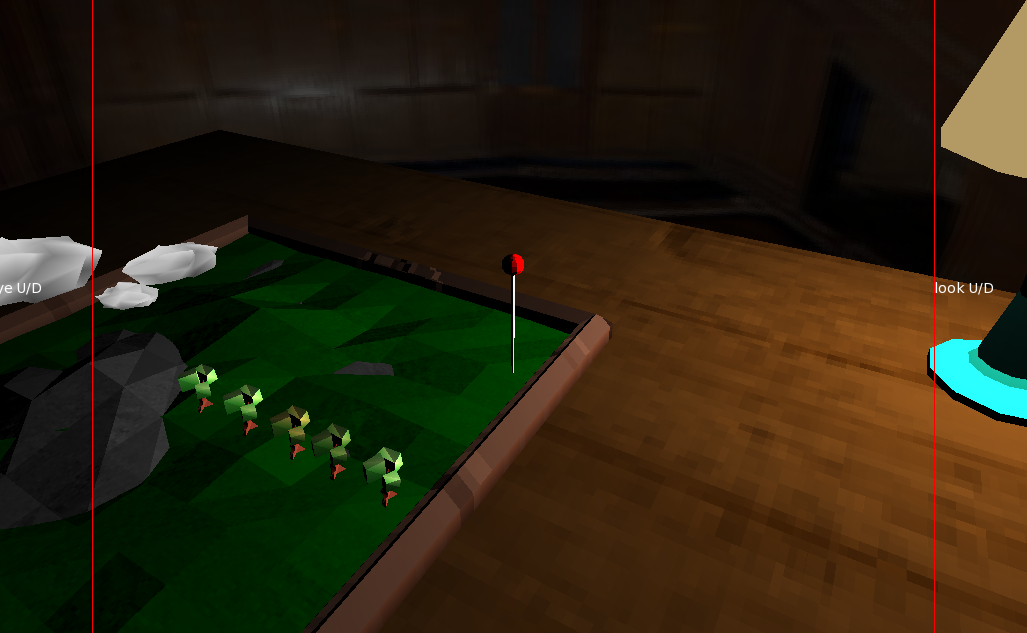
This is the new engine with identical code and redraw on both Windows and MacOS.
General CPU is around 3%-4%!
I can add around 800 models before CPU goes towards 20%!It is very optimised for small low poly models, so you can have loads of them, each having unique properties and shader data.
Brilliant work. Gui stuff is never simple and it looks really slick.
Just a quick update on this.
I had some really interesting bugs when cross compiling. Mac fine. Windows BANG! After some tracking I traced it back to a slight difference in OpenGL between Mac and Windows. with a tiny bit of code change between platform, but are now working exact across both systems.
tested on 4 different machines (2 mac and 2 windows) with identical results:
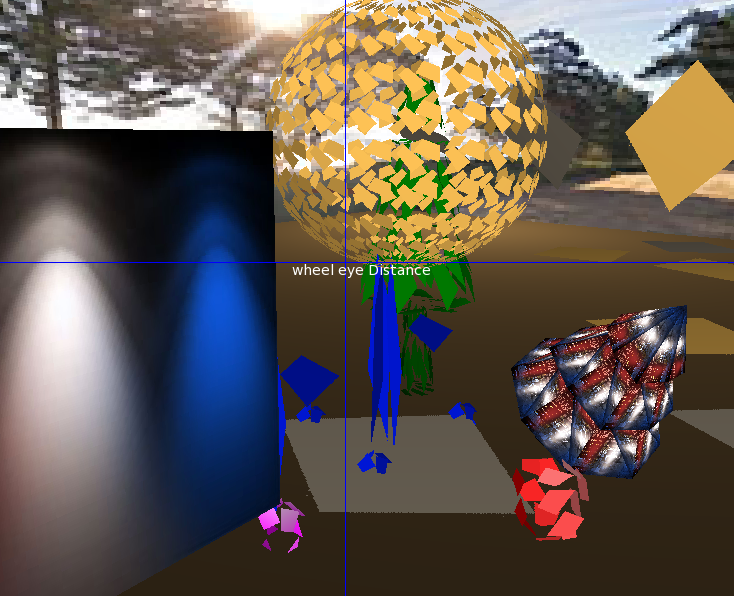
This means I can now start work on some lighting ideas without worry about platforms
on mac (high sierra)
3100 stable at 62fps
3200 drop to 58 fps
3500 55fps
4000 49fpsall windowed.
fullscreen not resized the window correctly, but the same fpsAHA, got you. OK, this is definitely a more interesting issue that maybe Mark should look at.
Probably add a command for music position
ok using a somthing:Sound
and getting the position with channel.PlayheadSamplesoundthing.Duration = length in time which is
Property Duration:Double()
Return Double( _length ) / Double( _hertz )
EndSo
time position would be along the lines of:
channel.PlayheadSample / (channel.Pitch * sound.Hertz)I’ve not tried it, but that is the sort of thing you need to look at
just get .Length and a few divides will give you the time played
no problem
OK. I’m currently writing a 3d system for monkey2 using OpenGL. so can help if any is needed. I can also show you some of the code to get things done as well (if wanted).
My code is heavily customised, but I am starting from an optimised view with lots of little 3d things making the big picture…
I know you are looking into modifying the mojo canvas class to allow you to do some custom vertex manipulations. (I’ve done some modifications myself to add some missing things, so I use the the canvas stuff)
some things to think about with 2d and 3d in monkey2:
– use mojo.canvas for 2d stuff – adding things to allow for curved surfaces in 2d if needed
– you can use shaders in mojo.canvas for dealing with images. but it’s not documented or obvious.
– use GLWindow for writing your own 3d stuff
– use mojo3d if opengl or 3d matrix stuff scares the hell out of youstrips will be faster – as you are sending less vertexes.
Question for you?
Are you using mojo as the base with GLWindow (and your own 3d code)? or Mojo3d?modern opengl doesn’t use begin/end blocks anymore. it’s vbo and shaders now
in essence you:
– (pre) design what a vertex contains. Usually position, maybe uv and normals, maybe other stuff as well
– (pre) decide the vertex structures (vertex buffers) for each object
– (pre) construct the shadersnote that all of this is pre. you should set up this once at the start. and it remain unchanged during the render process (you can regenerate the vbo’s if needed though).
for each render loop, you will probably have some form of scene management – what it is and how it works is up to you.
– change shader
– draw the models with that shader
– change to another shader
– draw the models
– maybe change other stuff like blend mode
– change shader
– draw models
make sure that the bindings of any bitmaps is correct for each shader change
you can change drawing methods (triangles, triangle strips, etc, as much as you want.When you draw a model you will need to feed the shader a model matrix giving the model it’s position
the shader will also have a view matrix (for perspective, etc) and a view position – maybe other matrix stuff as wellthe shaders are split in 2 vertex (moves the vertexes around), and fragment (gives the look)
…
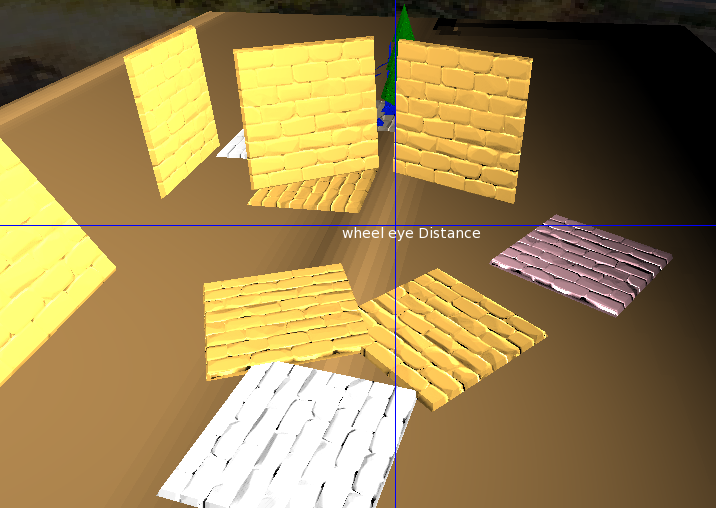
finally, a bit of bump mapping. this is NOT normal mapping, but takes a single mono input and calculates the proper bump from it.
-
AuthorPosts
