Forum Replies Created
-
AuthorPosts
-
Yes, KeyPressed ignoring auto-repeat and KeyHit using it ( or vice-versa, doesn’t matter to me) would be ideal! KeyHit seems to be undocumented, though. I only used it because I converted code from M1…
Codifies, keydown is not really ideal for actions that should not repeat until the player hits the button again – for instance, Megaman or Super Mario style jumps.
Thanks!
Weird, my Emscripten on MacOS never uses the customized M2 page. Slightly annoying, but no huge deal since I can always copy it by hand after the build.
Yup, removed the build folder.
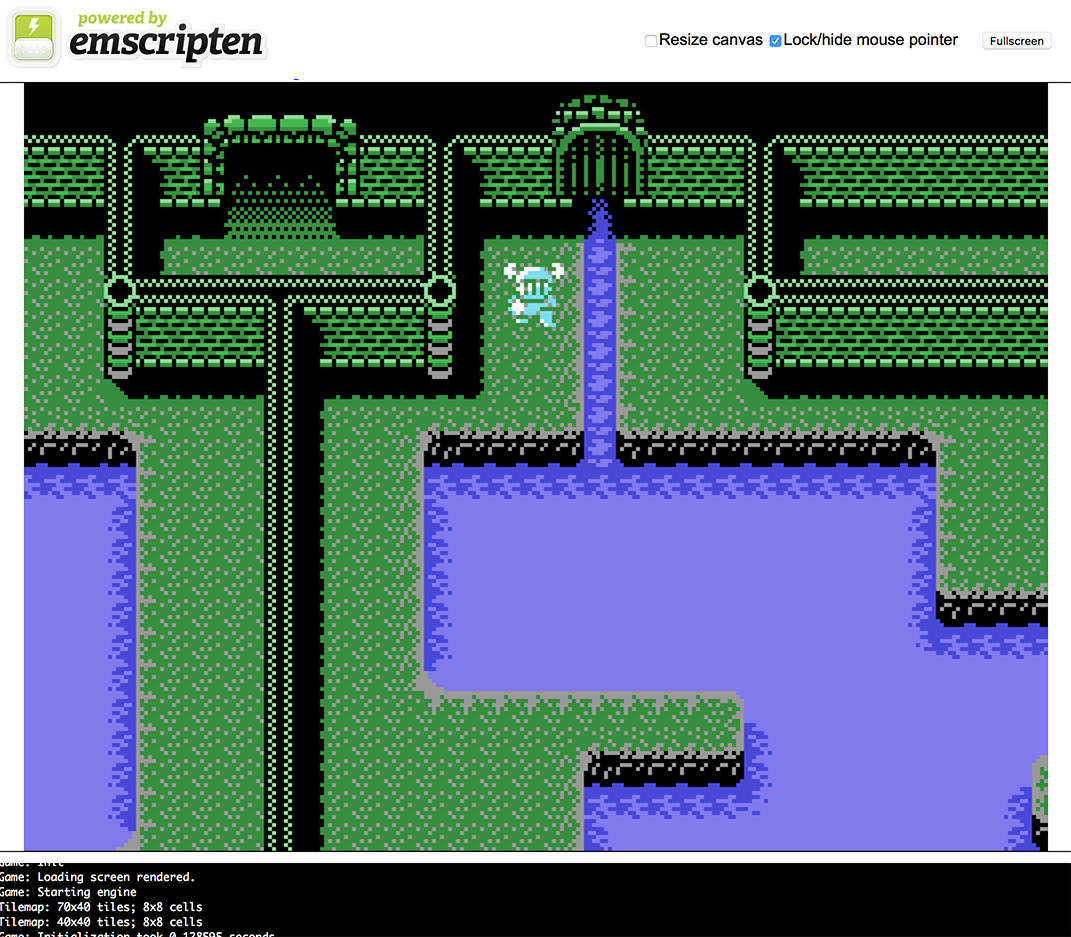
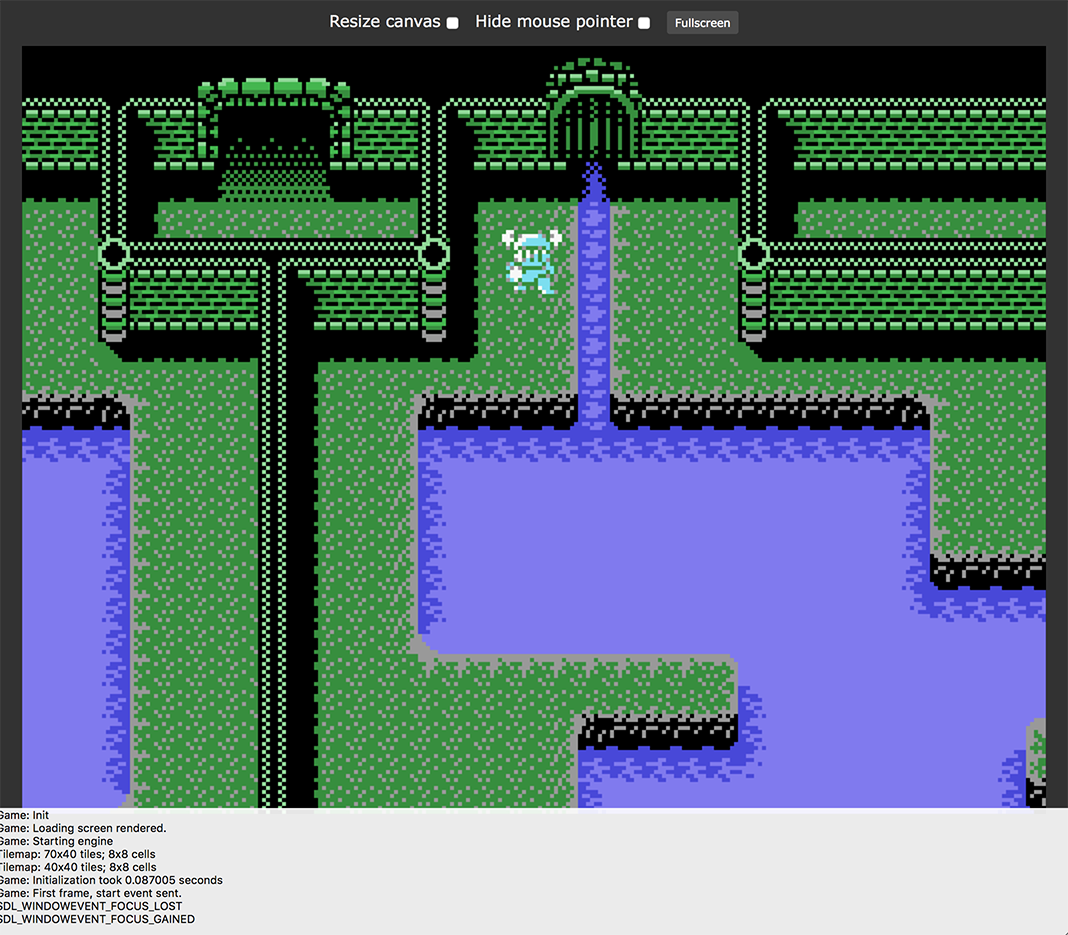
The problem is that the html inside the “products” folder is being ignored. It uses the default emscripten page, not the one Mark created. I think this is a MacOS specific bug, I believe it works fine in Windows. If someone can confirm the problem I can file a bug in Github.
You have to change the paths in monkey2/bin/env_macos.txt.
That said, I did change the paths and was still getting that error. Then I solved it the “easy” way: reinstalled emscripten using the default path that Monkey2 expects to find (which is /Users/YourUserName/emsdk).
Cheers.
That’s the problem, it’s not working. I have to manually copy the page from monkey2/products/emscripten every time I compile.
Looks at the attached files, the first one is what I get by default, the other one is after I manually copy the files from the products folder (next to the build folder). Seems like a bug.
Thanks for the replies, that is very helpful!
codifies, I definitely keep a vector for each entities’ local scale, but I ran into the need to “extract” the scale when I’m dealing with hierarchies inheriting position, rotation and scale. The way I’m doing it, each entity has a matrix that expresses the transformation for all entities in the hierarchy up to that entity, so extracting the scale from that already existing matrix could be cleaner than searching Up the hierarchy, multiplying each local scale.
The other case where I wanted it was to obtain the current scale from Mojo’s default window canvas. This is a situation where the scale is not set in my code (depends on window size and virtual resolution, etc.), so I couldn’t store it in a vector without obtaining it first.
Thanks!
Never mind, I got this… sorted out

A quick look at the source code for stacks showed me what to do. No need to extend the Stack class:Monkey123testStack.Sort( Lambda:Int( x:MyObject,y:MyObject )Return x.depth<=>y.depthEnd )New features like this (compared to Monkey1) are powerful, but are definitely counter-intuitive for noobs, and will take a while to wrap my head around it…
I find that simply overriding a “Compare” method would have been easier to read!
These are great, thanks.
I wish there was a designated area in the forums for sharing code like this.For me only the first time compile takes long, from then on it seems like only modified files get updated and compiling takes only a second or two. But I’m on MacOS, so the compiler is different. Haven’t tried on Windows yet.
On a MacBook Pro, beginning/end of line are Cmd+Left and Cmd+Right.
Top and bottom of a document are Cmd+Up and Cmd+Down.
Next/previous words are Ctrl+Left and Ctrl+right, as mentioned. As far as I know Ctrl+Up and Ctrl+Down are reserved for the OS (Mission Control and Exposé).
All of those should work with “Shift” for selection, so holding Shift while hitting Ctrl+Right will select the next word, then the next, and so on.
Don’t know what’s the equivalent in Windows, which must exist since some Windows laptops also have compact keyboards.
Will try Ted2Go again, Thanks!
Just downloaded from the develop branch, and still get the same error.
Thanks Mark!
<edit> missed the updatemx2cc part, will try now.
<edit2> works now. Thanks!I was just checking Ted2Go a couple nights ago, really cool! Is Mark gonna merge some of those features?
I don’t see the option to toggle comments, though, and the shortcut doesn’t do anything here.Those keyboard navigation shortcuts like ctrl+arrows and cmd+arrows are super important to me, I hate moving my hands off the keyboard just to position the mouse cursor!

I like those suggestions! The only thing keeping me away from Ted2 now is the text editing itself.
I’d add (on a mac) Cmd+Left/Right for beginning and end of line on a compact laptop keyboard. A shortcut to comment/uncomment lines (usually cmd+/ on mac editors) would be great too.Thanks!
Yay, thanks! Switching to column view fixes the glitch here as well.
Getting M2 to spit out human readable info for other ide’s would be great. I imagine a quick stop gap solution would be a command line option that an ide could use (instead of trying to detect whether Ted2 is in use or not) to force human readable output, at the cost of losing debug data.
Cheers!
That’s just an option in the Quicktime screen recording! It shows you exactly when I click the mouse button.
I don’t have it normally, and Ted still behaves the same.

I also tried turning off OS X “dark” theme, no effect. -
AuthorPosts