Forum Replies Created
-
AuthorPosts
-
OK will do. I had a go last night and echoserver demo seem to work, but I’ll test the latest commit here soon.
Awesome.. compiling it now.
 I’ll give it a test. Thanks!
Right oh.
Thanks.It is. Plus an action/twitch style game relying on low latency UDP.
I will use a client and authoritative server (server is in control). Ideally it would be great to have something in a framework that provides a server that can do packet handling (packet order and reliability), UDP hole punching and so on.
If memory serves Monkey 2 is using EFFNET? I might be able to use it if the UDP part is enabled. EFFNET does not provide a server or hole punching (as I recall) but both of these can be accomplished by building a server and using techniques to achieve UDP hole punching. It’s more work on my end but doable.
Super! Off to get my copy.
That is way cool!
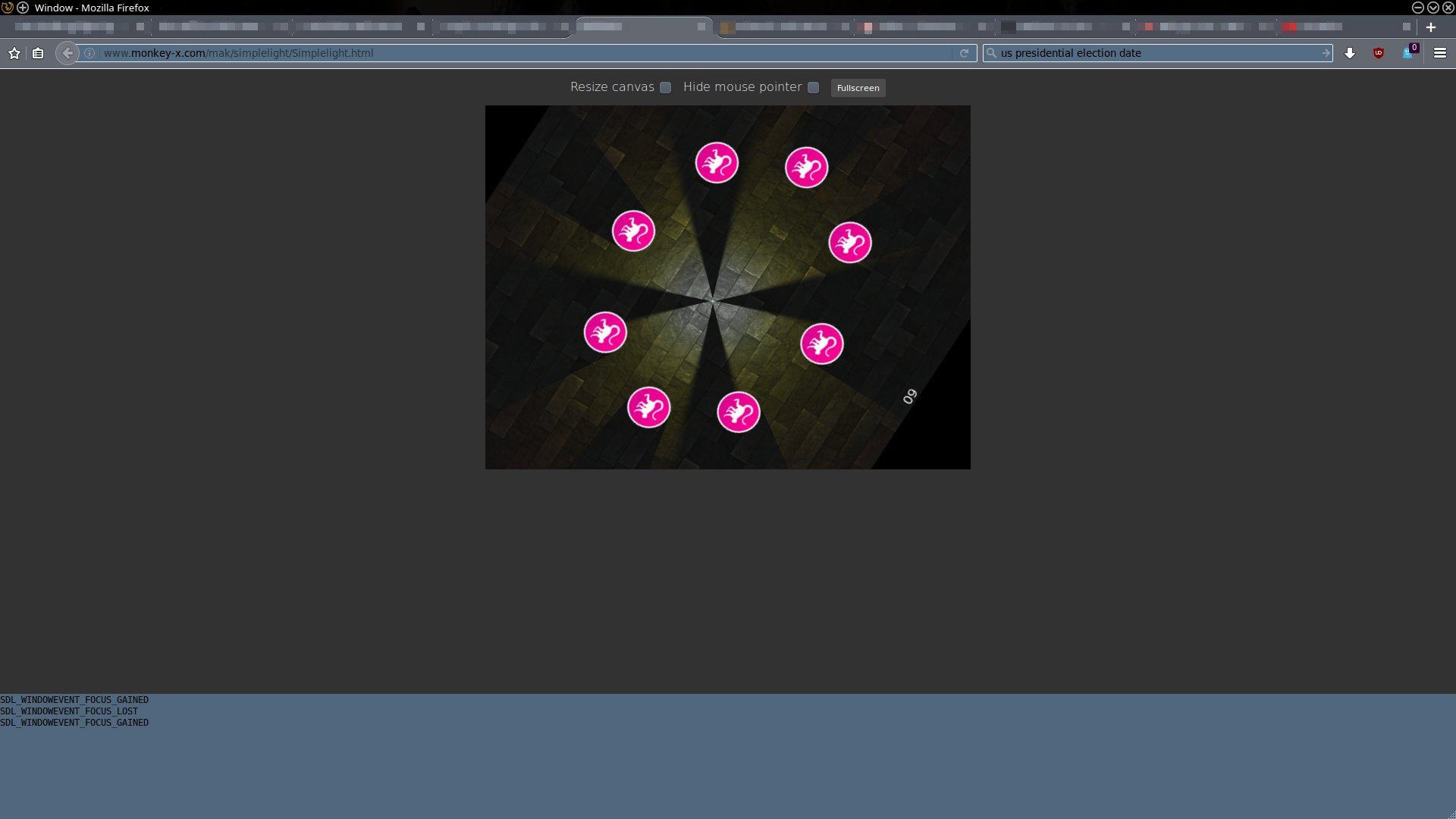
It’s working great on my Linux Firefox and Chromium. Exactly what I need. Hell of a fix.Here is what it looks like on Firefox.
Attachments:
Awesome! Thanks.
New video of lighting in real-time. Still early in lighting development, but I like it so far.
Still stuck. It seems that the shadow caster is just not effected by canvas properties like scale. Which is confusing me a bit as when I read this blog quote from Mark it appears to me that shadow casters and lights work with the canvas API.
There are few restrictions on what you can do in lighting mode: you can’t modify the viewport, scissor or ambientlight properties, or Clear() the render target – this stuff must all be setup before you enter lighting mode – but apart from that you can use the full canvas API.
So that statement leads me to believe that shadow casters should scale with the canvas, but they don’t. Shadow casters also do not rotate with the canvas (canvas.Roate()).
Shadows and light.
Getting a better grasp of how to best to fit in the new mojo lighting feature.Attachments:
Thanks! That seems to work.
I had a look at the help (F1) but still was confused. I’ve been working with a lot of legacy code conversion and I’ve really not had the time to really get into some of Monkey 2’s new features and ways of doing things. Much of it is still newish to me, but these little snippets, like the above, really go along way to getting a handle on it.
Hi,
I am having a little difficulty getting the above to work. I’ve modified the simplelight demo to try and use the method (see method New() ) above but cant seem to figure it out. Below is what I’m up to.
Monkey123456789101112131415161718192021222324252627282930313233343536373839404142434445464748495051525354555657585960616263646566676869707172737475767778798081828384858687888990919293949596979899100101102103104105Namespace myapp#Import "<std>"#Import "<mojo>"#Import "Slate Tiles II_D.png"#Import "Slate Tiles II_N.png"#Import "Slate Tiles II_S.png"#Import "pointlight_light.png"#Import "Monkey2-logo-48.png"Using std..Using mojo..Class MyWindow Extends WindowField _floor:ImageField _light:ImageField _logo:ImageField _shadowcaster:ShadowCaster 'Added for this testMethod New()ClearColor=Color.Black_floor=Image.LoadBump( "asset::Slate Tiles II_D.png","asset::Slate Tiles II_N.png","asset::Slate Tiles II_S.png",.5,True )_light=Image.LoadLight( "asset::pointlight_light.png" )_light.Handle=New Vec2f( .5 )_light.Scale=New Vec2f( 3 )_logo=Image.Load( "asset::Monkey2-logo-48.png" )_logo.Handle=New Vec2f( .5 )'_logo.ShadowCaster=New ShadowCaster( _logo.Width/2,20 )'-------------------'Add vertices ??'-------------------Local verts:=New Stack<Float>verts.Push(0.0)verts.Push(0.0)verts.Push(32.0)verts.Push(0.0)verts.Push(32.0)verts.Push(32.0)verts.Push(0.0)verts.Push(32.0)_logo.ShadowCaster=New ShadowCaster( verts.ToArray() )Self._shadowcaster=New ShadowCaster(verts.ToArray() )'Self._shadowcaster.Vertices=New Vec2(verts.ToArray())'-------------------EndMethod OnRender( canvas:Canvas ) OverrideApp.RequestRender()canvas.AmbientLight=Color.DarkGreycanvas.BeginLighting()canvas.AddLight( _light,Mouse.X,Mouse.Y )For Local x:=0 Until Width Step _floor.WidthFor Local y:=0 Until Height Step _floor.Heightcanvas.DrawImage( _floor,x,y )NextNextFor Local an:=0.0 Until TwoPi Step TwoPi/8.0canvas.DrawImage( _logo,Width/2+Cos( an ) * Width/4,Height/2 + Sin( an ) * Height/4 )Nextcanvas.EndLighting()canvas.DrawText( App.FPS,Width/2,0,.5,0 )EndEndFunction Main()New AppInstanceNew MyWindowApp.Run()EndI’ll give that a try. Thanks.
im new to all these namespaces didnt use them in C++ either as there it was std:: etc
I feel ya.. The last time I really used C/C++ was with Borland in the 90’s. For the last IDK 12-15 years I’ve just been using BRL products. But, once you get a hold of a few basic concepts Monkey 2 comes into focus pretty quickly.
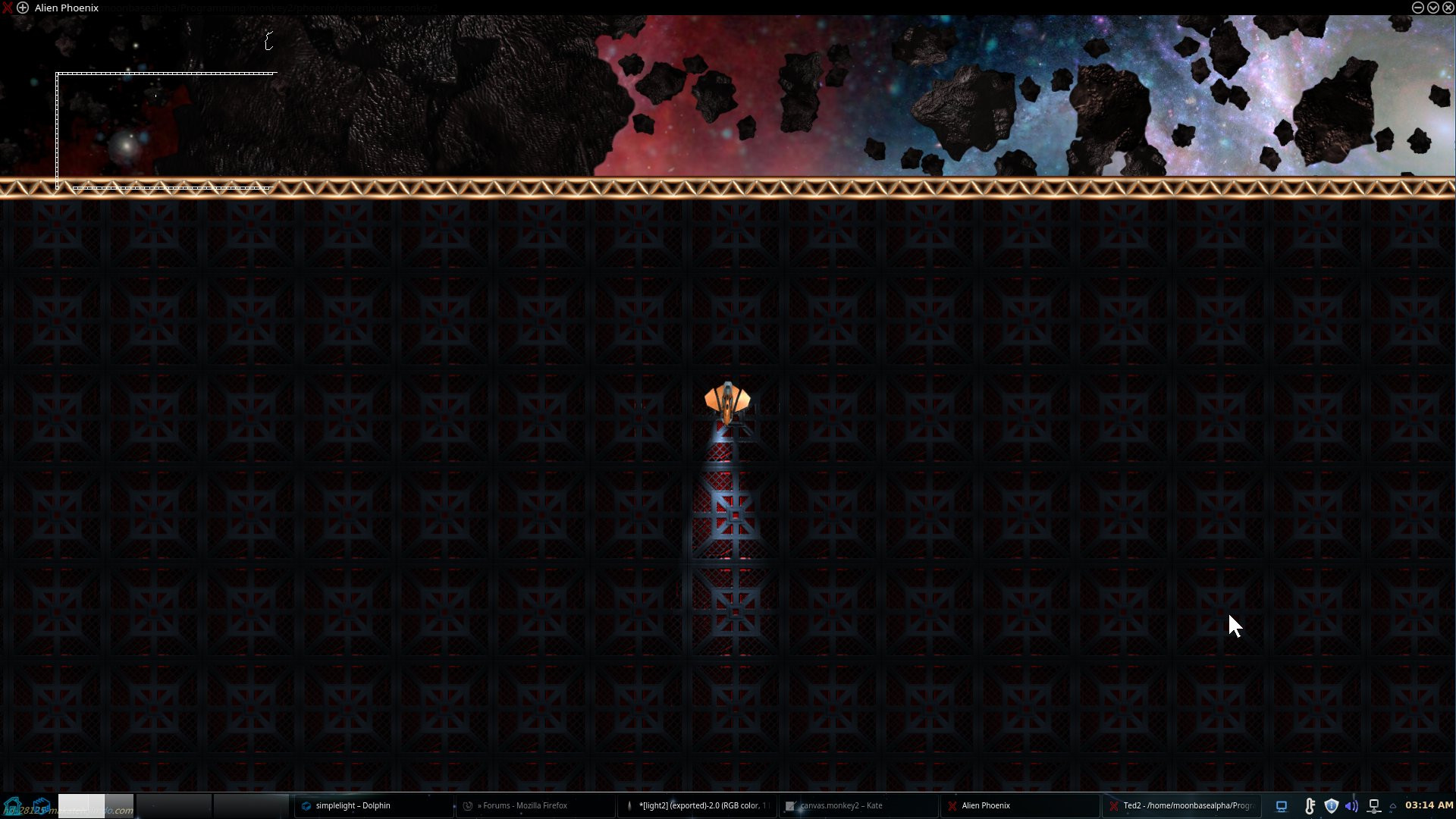
The reason I’m asking is that I’m trying to make a headlight effect and it would work if I could rotate the light or light image. See attached.
Attachments:
-
AuthorPosts