Forum Replies Created
-
AuthorPosts
-
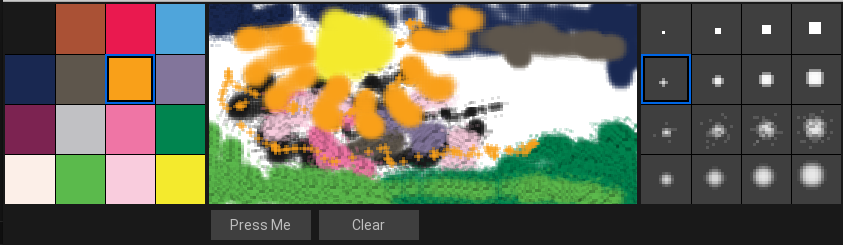
now with saturation allowing fine control over colors, clear color, random rotation of brushes giving very subtle effects:
Attachments:
the concept is ok, implementation needs some work.
What really needs to be done is to check the type of document first, then decide what extension it should have then add if needed
I’ll look into it

let me know how you get on, I’ll sort out the monkey2 extensions for the next version for you
Ted21 can be found here:
https://github.com/StrangeIsMyName/monkey2
You will need V1.02 to compile ted21. it WON’T compile under V1.03!
I like the ‘Playhead’ addition, will definitely add that although I think I might use ‘SampleIndex:Int’, just a bit more descriptive I think
mmmm. I thought about that and here’s my answer:
Playhead is the industry standard for the position of any playing/position thingy
if you talk about playhead to a sound engineer in reference to a sound clip they know what you mean. it is the current position of the sound that is playing.
similarly, playhead means the current position in a song
or in a media clip of any kind.
You would never say “move the sample index of clip 4 to position 1423 please” You would say “Move the playhead to the middle”, etc
Where you would use something like sample index is in talking to a computer. The computer has no concept of a playhead, but likes direct position information.
Playhead, just makes sense
OK, second thought
Sample index. Monkey2 doesn’t use samples it uses sounds (they might be actual samples of sound), but they are Sounds. Sounds are played by channels.
Using sample index is bringing in another layer of complexity. suddenly to position the playhead in a channel, I must know that a channel is playing a sound and a sound is really a sample?
Now you and I both know exactly what is going on underneath the hood. You say sample index, I say playhead. But The best this we can aim for here is clarity and simplicty. If everyone knows what a playhead is, surely it make sense to call it playhead?
Q “How did you make it loop like that?”
A “I just reset the playhead to the start at this point”
” ah ok, makes sense”
Q “How did you make it loop like that?”
A “I made the SampleIndex 0”
Q “The what?”
A “the sample index… a sound is a sample and it has an index”
etc, etc
mmmm, possibly. I have a lot of audio stuff here that wants to be converted over to monkey2
there are actually 3 kinds of positions data:
AL_SEC_OFFSET, AL_BYTE_OFFSET and AL_SAMPLE_OFFSET
the first one AL_SEC_OFFSET is time based
Glad you approve

new version now on github with following:
Mark has updated monkey to V1.03 and broke ted21, so to compile you will need V1.02
but ted21 work fine with V1.03 so compile on V1.02 and use with both .02 and .03
<hr />
Big update with lots of stability and uber fixes throughout. it seems very stable now.
new left code view rewritten from ground up. new audio document – you will need to update mojo/audio modules for this to work
property icon changed and also changed color
Clicking on the status bar will move you around the document (error on the left, current position on the right)
document cursor position icons now functional and added to toolbar
debug/stop icons on toolbar now correctly enable/dissable
ok. Mark has updated monkey to V1.03 and broke ted21, so to compile you will need V1.02
but ted21 work fine with V1.03 so compile on V1.02 and use with both .02 and .03
<hr />
Big update with lots of stability and uber fixes throughout. it seems very stable now.
new left code view rewritten from ground up. new audio document – you will need to update mojo/audio modules for this to work
property icon changed and also changed color
Clicking on the status bar will move you around the document (error on the left, current position on the right)
document cursor position icons now functional and added to toolbar
debug/stop icons on toolbar now correctly enable/dissable
mmmm, That’s a really interesting question.
You’d need to make a tiny change to mojo/audo/audio.monkey2:
Monkey12345678910111213141516171819202122#rem monkeydoc Channel playhead in samples.If the channel is playing audio this will return the position of the playhaed in the played sound.#endProperty Playhead:Float()If Not _alSource Return 0' Local proc:ALint' alGetSourcei( _alSource,AL_BUFFERS_PROCESSED,Varptr proc )' Print "processed: "+procLocal playhead:ALfloatalGetSourcef( _alSource, AL_SAMPLE_OFFSET, Varptr playhead )Return playhead' local pos:float' return alGetSourcef( _alSource, AL_SAMPLE_OFFSET, Varptr pos )EndIgnoring some hard wired colors it should be good to go. I’ve done a quick comparison to the ted2 audiodocument and everything looks like it should compile – You’ll need to add the custom colors to mojo as well
There’s a lot of repeated code – I was going to make a class to wrap it all up.
Here’s the full source:
Monkey123456789101112131415161718192021222324252627282930313233343536373839404142434445464748495051525354555657585960616263646566676869707172737475767778798081828384858687888990919293949596979899100101102103104105106107108109110111112113114115116117118119120121122123124125126127128129130131132133134135136137138139140141142143144145146147148149150151152153154155156157158159160161162163164165166167168169170171172173174175176177178179180181182183184185186187188189190191192193194195196197198199200201202203204205206207208209210211212213214215216217218219220221222223224225226227228229230231232233234235236237238239240241242243244245246247248249250251252253254255256257258259260261262263264265266267268269270271272273274275276277278279280281282283284285286287288289290291292293294295296297298299300301302303304305306307308309310311312313314315316317318319320321322323324325326327328329330331332333334335336337338339340341342343344345346347348349350351352353354355356357358359360361362363364365366367368369370371372373374375376377378379380381382383384385386387388389390391392393394395396397398399400401402403404405406407408409410411412413414415416417418419420421422423424425426427428429430431432433434435436437438439440441442443444445446447448449450451452453454455456457458459460461462463464465466467468469470471472473474475476477478479480481482483484485486487488489490491492493494495496497498499500501502503504505506507508509510511512513514515516517518519520521522523524525526527528529530531532533534535536537538539540541542543544545546547548549550551552553554555556557558559560561562563564565566567568569570571572573574575576577578579580581582583584585586587588589590591592593594595596597598599600601602603604605606607608609610611612613614615616617618619620621622623624625626627628629630631632633634635636637638639640641642643644645646647648649650651652653654655656657658659660661662663664665666667668669670671672673674675676677678679680681682683684685686687688689690691692693694695696697698699700701702703704705706707708709710711712713714715716717718719720721722723724725726727728729Namespace ted21const _pureNotes := New float[] (16.35, 17.32, 18.35, 19.45, 20.60, 21.83, 23.12, 24.50, 25.96, 27.50, 29.14, 30.87,32.70, 34.65, 36.71, 38.89, 41.20, 43.65, 46.25, 49.00, 51.91, 55.00, 58.27, 61.74,65.41, 69.30, 73.42, 77.78, 82.41, 87.31, 92.50, 98.00, 103.8, 110.0, 116.5, 123.5,130.8, 138.6, 146.8, 155.6, 164.8, 174.6, 185.0, 196.0, 207.7, 220.0, 233.1, 246.9,261.6, 277.2, 293.7, 311.1, 329.6, 349.2, 370.0, 392.0, 415.3, 440.0, 466.2, 493.9,523.3, 554.4, 587.3, 622.3, 659.3, 698.5, 740.0, 784.0, 830.6, 880.0, 932.3, 987.8,1047, 1109, 1175, 1245, 1319, 1397, 1480, 1568, 1661, 1760, 1865, 1976,2093, 2217, 2349, 2489, 2637, 2794, 2960, 3136, 3322, 3520, 3729, 3951,4186, 4435, 4699, 4978, 5274, 5588, 5920, 6272, 6645, 7040, 7459, 7902 )global _notes := New Float[9, 17]Class AudioDocumentView Extends ViewField _timer:TimerMethod New( doc:AudioDocument )Local j:IntLocal k:IntLocal freq:FloatLocal count:Int = 0For k = 0 To 8For j = 0 To 11freq = _pureNotes[count]_notes[k, j] = freq/220If j < 5 _notes[k, j+12] = freq/110'' PureNote[count] = freq/220count = count + 1NextNext_doc = docLayout = "fill"Style.BackgroundColor = new Color(.1, .1, .1)'App.Theme.GetColor( "content" )If Not _chan _chan = New Channel_timer = New Timer(10, OnUpdate)EndProtectedMethod OnLayout() Override' _toolBar.Frame=RectEndMethod GetSample:Float( channel:Int, length:int, index:Int )Select _doc.Data.FormatCase AudioFormat.Mono8Return _doc.Data.Data[index]/128.0-1Case AudioFormat.Stereo8Return _doc.Data.Data[index*2+(channel&1)]/128.0-1Case AudioFormat.Mono16Return Cast<Short Ptr>( _doc.Data.Data )[index]/32767.0Case AudioFormat.Stereo16Return Cast<Short Ptr>( _doc.Data.Data )[index*2+(channel&1)]/32767.0End SelectReturn 0EndMethod DrawWaveform( canvas:Canvas, x:int, y:int, width:float, height:float)Local data := _doc.DataLocal halfHeight:float = height * .5Local quarterHeight:float = height * .25Local quarterHeight2:float = height - quarterHeightLocal last:floatLocal curr:floatLocal last2:floatLocal curr2:floatLocal sample:floatLocal xpos:int' Print halfHeight+" "+quarterHeightLocal chan:int = 0Local stereo:bool = FalseLocal bits:int = 8Select _doc.Data.FormatCase AudioFormat.Stereo8stereo = TrueCase AudioFormat.Mono16bits = 16Case AudioFormat.Stereo16bits = 16stereo = TrueEnd Selectcanvas.Color = new Color( 0, .1, 0 )canvas.DrawRect( x, y, width, height )If stereo Thencanvas.Color = Color.Blackcanvas.DrawLine( x, y+halfHeight, x+width, y+halfHeight )canvas.Color = Color.Whitecanvas.DrawLine( x, y+quarterHeight, x+width, y+quarterHeight )canvas.DrawLine( x, y+quarterHeight2, x+width, y+quarterHeight2 )canvas.Color = new Color( .39, .69, 0 )last = y + quarterHeightlast2 = y + quarterHeight2For xpos = 0 to width-x' Print xpos+" "+dataLength+" "+(xpos * widthLength)sample = GetSample( 0, data.Length, Float(xpos) / width * data.Length )curr = quarterHeight + y + (quarterHeight * sample)sample = GetSample( 1, data.Length, Float(xpos) / width * data.Length )curr2 = quarterHeight2 + y + (quarterHeight * sample)If xpos Thencanvas.DrawLine( xpos-1+x, last, xpos+x, curr )canvas.DrawLine( xpos-1+x, last2, xpos+x, curr2 )End iflast = currlast2 = curr2Nextelsecanvas.Color = Color.Whitecanvas.DrawLine( x, y+halfHeight, x+width, y+halfHeight )canvas.Color = new Color( .39, .69, 0 )last = halfHeight + yLocal currSample:intFor xpos = 1 to width-x-1currSample = Float(xpos) / width * data.Lengthsample = GetSample( chan, data.Length, currSample )curr = halfHeight + y + (halfHeight * sample)canvas.DrawLine( xpos-1+x, last, xpos+x, curr )last = currNextLocal diff:float = width / data.Length'Print diffxpos = diff * _chan.Playheadcanvas.Color = Color.Whitecanvas.DrawLine( xpos+x, 0, xpos+x, height )canvas.Color = Color.Blackcanvas.DrawLine( xpos+x+1, 0, xpos+x+1, height )End ifEnd methodMethod CheckVolumePan( mx:int, my:int, x:float, y:float, width:float, height:float)If my < 40 Then Return'panIf my < 80 ThenLocal midx:float = width * .5Local diff:float = 2 / widthLocal xpos:float = (mx - midx) * diff_pan = xpos_chan.Pan = _panReturnEnd If'volumeIf my < 90 Then Returnmy -= 90height -= 100If my > height Then Return' Print my +" "' Print ((height - my) / (height*0.8))_volume = float(height - my) / float(height)_chan.Volume = _volume'Print _volumeEnd methodMethod DrawVolume( canvas:Canvas, title:string, x:int, y:int, width:int, height:int)Local data := _doc.DataLocal dataLength:int = data.Lengthcanvas.Color = new Color( .2, .2, .2 )canvas.DrawRect( x, y+30, width, height-30 )canvas.Color = new Color( .3, .3, .3 )canvas.DrawRect( x, y, width, 30 )Local midx:int = x + (width * .5)Local stereo:bool = FalseSelect _doc.Data.FormatCase AudioFormat.Stereo8stereo = TrueCase AudioFormat.Stereo16stereo = TrueEnd Select'draw volumecanvas.Color = new Color( .1, .1, .1 )If stereo Thencanvas.DrawRect( x+10, y+80, 24, height-90 )canvas.DrawRect( x+36, y+80, 24, height-90 )Elsecanvas.DrawRect( x+10, y+80, 50, height-90 )End If'draw volume textcanvas.Color = Color.LightGreyLocal ht:float = (height - 11) - (81)Local yp:intLocal xp:int = x + 60yp = y + height - 19 - (ht * 1)canvas.DrawText( "-100", xp+10, yp )yp = y + height - 19 - (ht * .75)canvas.DrawText( "- 75", xp+10, yp )yp = y + height - 19 - (ht * .5)canvas.DrawText( "- 50", xp+10, yp )yp = y + height - 19 - (ht * .25)canvas.DrawText( "- 25", xp+10, yp )yp = y + height - 19 - (ht * 0)canvas.DrawText( "- 0", xp+10, yp )'draw volume indicatoryp = y + height - 11 - (ht * _volume)canvas.Color = Color.UIBluecanvas.DrawLine( xp, yp, xp-50, yp )canvas.LineWidth = 4canvas.DrawLine( xp, yp, xp+15, yp-10 )canvas.DrawLine( xp+15, yp-10, xp+45, yp-10 )canvas.DrawLine( xp+45, yp-10, xp+50, yp-5 )canvas.DrawLine( xp+50, yp-5, xp+50, yp+5 )canvas.DrawLine( xp+50, yp+5, xp+45, yp+10 )canvas.DrawLine( xp+45, yp+10, xp+15, yp+10 )canvas.DrawLine( xp+15, yp+10, xp, yp )'draw panLocal pn:float = _pan * (width-15) * .5canvas.Color = new Color( .1, .1, .1 )canvas.DrawRect( x+10, y+40, width-20, 30 )canvas.Color = Color.LightGreycanvas.DrawLine( midx, y+40, midx, y+70 )canvas.Color = Color.UIBluecanvas.DrawLine( midx + pn, y+40, midx + pn, y+70 )'the last thing is to draw the new textcanvas.Color = Color.LightGreycanvas.Scale( 1.5, 1.2 ) '<- this sets the matrixcanvas.DrawText( title, x+10, (y+5)*0.837 )canvas.ClearMatrix()End methodmethod DrawKey( canvas:Canvas, color:int, text:string, x:float, y:float, width:float, height:float )Select colorCase 0canvas.Color = Color.BlackCase 1canvas.Color = new Color( .9, .9, .83 )Case 2canvas.Color = new Color( 1, 1, .44 )End Selectcanvas.DrawRect( x, y, width, height )Select colorCase 0canvas.Color = Color.WhiteDefaultcanvas.Color = Color.BlackEnd Selectcanvas.DrawText( text, x+10, y+5 )End methodMethod DrawKeys( canvas:Canvas, octave:int, note:int, x:float, y:float, width:float, height:float )Local ht:float = height / 8Local height1:float = ht * 3Local height2:float = ht * 6Local width1:float = height1 - 5Local halfWidth:float = width1 * 0.5Local xx:float = x + halfWidthLocal yy:float = yDrawKey( canvas, 0, "s", xx, yy, width1, width1 )xx += height1DrawKey( canvas, 0, "d", xx, yy, width1, width1 )xx += height1 + height1DrawKey( canvas, 0, "g", xx, yy, width1, width1 )xx += height1DrawKey( canvas, 0, "h", xx, yy, width1, width1 )xx += height1DrawKey( canvas, 0, "j", xx, yy, width1, width1 )xx += height1 + height1DrawKey( canvas, 0, "l", xx, yy, width1, width1 )xx += height1DrawKey( canvas, 0, ";", xx, yy, width1, width1 )xx += height1 * 3yy += height1 + height1canvas.Color = Color.Whitecanvas.DrawText( "Octave Up/Down", xx, yy )yy -= height1canvas.DrawText( (octave + 1), xx+height1, yy )yy -= height1DrawKey( canvas, 2, "[", xx, yy, width1, width1 )xx += height1DrawKey( canvas, 2, "]", xx, yy, width1, width1 )xx = xyy += height1DrawKey( canvas, 1, "z", xx, yy, width1, width1 )xx += height1DrawKey( canvas, 1, "x", xx, yy, width1, width1 )xx += height1DrawKey( canvas, 1, "c", xx, yy, width1, width1 )xx += height1DrawKey( canvas, 1, "v", xx, yy, width1, width1 )xx += height1DrawKey( canvas, 1, "b", xx, yy, width1, width1 )xx += height1DrawKey( canvas, 1, "n", xx, yy, width1, width1 )xx += height1DrawKey( canvas, 1, "m", xx, yy, width1, width1 )xx += height1DrawKey( canvas, 1, ",", xx, yy, width1, width1 )xx += height1DrawKey( canvas, 1, ".", xx, yy, width1, width1 )xx += height1DrawKey( canvas, 1, "/", xx, yy, width1, width1 )yy += height1canvas.Color = Color.Whitecanvas.DrawText( "Music Keyboard", x+(height1*3), yy )End methodMethod DrawPiano( canvas:Canvas, octave:int, octaveOffset:int, note:int, x:int, y:int, width:int, height:int )canvas.Color = new Color( .9, .9, .83 )canvas.DrawRect( x, y, width, height )Local oct:Float = Float(width / 8.0)Local k:IntLocal keyheight:Int = Float((height-2) * 0.66666)Local nt:Float = Float(oct / 7.0)Local nt2:Float = nt / 2.0Local j:IntLocal count:Int = 0Local noteDown:int = -1if note > -1 ThennoteDown = note + (octave + octaveOffset) * 12End If'draw highlighted octavecanvas.Color = new Color( .68, .62, .48 )canvas.DrawRect( x + (octave * oct), y, oct+1, height )'draw white keypressIf noteDown > -1 ThenLocal offset:int = -1Select noteCase 0 offset = 0Case 2 offset = 1Case 4 offset = 2Case 5 offset = 3Case 7 offset = 4Case 9 offset = 5Case 11 offset = 6End SelectIf offset > -1 and octave + octaveOffset < 8 Thencanvas.Color = Color.UIBlue'new Color( 0, .55, 0 )canvas.DrawRect( x + ( (octave + octaveOffset) * oct) + (offset * nt), y, nt, height )End ifEnd Ifcount = 0For k = 0 To 7Local xx:Float = x + (oct * k) + ntLocal x1:Float = xx - (nt / 4)For j = 0 To 6'draw key linesIf j < 6 Or k < 7 Thencanvas.Color = Color.DarkGreycanvas.DrawLine( xx, y, xx, y + height )End If'draw black keysIf j = 2 Or j = 6Elsecount = count + 1'black keyIf count = noteDown Thencanvas.Color = Color.UIBlue'new Color( 0, .55, 0 )Elsecanvas.Color = Color.BlackEnd Ifcanvas.DrawRect( x1, y, nt / 1.5, keyheight )End Ifxx = xx + ntx1 = x1 + ntcount = count + 1NextNextEnd methodMethod OnUpdate()' Local pos:float = _chan.Playhead /_doc.Data.Length' _chan.Rate *= 0.95' Local diff:float = width / data.Length' xpos = diff * _chan.Playhead' Print _count+" "+_chan.Playhead' _count += 1' If Keyboard.KeyReleased(Key.Escape) Then instance.Terminate()' App.RequestRender()End MethodMethod OnRender( canvas:Canvas ) OverrideLocal quarterHeight:float = Height * .35Local audioHeight:float = Height - quarterHeightDrawWaveform( canvas, 0, 0, Width, audioHeight )DrawPiano( canvas, _octave, _noteOctave, _note, 140, audioHeight+10, Width - 150, quarterHeight * .5 )DrawKeys( canvas, _octave, _note, 140, audioHeight+20+quarterHeight * .5, Width - 150, (quarterHeight * .5) - 30 )DrawVolume( canvas, "Master", 10, audioHeight+10, 120, quarterHeight-20 )EndMethod OnMouseEvent( event:MouseEvent ) OverrideSelect event.TypeCase EventType.MouseDownLocal quarterHeight:float = Height * .35Local audioHeight:float = Height - quarterHeightLocal mx:int = event.Location.XLocal my:int = event.Location.YIf mx > 20 And mx < 120 And my > audioHeight+10 ThenCheckVolumePan( mx-20, my-(audioHeight+10), 20, audioHeight+10, 100, quarterHeight-20 )End If' if event.Location.X < 16 Then' Case EventType.MouseUp' _dragging = FalseCase EventType.MouseMoveIf Mouse.ButtonDown( MouseButton.Left ) ThenLocal quarterHeight:float = Height * .35Local audioHeight:float = Height - quarterHeightLocal mx:int = event.Location.XLocal my:int = event.Location.YIf mx > 20 And mx < 120 And my > audioHeight+10 ThenCheckVolumePan( mx-20, my-(audioHeight+10), 20, audioHeight+10, 100, quarterHeight-20 )End IfEnd If' Case EventType.MouseWheel' Super.OnMouseEvent( event )' ReturnEnd SelectEndMethod OnKeyEvent( event:KeyEvent ) OverrideSelect event.TypeCase EventType.KeyUpIf _note > -1 Then_note = -1_chan.Stop()End IfCase EventType.KeyRepeatCase EventType.KeyDown_noteOctave = 0Select event.KeyCase Key.SpaceIf _chan.Playing Then_chan.Stop()Else_chan.Pan = _pan_chan.Volume = _volume_chan.Play( _doc.Sound )End IfCase Key.LeftBracketIf _octave > 0 Then _octave -= 1Case Key.RightBracketIf _octave < 7 Then _octave += 1Case Key.Z_note = 0_chan.Rate = _notes[_octave, 0]_chan.Volume = _volume_chan.Pan = _pan_chan.Play( _doc.Sound )Case Key.S_note = 1_chan.Rate = _notes[_octave, 1]_chan.Volume = _volume_chan.Pan = _pan_chan.Play( _doc.Sound )Case Key.X_note = 2_chan.Rate = _notes[_octave, 2]_chan.Volume = _volume_chan.Pan = _pan_chan.Play( _doc.Sound )Case Key.D_note = 3_chan.Rate = _notes[_octave, 3]_chan.Volume = _volume_chan.Pan = _pan_chan.Play( _doc.Sound )Case Key.C_note = 4_chan.Rate = _notes[_octave, 4]_chan.Volume = _volume_chan.Pan = _pan_chan.Play( _doc.Sound )Case Key.V_note = 5_chan.Rate = _notes[_octave, 5]_chan.Volume = _volume_chan.Pan = _pan_chan.Play( _doc.Sound )Case Key.G_note = 6_chan.Rate = _notes[_octave, 6]_chan.Volume = _volume_chan.Pan = _pan_chan.Play( _doc.Sound )Case Key.B_note = 7_chan.Rate = _notes[_octave, 7]_chan.Volume = _volume_chan.Pan = _pan_chan.Play( _doc.Sound )Case Key.H_note = 8_chan.Rate = _notes[_octave, 8]_chan.Volume = _volume_chan.Pan = _pan_chan.Play( _doc.Sound )Case Key.N_note = 9_chan.Rate = _notes[_octave, 9]_chan.Volume = _volume_chan.Pan = _pan_chan.Play( _doc.Sound )Case Key.J_note = 10_chan.Rate = _notes[_octave, 10]_chan.Volume = _volume_chan.Pan = _pan_chan.Play( _doc.Sound )Case Key.M_note = 11_chan.Rate = _notes[_octave, 11]_chan.Volume = _volume_chan.Pan = _pan_chan.Play( _doc.Sound )Case Key.CommaIf _octave = 8 Then return_note = 0_noteOctave = 1_chan.Rate = _notes[_octave+1, 0]_chan.Volume = _volume_chan.Pan = _pan_chan.Play( _doc.Sound )Case Key.LIf _octave = 8 Then return_note = 1_noteOctave = 1_chan.Rate = _notes[_octave+1, 1]_chan.Volume = _volume_chan.Pan = _pan_chan.Play( _doc.Sound )Case Key.PeriodIf _octave = 8 Then return_note = 2_noteOctave = 1_chan.Rate = _notes[_octave+1, 2]_chan.Volume = _volume_chan.Pan = _pan_chan.Play( _doc.Sound )Case Key.SemicolonIf _octave = 8 Then return_note = 3_noteOctave = 1_chan.Rate = _notes[_octave+1, 3]_chan.Volume = _volume_chan.Pan = _pan_chan.Play( _doc.Sound )Case Key.SlashIf _octave = 8 Then return_note = 4_noteOctave = 1_chan.Rate = _notes[_octave+1, 4]_chan.Volume = _volume_chan.Pan = _pan_chan.Play( _doc.Sound )End SelectEnd SelectEnd methodPrivatefield _chan:Channelfield _volume:float = .8field _pan:float = 0field _octave:int = 4field _note:int = -1field _noteOctave:int = 0Field _doc:AudioDocument' Field _count:long = 0EndClass AudioDocument Extends Ted2DocumentMethod New( path:String )Super.New( path )_view = New AudioDocumentView( Self )EndProperty Data:AudioData()Return _dataEndProperty Sound:Sound()If Not _sound _sound = New Sound( _data )Return _soundEndProtectedMethod OnLoad:Bool() Override_data = AudioData.Load( Path )If Not _data Return FalseReturn TrueEndMethod OnSave:Bool() OverrideReturn FalseEndMethod OnClose() OverrideIf _sound then _sound.Discard()If _data then _data.Discard()_sound = Null_data = NullEndMethod OnCreateView:AudioDocumentView() OverrideReturn _viewEndPrivateField _view:AudioDocumentViewField _data:AudioDataField _sound:SoundEndJust a small update here. I’ve been into the mojo source and added the ability to see where the playhead is. I’ve also coloured the pressed key in the current selection color. Playhead is always in white with black:
Attachments:
And the final version with everything operational.
You can see the highlighted octave slightly darkened. the note is also shown on the piano view when pressed.
Attachments:
Mark:
how do Resolve the changes you’ve made to mojo/view and mojo/style? Basically preventing any ted21 stuff compiling.
Whilst moving mojox into a module is (in some terms) a good idea. It was not particularly transparent to developers.
I do feel that in the move you have taken something that was difficult and now made it substantially more difficult to find out what it does and how to extend it.
I would really have thought that doing this would make things more transparent, not less?
How do you suggest I continue from here?
I really wanted this to all work well together and be something everyone could benefit from.
-
AuthorPosts