Forum Replies Created
-
AuthorPosts
-
how are you storing the graphics/vector data. For example the ship (which is made from 4 lines)
Is it some form of vector class where you just give it a vertex list and it draws it at a location with rotation?
new update
amended mx2cc to support parsing
new help system with F1 support, index, etc
new ttf font viewer
fixes
escape now closes menus if they are open and closes main help panel if open. so escape is really an uber close/back Which makes much more sense.
larger fonts throughout with proper monospaced font in code view
you will need to rebuild mx2cc first
Let me know how it all goes for you

help system now has 3 faces and it also F1 (quick help) aware
Added ttf font viewer as well
what are the changes? couldn’t see any?
August 9, 2016 at 5:33 am in reply to: Mark: OSX Crash when clicking on a button – error report included #2894no worries. I’ve been in the main dev seat before and dealt with this sort of post from a user.
It happened when invoking the htmlhelp. and looking at the top of the report it seems to be to do with the htmllite module.
I know that this is not your code. But it does throw up the possibility that it might not be completely trust worthy?
help system finished and operational
Need to work on F1 instant help next
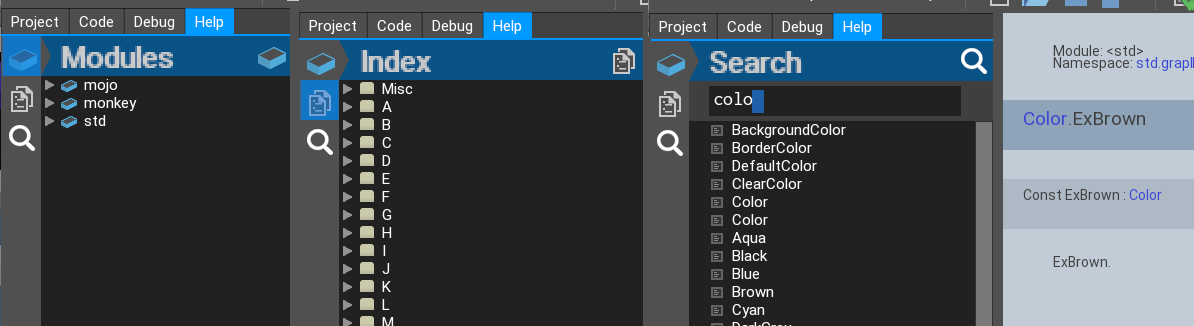
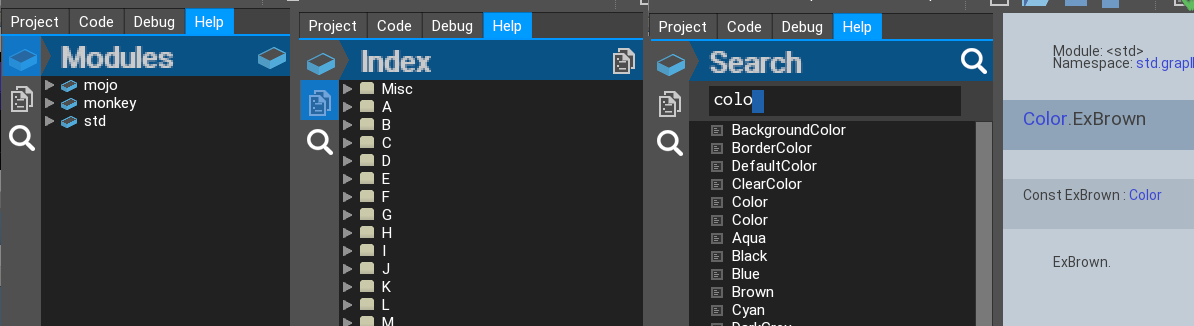
Here’s the combined faces of the Help system:
- Modules gives the original modules help
- Index gives an a-z index of all commands, vars, etc
- Search gives results on what you type. It will find exact matches, suggest good and not so good matches along with different icons so you can tell which is which. Exact matches come first followed by good and then ok
There is one thing that this new system highlights: The original help needs updating to add more information.
I think that a talk with Mark about this is more appropriate?
Attachments:
currently there is no res panel, although it is coming. The text in the new Ted21 is larger than the previous + the code text is now correctly monospaced
Mark has said that he would not be merging these mojox components into the final mojox as there are some hard coded stuff going on in mine. He is also not finalised on what mojox will be like as a module, so there are bound to be changes to the internals. but not to worry about these.
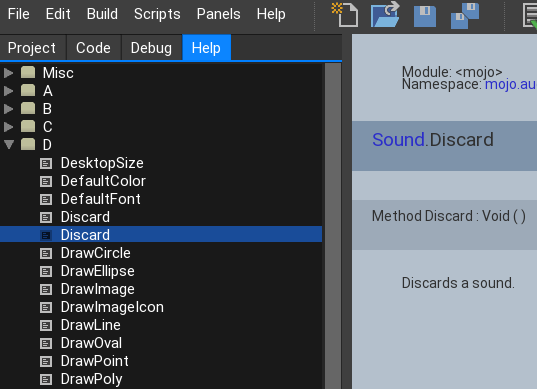
Had to do some nasty work getting the sorting working, but here it is finished

Attachments:
work on help system going well. here’s the first look at the (not sorted) index
Attachments:
a Code Listbox like in Ted1
Could you give me more details on this, possibly a pic as well?
new ‘check’ build button and menu entry – this needs a slightly modified mx2cc to operate.
Checking is like compiling, only it doesn’t compile anything, it just check the app for errors
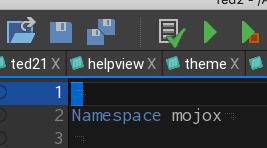
You can also see a true mono spaced font in the code window which is also larger
Attachments:
ok, checked and mx2cc changed and rebuilt:
in function main()
line 55=
Monkey12Print "Usage: mx2cc makeapp|makemods|makedocs|checkapp [-run] [-clean] [-verbose] [-target=desktop|emscripten] [-config=debug|release] source|modules..."new lines 71,72=
Monkey123Case "makeapp"MakeApp( args )add new function:
Monkey1234567891011121314151617181920212223242526272829303132333435363738Function CheckApp( args:String[] )Local opts:=New BuildOptsopts.productType="app"opts.appType="gui"opts.target="desktop"opts.config="debug"opts.clean=Falseopts.fast=Trueopts.run=trueopts.verbose=0args=ParseOpts( opts,args )If args.Length<>1 Fail( "Invalid app source file" )Local cd:=CurrentDir()ChangeDir( StartDir )Local srcPath:=RealPath( args[0].Replace( "\","/" ) )ChangeDir( cd )opts.mainSource=srcPathPrint ""Print "***** Checking app '"+opts.mainSource+"' *****"Print ""Local builder:=New Builder( opts )builder.Parse()If builder.errors.Length Returnbuilder.Semant()If builder.errors.Length ReturnPrint "Application Checked"EndWhat this will do is add a compile option of checkapp to mx2cc so instead of makeup, you checkapp
Mark. I’ll add this to the github request as well
mmm, ok. I’ll have a looksee and report back
that’s a good point. I’ll keep that in mind for you. Thanks for that
All works great on windows 10
One thing. it’s very ‘dark” for my tastes. The original vector scanning was very crisp and bright in comparison.
-
AuthorPosts