
Forum Replies Created
-
AuthorPosts
-
My 2 cents are:
I use https://www.bmglyph.com/
It supports the format Beaker used in Angelfont in Monkey-X. That has nice kerning pairs, which are important to make text look pro/nice/readable. I *think* it is one of the text variant from http://www.angelcode.com/products/bmfont/
I much prefer the xml/text versions over a binary format.
Thanks degac and please keep please feel free to comment and suggest features etc.
I’ve brought IAP and AddMob back to the top banner and edited their titles to show their new status.
Great!
 , and thanks to the co-funders.
Turns out this was already here: http://monkeycoder.co.nz/2018/02/28/late-february-update/
(ps: I don’t find anymore the link to them… and this site is missing a SEARCH field imho)
The IAP and AddMob modules are included in develop version on github , and in the precompiled version available to Patreons.
@degas I put a search field in the footer of the site, maybe it will find a better location over time, but for now at least it’s there. Thanks for the heads up.
Good point about ARKit, here is a list: http://www.redmondpie.com/ios-11-arkit-compatibility-check-if-your-device-is-compatible-with-apples-new-ar-platform/ (6s and newer)
6 until 8 plus seems to all have zoomed mode: https://forums.macrumors.com/threads/iphone-x-display-zoom.2082966/page-3
Donation results so far:
Current Donations total $501,55 NZD + some
Playniax $100 NZD – DONATED
abakobo $100 NZD – DONATED
CopperCircle $100 NZD – DONATED
Diffrenzy $50 NZD ( 36$ USD) – DONATED
Pakz $14.55 NZD ( 10.50$ USD) DONATED
nerobot $34.50 (25$ USD ) DONATED
rskgames $34.50 (25$ USD ) DONATED
Whiteball (Undisclosed ) DONATED
secondgear $68 (50$ USD ) DONATEDGreat stepup guys! Results so far:
Current Donations total $433.55 NZD
Playniax $100 NZD – DONATED
abakobo $100 NZD – DONATED
CopperCircle $100 NZD – DONATED
Diffrenzy $50 NZD ( 36$ USD) – DONATED
Pakz $14.55 NZD ( 10.50$ USD) DONATED
nerobot $34.50 (25$ USD ) DONATED
rskgames $34.50 (25$ USD ) DONATEDThis is great, – I’ve updated the paypal donate plugin settings so there is now no default amount now.
I’ll be the cheapskate here, put me down for 50 NZD.
Current versions of the Monkey 2 logo are here: http://monkeycoder.co.nz/monkey2-logo-and-resources/
I was planning on doing a set of “Powered by Monkey 2” images too, but If we are going to have the whole “I think we should have another logo/name” etc. again I might skip that.
I’m quite proud of the the current one and have gotten good reviews on it from my fellow designer friends and colleges. Quite some time and consideration went into the making of it, with bouncing ideas with fellow monkey 2 coder and designer Hezkore and other design professionals.
For those wondering about my background for doing this, I have my Master in Design from https://kadk.dk/en/ so what ever else you might think of the current logo, it can’t really be categorized as programmers art.
In addition to Ethernaut’s thoughts I can say that after searching the net for solutions to the problem above, I realize that HighDPI is a desktop setting too, targeting Windows and Mac desktops, so it might be important for some uses.
Yes, to me the HighDPI is just confusing, so it can go away.
If setting it to always on, makes App.DesktopSize return the correct pixel dimensions, that is even better.
Android already does high resolutions without a concept of “scaled down/half res” so it would also make things more consistent.
@apc : My tests show two important things:
You can’t rely on app.DesktopSize on mobile, because at least on iPhone it returns a
wrong value.only non retina size.after Super.New( title,width,height,flags ) you can use Width and Height values, so that is a safe place to init graphics.
There is still 1 problem remaining: I have found out why I am getting the 1136×640 window: If the iphone has Settings, display & Brightness, “Display Zoom.” turned on, Monkey/SDL does something wrong.
[EDIT]: Posted an issue on github : https://github.com/blitz-research/monkey2/issues/331
This runs well for me (but does not solve the zoom issue)
PS: I only think you need the HighDPI and Fullscreen flags.
Monkey123456789101112131415161718192021222324252627282930313233343536373839404142434445464748495051525354Namespace myapp#Import "<std>"#Import "<mojo>"Using std..Using mojo..Class MyWindow Extends WindowField _nw:IntField _nh:IntMethod New( title:String="Size test mojo app",width:Int,height:Int,flags:WindowFlags=Null )Super.New( title,width,height,flags )_nw = Width_nh = HeightEndMethod OnRender( canvas:Canvas ) OverrideApp.RequestRender()canvas.Clear(Color.Red)canvas.Color = Color.DarkGreycanvas.DrawRect(RenderRect)canvas.Color = Color.Whitecanvas.DrawText( "NWidth: " + _nw + " NHeight: " + _nh,Width/2,Height/2,.5,.5 )canvas.DrawText( "Width: " + Width + " Height: " + Height,Width/2,Height/2+40,.5,.5 )EndEndFunction Main()Local app:=New AppInstance#If __DESKTOP_TARGET__Local win:= New MyWindow("test",640,480)#Elseif __MOBILE_TARGET__Local win:= New MyWindow("test",3000,3000, WindowFlags.HighDPI | WindowFlags.Fullscreen | WindowFlags.Borderless | WindowFlags.Maximized | WindowFlags.CenterX | WindowFlags.CenterY)#endifApp.Run()EndI’ve made progress but iPhone is still messed up.
Look at this screenshot, it should be 1364 x 750 and centered.
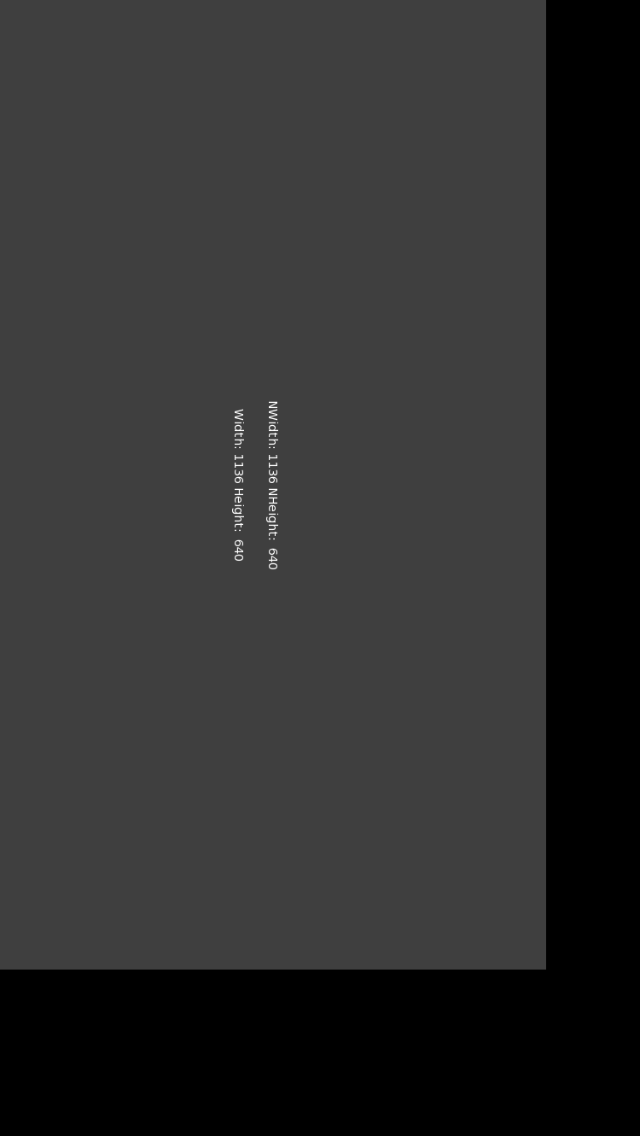
Adding the HighDPI flag (thanks Ethernaut ) gives higher res.
Adding the lauchimages (thanks skid and secondgear) (I used https://github.com/raphaelhanneken/Iconizer/releases ) makes the iPad 3 goto 2048 x 1536 with is correct.
Android phone goes to 1920 x 1080 correctly.
Monkey1234567891011121314151617181920212223242526272829303132333435363738394041424344454647484950Namespace myapp#Import "<std>"#Import "<mojo>"Using std..Using mojo..Class MyWindow Extends WindowField _nw:IntField _nh:IntMethod New( title:String="Size test mojo app",width:Int=1364,height:Int=750,flags:WindowFlags=WindowFlags.HighDPI | WindowFlags.Fullscreen)Super.New( title,width,height,flags )_nw = Width_nh =HeightEndMethod OnRender( canvas:Canvas ) OverrideApp.RequestRender()canvas.Clear(Color.Red)canvas.Color = Color.DarkGreycanvas.DrawRect(RenderRect)canvas.Color = Color.Whitecanvas.DrawText( "NWidth: " + _nw + " NHeight: " + _nh,Width/2,Height/2,.5,.5 )canvas.DrawText( "Width: " + Width + " Height: " + Height,Width/2,Height/2+40,.5,.5 )EndEndFunction Main()New AppInstanceNew MyWindowApp.Run()EndI build my images based on resolution too, why can’t you do that in New() ?
[EDIT]: Testing this on IOS now, and I can’t seem to make my Ipad 3 go beyond 1024 x 768?
[EDIT2]: Is this the reason: https://stackoverflow.com/questions/11342081/how-to-setup-xcode-project-for-retina
[EDIT3] : On iPhone 6 i get 568 x 320 , hardware res is 750×1334
Monkey1234567891011121314151617181920212223242526272829303132333435363738394041424344Namespace myapp#Import "<std>"#Import "<mojo>"Using std..Using mojo..Class MyWindow Extends WindowField _nw:IntField _nh:IntMethod New( title:String="Size test mojo app",width:Int=2048,height:Int=1536,flags:WindowFlags=Null )Super.New( title,width,height,flags )_nw = Width_nh =HeightEndMethod OnRender( canvas:Canvas ) OverrideApp.RequestRender()canvas.DrawText( "NWidth: " + _nw + " NHeight: " + _nh,Width/2,Height/2,.5,.5 )canvas.DrawText( "Width: " + Width + " Height: " + Height,Width/2,Height/2+40,.5,.5 )EndEndFunction Main()New AppInstanceNew MyWindowApp.Run()End -
AuthorPosts
