Forum Replies Created
-
AuthorPosts
-
It’s like a magic – we don’t put value into Map, but it however is there!
Look at monkey2\modules\mojo3d\scene\entityexts.monkey2.
Maybe Rx / Ry / Rz extension properties are what you searching for.
Also Vec3 struct have Yaw and Pitch properties, but suddenly haven’t Roll.
I was actually kinda hoping that this would work for resetting a camera to absolute world 0.0, 0.0, 0.0 with default rotation!
Yes, you can assing null to Vectors…
More correct way is to set vectors:
Monkey123camera.Position=New Vec3f( 0 )camera.Rotation=New Vec3f( 0 )Did you tried out modules/mojo3d/tests/sprites.monkey2 demo?
Will see how it would increase my enthusiasm.

Thanks for all feedback, guys!
I decided to open my patreon page for Ted2Go.
To make Ted2Go’s future a little happier.
1) Help does not work.
F1 or fn+F1 does not show any help, so most of the time I press F2, and that takes me to the monkey code, that I then decipher.Also: “Browse manuals” does nothing. Is this a path issue?
Hm, I can see the docs. Try to Rebuild documentation.
2) Code completion is hit and miss, often it show up, but often it does not. I have not had the patience to decipher why.
Sorry, but I try to improve it from time to time.
3) Numpad drives me crazy: If I type it and numlock is off, the cursor jumps to the somewhere in the code. one char up, down or to the bottom or top of the code. It also enters the number I pressed, at that position, and if I undo; I have to do it twice, loosing my last code entry.
4) Also: 0 on the numlock toggles insert mode, but not if in numlock mode. If I accidently hit 0 on the numpad, I’m forced to enter 00 to toggle insert, and the erase the 0.
I don’t face this problem on Windows. Does it happen with code files only or with plain text files too?
Check it, please.
5) I don’t understand the interface: Besides the Build/output etc window is another window that just takes up space:
The same error is shown in the Build window and in this window, in two slightly different ways:
Build window: [400] : Error : Expecting end of line , the other window: “Expectiong end of line…..”
This window named “Error list”.
It allows us to jump to error line we clicked in this list.Error texts are the same here – just re-arranged words.
It’s a semi-temporarily solution to jumping by click. You can expand this list by dragging vertical separator, and use it instead of plain text output.
Or make it smaller to hide.
6) The little window at the right does not let me copy text, and the build window will only let me copy text from the menu, not with [CMD]+C.
Yes, undone things are here… On windows I can copy from build plain text area by selecting text and pressing Ctrl+C.
7) Sometimes Ted2Go will open monkey module code, when I’m trying to open something else. I’ll try and find out exactly when this happens at some point.
I suppose, there is an intellectual ident checking issue – for example, when we type lst we will see also List, ListView, FileStream, etc – this is cool feature if you don’t remember exactly what you want.
I will see is it a reason or not.
[EDIT] 8: Find/Replace shortcuts are not standard Mac OS
I have no macos device and even experience with it, so let me know proper / preferred shortcuts, please.
I forgot one thing.
There is Color extension class to be able to convert colors from/to Json format:
Monkey123456789101112131415161718192021222324252627282930313233343536373839404142434445464748Struct Color ExtensionFunction FromHex:Color( hex:String )Local str:=hexLocal a:=1.0,r:=0.0,g:=0.0,b:=0.0If str.Length=4 '#RGBr=StringToULong( str.Slice( 1,2 ),16 )/15.0g=StringToULong( str.Slice( 2,3 ),16 )/15.0b=StringToULong( str.Slice( 3,4 ),16 )/15.0Else If str.Length=5 '#ARGBa=StringToULong( str.Slice( 1,2 ),16 )/15.0r=StringToULong( str.Slice( 2,3 ),16 )/15.0g=StringToULong( str.Slice( 3,4 ),16 )/15.0b=StringToULong( str.Slice( 4,5 ),16 )/15.0Else If str.Length=7 '#RRGGBBr=StringToULong( str.Slice( 1,3 ),16 )/255.0g=StringToULong( str.Slice( 3,5 ),16 )/255.0b=StringToULong( str.Slice( 5,7 ),16 )/255.0Else If str.Length=9 '#AARRGGBBa=StringToULong( str.Slice( 1,3 ),16 )/255.0r=StringToULong( str.Slice( 3,5 ),16 )/255.0g=StringToULong( str.Slice( 5,7 ),16 )/255.0b=StringToULong( str.Slice( 7,9 ),16 )/255.0ElseReturn Color.MagentaEndifReturn New Color( r,g,b,a )EndMethod ToJson:JsonValue()Return New JsonArray( New JsonValue[]( New JsonNumber( r ),New JsonNumber( g ),New JsonNumber( b ),New JsonNumber( a ) ) )EndFunction FromJson:Color( json:JsonValue )If json.IsArrayLocal arr:=json.ToArray()Return New Color( arr[0].ToNumber(),arr[1].ToNumber(),arr[2].ToNumber(),arr[3].ToNumber() )ElseReturn FromHex( json.ToString() )EndifEndEndAlso there is Changed( key,value ) signal which helps us to be notified about values changes.
Note: you should to cast value to concrete type from its Variant type.
I just shown another point of view. I don’t use such code in my projects.
Upd.
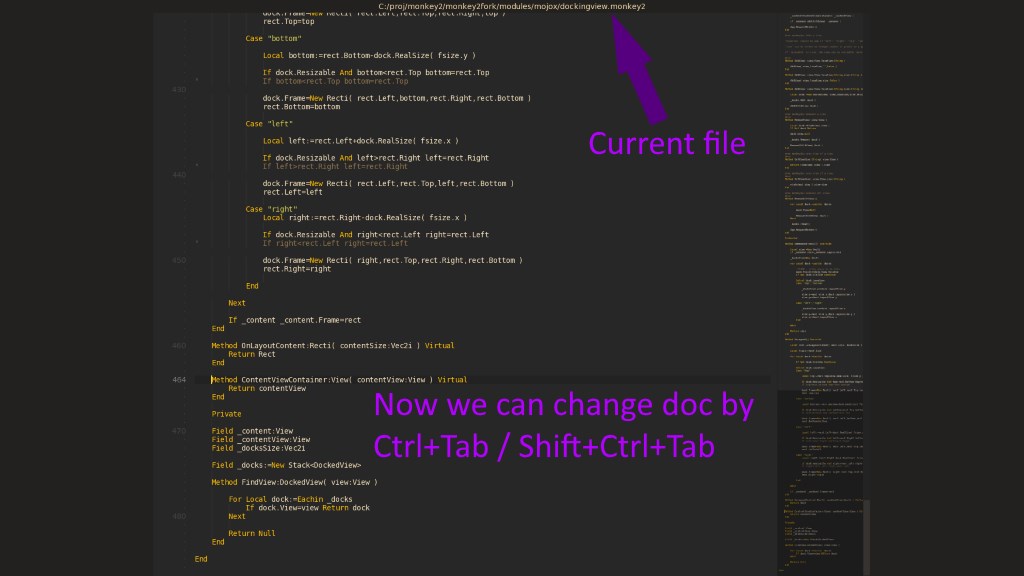
- Added ability to change docs by hotkeys – Ctrl+Tab / Shift+Ctrl+Tab – while fullscreen mode;
- Added current doc path.
Attachments:
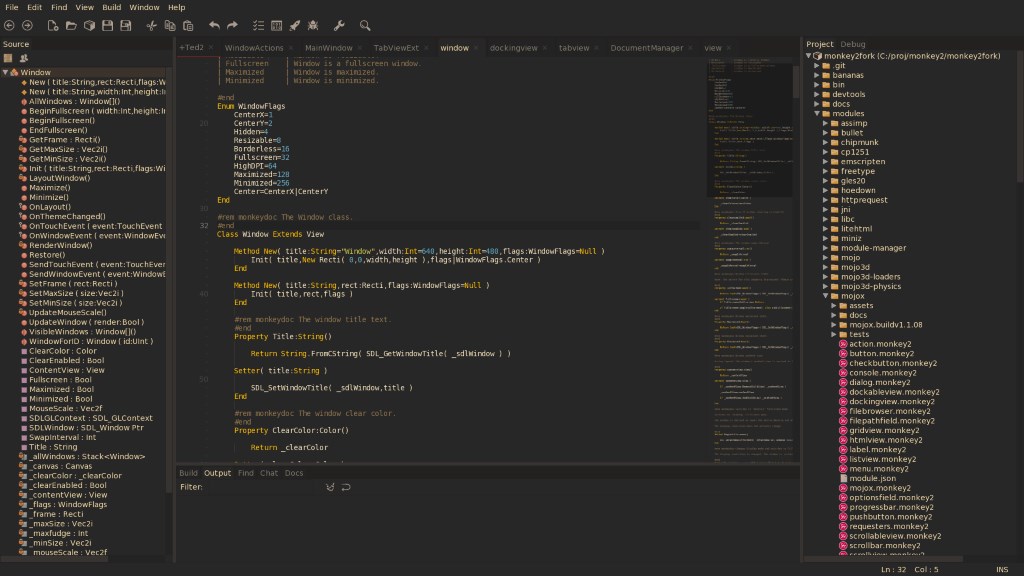
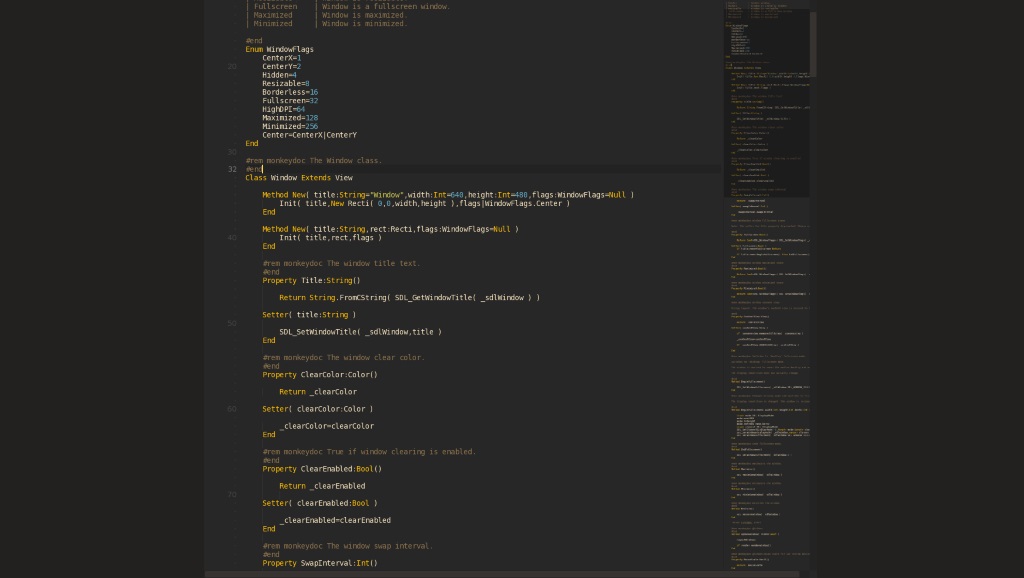
Now, Ted2Go has two fullscreen modes:
- Fullscreen window – it’s an usual fullscreen, just a borderless maximized window;
- Fullscreen editor – also borserless&maximized, and in this mode we have only current document shown in the window area; docView.width is limited by 0.7*desktopWidth here.
You can press Shift+F11 (on windows) again or just Esc to exit fullscreen-editor mode.
Let me know if 0.7x koef. is bad.
Attachments:
There is a cool feature in SourceTree App named “Log selected” – it shows us all changes for selected files.
For example, I want to inspect latest changes in MainWindow.monkey2 file.
Look at screenshots.
Attachments:
Some new stuff:
- Fullscreen mode – by F11 or menu Window — Fullscreen mode.
- Json documents:
- Enabled monkey2’s highlighter for .json files.
- Added ability to jump to values by clicking on Source tree view nodes – not accurate results in some cases, but should be better than nothing.
- Fixed – can’t read the last item in completion list.
Json is our friend.
I should have it mostly done now though – just pushed to develop branch so feel free to check it out.
Very nice news! It works for me.
And my modest $15 sent to this gentleman!
-
AuthorPosts