Forum Replies Created
-
AuthorPosts
-
Tx, I understand now. I prefer to use mojox views as is. Hope Mark fix that.)
like in the Ted2Go Preferences dialog…
Can you explain that?
Is it possible to configure shortcut keys?
There is no way to map enums to string representation, so I have no idea how to show what keys are set.
If someone know a solution for that – please answer.
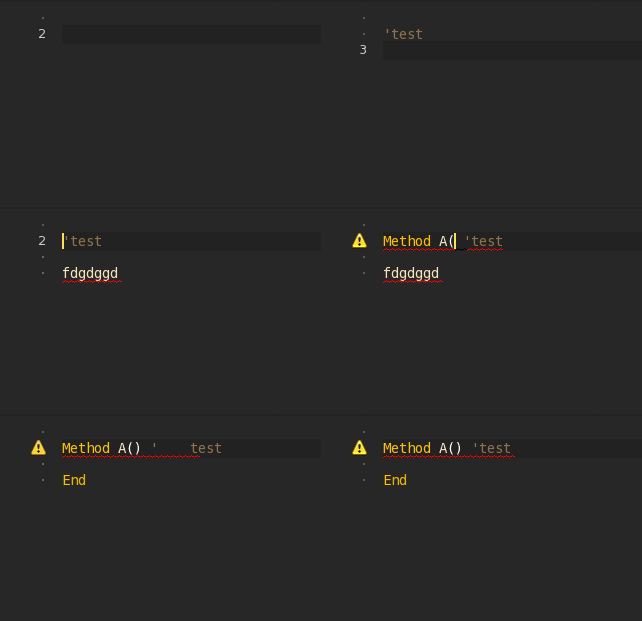
could you fix Tab when you press it on any line after typing some text it tabs the text along instead of from where the cursor is
Hm, I can’t reproduce that bug. Do you use the latest version?
If my cursor is at the end of a line and I press tab – tab added to the end of string.
But I know one bug in mojox.TextView – when we delete last char in line (~n) then the next line still became splitted, but should to join with current line. In this case we have 2 lines without ~n separator and line number is wrong (looks like 2 lines but it’s 1 line for a view).
@edzup please, copy some lines with tab-issue into other text editor and compare them – will ~n go away or not.
Some improvements in ‘dev’ branch.
- Output console: button “clear all”; filter text field; stop scrolling-to-end if we scrolled up.
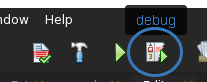
- New build action ‘Debug’ (F8 / Cmd+D): you can start debugging even when target config is set to release.
- Find dialog: now work by textChanged event (when 2+ chars typed).
Attachments:
does this one use the numpad as pgup etc when numlock is off.
Yes.
Also space should cancel the intellisense popup
You can disable “completion by space” in Prefs dialog. I’ll disable it by default for new release.
If it does it will be brilliant
It *is*.

Is there a way to have multiple root nodes in a TreeView?
- Add your “root” items directly to treeview’s RootNode;
- Set RootNodeVisible=False
Also, is there a way to scroll to a node in the TreeView?
For that purpose there is an EnsureVisible() base method (declared in ScrollView).
In ted2go I improved EnsureVisible – my version expand all parents before try to make visible and grab only Y-scroll.
Also, I added Selected property to my TreeViewExt class, and call ensure visible inside of it.
Monkey12345678910111213141516171819202122Property Selected:TreeView.Node()Return _selSetter( value:TreeView.Node )_sel = valueEnsureVisible( _sel )EndMethod EnsureVisible( node:TreeView.Node )Local n:=nodeWhile nn.Expanded=Truen=n.ParentWend' scroll Y onlyLocal sx:=Scroll.xLocal scroll:=ScrollSuper.EnsureVisible( node.Rect )scroll.Y=Scroll.yScroll=scrollEndFor more details look at sources: \ Ted2Go \ view \ TreeViewExt.monkey2
A tab that allows me to view any webpage I wish.
it’s nice right the same as hard to implement.
Mx2 have powerful features like a lambdas and func-pointers. You can’t translate it into mx1.
So you can make simplified version only.
Can you attach a screenshot?
Does anyone want to port MServer from monkey1 or bmax into monkey2 ?
If I do understand, mserver just start a process with socket, that can do http-responses.
So we can start process inside of ted2go and it would work like mserver.
I was thinking about that too, need a try.
Also maybe integrate emscripten with electron framework to avoid opening new browser tab every times.
screenshots have different sizes (depending on the source code – see for example StarGate is 966px wide), so I ask if you want a ‘fixed’ size for any pictures taken or not
I want to fit them into fixed-size rect area saving proportion, for my first attempt rect size is 300×200 px. So we can store any sizes (even smaller then 300×200, but such size is unbelievable).
I think a ‘generic’ name like ‘picture.png’ is not a good solution, otherwise I don’t see a reason to put it in the banana.information file as it’s the same for any entry!
It should be better to use something like ‘mx2-name_of_folder.png’ (or monkey2-name_of_source_code.png) as it will be easier to manage/change/update the screenshot in future without errors.My reason is to delegate info’s files creation to bananas authors. I just need to put instruction with json-template into bananas folder. And any author should not know about bananas folder structure – it should cara about his project folder only. Don’t know is it better or not, but I like this way.
But if all bananas added by Mark maybe will be better to store info in separated folder.
Anyway, we can redesign it later.
It would be better if the screenshots taken could be used – easily – in future for a gallery on the website/wordpress forum (there’s plenty of plugin for that): so one work today, for more results tomorrow.
Website showcase usually requires more than one picture, so that I don’t know.
And there will be complete games on website not a bananas samples.
I’m going to put screenshots into each banana folder with name ‘picture.png’, to get relative path.
in case I will resize or add canvas
I didn’t understand that.
1. Tags is a good idea, as “tags” parameter with comma separator. And add tags line in the top of bananas document, so user can toggle one or more tags to filter list.
2. Picture 640×480 or like this, the goal is to produce the same proportions, and a real size will be fitted into view-rect.
3. Unique main file name isn’t necessary because this name is relative to each banana’s folder. Maybe a better way would be copy banana folder to specified user’s directory to leave bananas clean? Or let’s user do it by itself if necessary.
-
AuthorPosts