Forum Replies Created
-
AuthorPosts
-
I just pushed parser fix in dev branch. I hope, IDE is more more stable now.

There is an Assert function in monkey.debug namespace to check conditions.
1.Naming.
I just added ‘Go’ to Ted2 to get different ‘unique’ name, nothing more. Maybe better name would be “Monkey2 IDE” or just “Monkey2” – because it work with monkey only.
2. Bananas.info
I dislike parsing. Separeted “info” files allow us to add / change description by any person (not only by the author) and don’t touch sources at all.
I didn’t try yet, but I see it’s very cool info!
And I think TableView is a better way here.
Also there will be good to have ImageView in mojox, that can fit / stretch image.
Does it go away after you resize window?
What can it be? I see correct window on mac. (But very little size)
Did u download it from itch.io or built from sources?
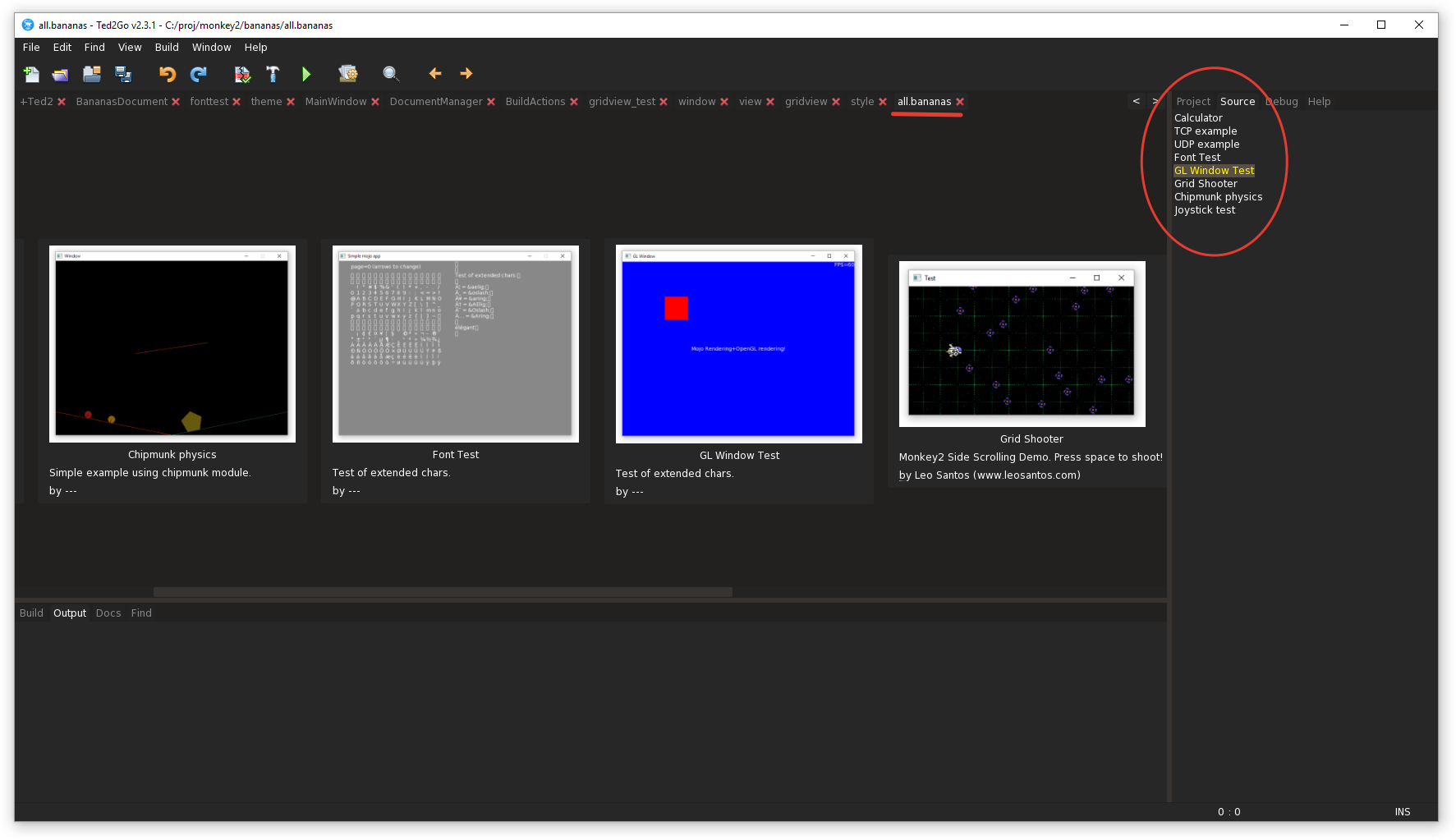
This time I am working on Bananas Showcase that users will see at first run.
Want to use GridView but got memory access violation – “style is null”.
Temp solution based on docking view.
I think, each banana should have:
- title
- author
- description
- source file
- picture file
that info expected to be stored in info.json file in each banana folder.
Example:
Monkey1234567{"title":"Grid Shooter","author":"Leo Santos (www.leosantos.com)","description":"Monkey2 Side Scrolling Demo. Press space to shoot!","picture":"picture.png","file":"gridshooter.monkey2"}When user click on title – source file will be opened and set as lock file, and all we need is press “Build & Run”.
Problems:
- not all banana has author and description
- not all can run on v1.1.04
I need help to fill correct data. Ideally, someone else do it.
Any suggestions for it?
Attachments:
Congrats, Adam!
Tx Hezkore.

Waiting for 3d module and world wide monkey2 occupation. Then Mark get tons of $ and give me a pice of cake.
I am going to have a break now.
Released v2.3.1!
Binaries are here: https://nerobot.itch.io/ted2go
NEW:
* DoubleClick on INS in status bar to change mode;
* Double clicking on the line number in status bar – open goto line dialog;
* Insert lambda – spaces in breckets if w/o params;
* SaveState when open/close file or project;
* Add Monkey2 root path into prefs;
* Close completion if typed not ident char;
* Add keywords for *.glsl.FIXES:
* Completion list is above the line if editor toolbar is hidden;
* Custom font doesn’t take theme scale factor;
* Mouse wheel event on text fields inside of Prefs dialog crashes app;
* Auto-insert: add space before ‘Override’;
* Incorrect numpad digits;
* Sources tree – sorting is broken. recompiling fix that – magic;
* Go to declaration by the only F1 press;
* Comments by Ctrl+’ add two ‘ at the end line.Cheers!
isn’t it always, the ones with the most demands are the ones with the least interest in supporting.
Ha-ha, maybe.
There is a continuous dev process that “require” periodic donation, but..
- very few people are willing to do it;
- not enough monkey2 users;
- there are alternative free IDE.
Nice
Maybe double clicking on the line number at the bottom should open the jump to line dialog?
Will add soon.
I can’t earn money but I can’t stop to develop.

Oh shit.. completion list has incorrect position if editor toolbar is hidden.
I created trello’s card with bugs: https://trello.com/c/9FqYBEmC
UPDATE: It seems Fiber.Sleep() pauses the fiber, while Sleep() pauses the whole app!
I’m still wondering if I’m doing this correctly.You are right – should to use Fiber.Sleep() inside of fiber to sleep it.
What are you wanna get at the end?
Monkey2 also has Timer and Future stuff, maybe you need one of them.
-
AuthorPosts