Forum Replies Created
-
AuthorPosts
-
@Bunny Could you post a quick list of what you would expect the windows cursor+ctrl/cmd key you would expect. That would be a great help

Also just noticed that if I drag the window to one side (as I normally do, so it fills half the screen horizontally), the “Application built” text and line numbering overlap each other really messily. I’d suggest either just showing the executable name, rather than full path, or cutting it off where the line numbering starts. (Or both.)
could you post an image of that for me and ill get onto it
skinny cursor – sorted
new button graphics made bigger
end of document debugstop fixed
git updated
Mark, LOL.
Ah, I didn’t see DrawRect( x,y,w,h,image,sx,sy,sw,sh ) – I was looking at the image code. I can possible remove and replace with this version?
The reason for the duplication was just me doing something fast and needing augmenting the code. the code tree adds to the line storage. I didn’t want to break anything and I also didn’t want tree view to possibly slow down with lots of ‘variations’. So it was simpler just to have all the code in one place.
ok. Change this line 840 to
_fileMenu.AddAction( _fileClose, NODEKIND_WINDOWSCLOSE )
There was an S missing! – my bad!
mmm, interesting, but getting better.
ok I upped a new version of ted21, so just download and see how it compiles now?
I’m going to get to the bottom of this for you
ok. looks like there might be a missing line in mojo/input/keycodes.monkey2
i’ve updated the github with this file
the line you need to add is the last line of the final enum (directly after Gui=..):
Command= LeftGui|RightGui
You then need to ./rebuildmods
so, have you got it?
One thing I haven’t seen other editors do is also highlight where about you are in the code (in the code description) as you move around.
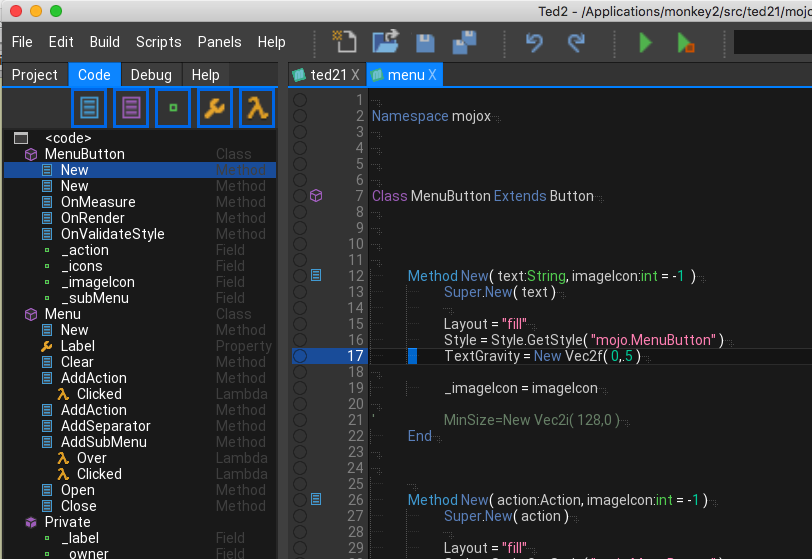
Integrated and fully operational. When clicking and moving the cursor, your current (important) code is highlighted in the code view.
So now you can click to jump to code and the code view will let you know (generally) where you are in the code.
One more last little thing on this. I’ve also added the code icons to the codeline gutter (next to the debug) so the code will also visually prompt you.
Attachments:
Currently everything is on the table. But intellisense is a bit further off
started work on the status bar so it now shows the line column and char
Attachments:
Hi Mark, Yep. finally got it sorted at:
https://github.com/StrangeIsMyName/monkey2
in the src you will find ted21
canvas, keyboard and keycodes also need to be updated in modules/mojo
canvas has a small addition, and the same for the keycodes
And another.
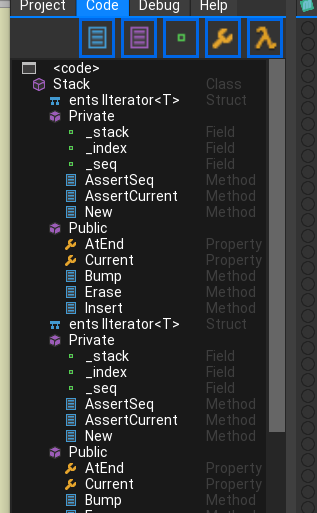
In the code view I’ve added the class primitives: public, private, etc
I think there might be trouble brewing here as I have classed them in the same way that c++ would do.
So when you define a class (or struct, etc) any private/public keywords should be the same indenting as the class, etc.
This is different to how Mark indents his code with the Public/private being indented
Og course it’s a style thing, but my personal view is it makes the code much simpler to read. Anyway here is a shot of it in operation. Note the inverted class icon for these.
Attachments:
Mark. You want to look over my (heavily) modified mojox files?
One thing I haven’t seen other editors do is also highlight where about you are in the code (in the code description) as you move around.
yep, that’s something i want to address as it kinds annoys me too
OK here’s the latest ( i’m on a roll today – possibly a ham one?).
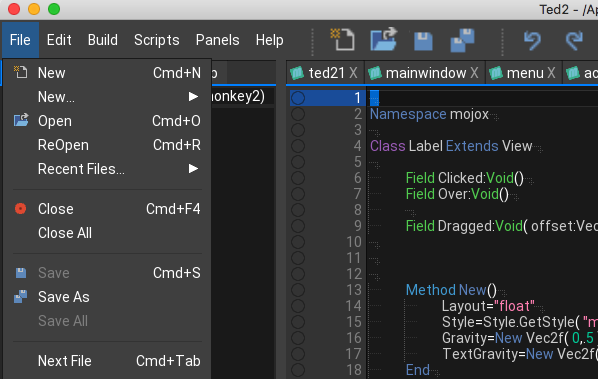
Menus now have icons – these are the same as used everywhere else, so they all tie up. Plus added the little arrow to submenus.
Also menus now drop open as you move around them. I’m going to look at doing the same with the submenus too
Attachments:
Something great (but dirty)… Indented code view
This actually works by tracking the leading tabs and spaces, so it is very quick but only as accurate as your code! So if you don’t like to indent, or use wrong indenting, then you will get some interesting results. Of course this is actually a good thing as you can quickly see where code is not correctly formatted!
Attachments:
-
AuthorPosts