Forum Replies Created
-
AuthorPosts
-
So, I just released v2.3!
Full release notes is here: Ted2Go Blog
Also I created itch.io page with Win and Mac versions: https://nerobot.itch.io/ted2go
—————-
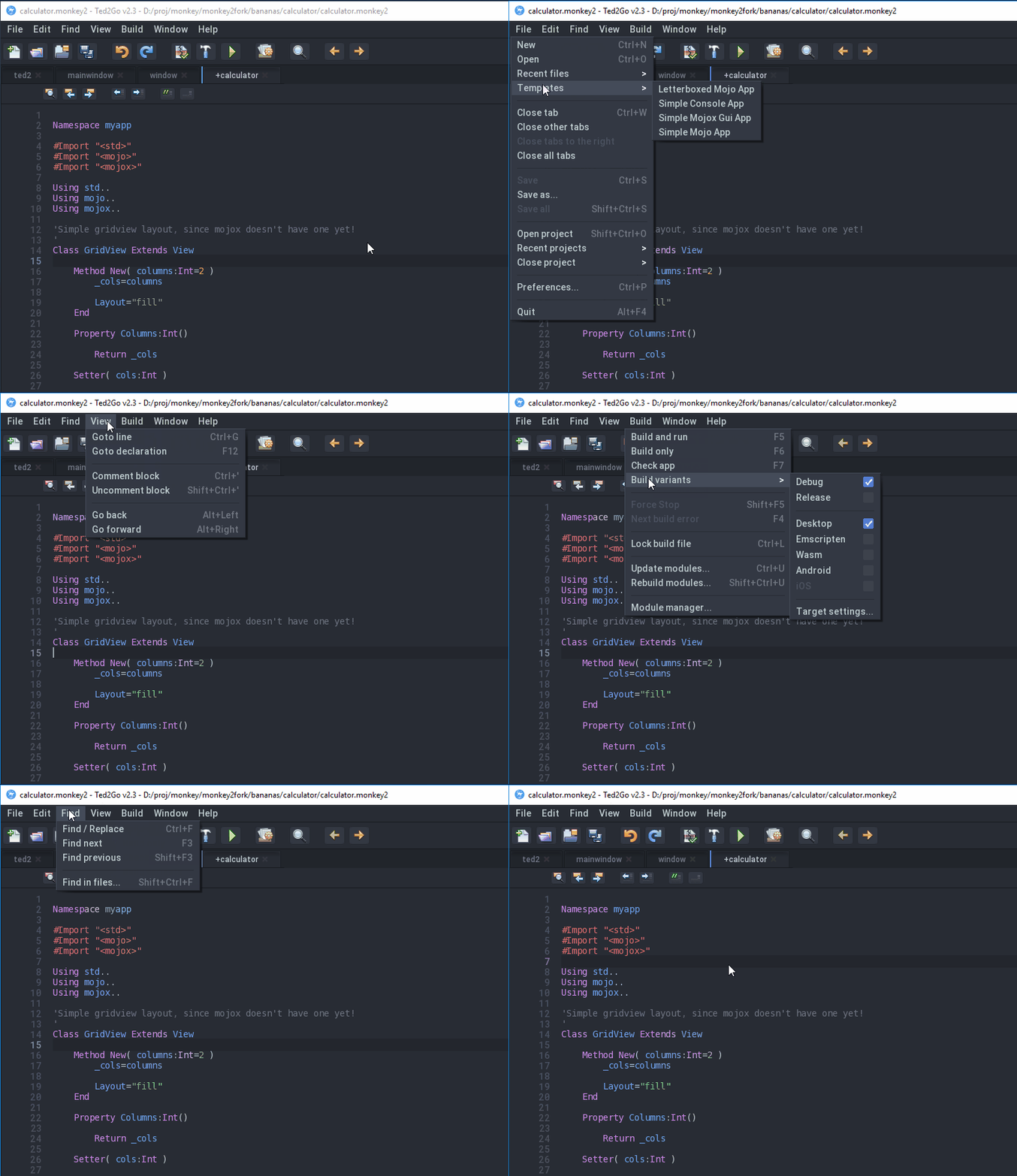
Look at new menu system – with auto-expanding!

I clicked on File item and just move mouse above items.
Attachments:
The dot is removed when I apply the auto-complete.
left to the next time.
Closed all issues on github!
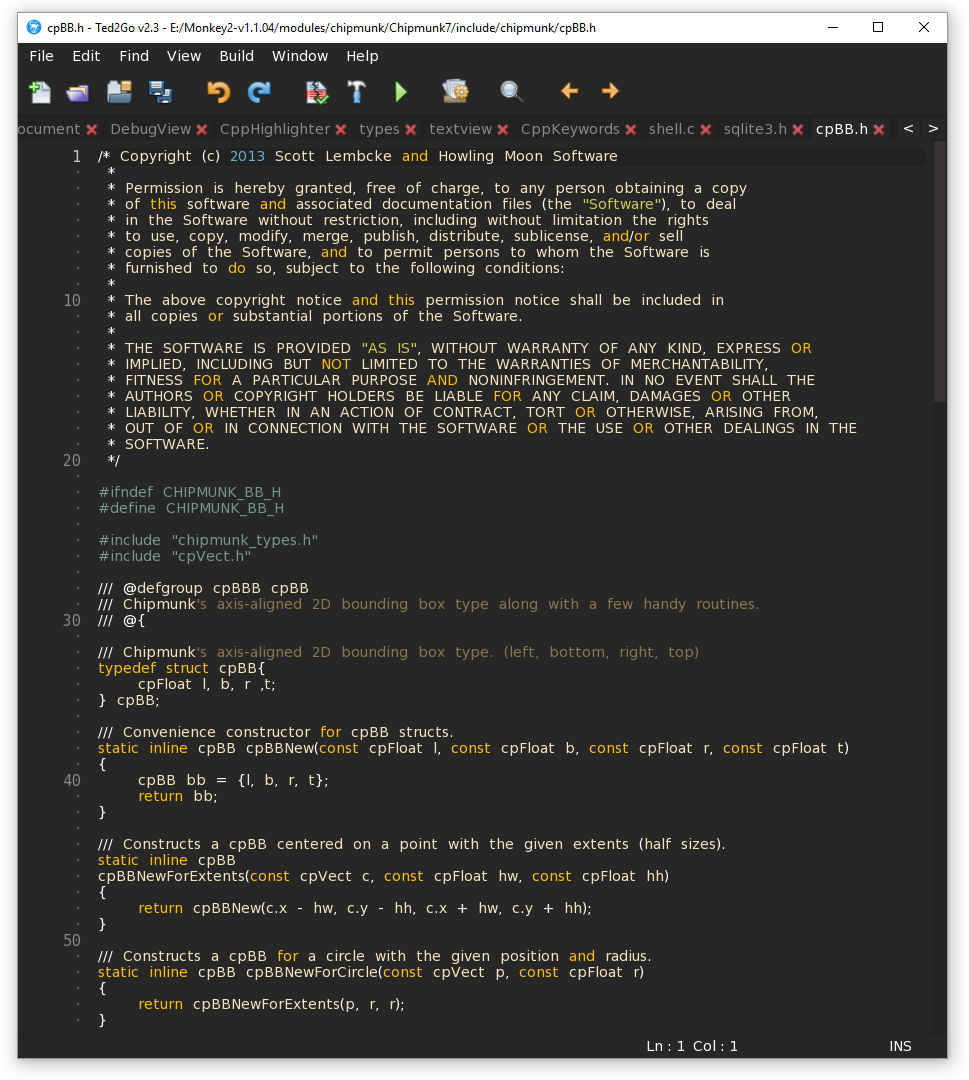
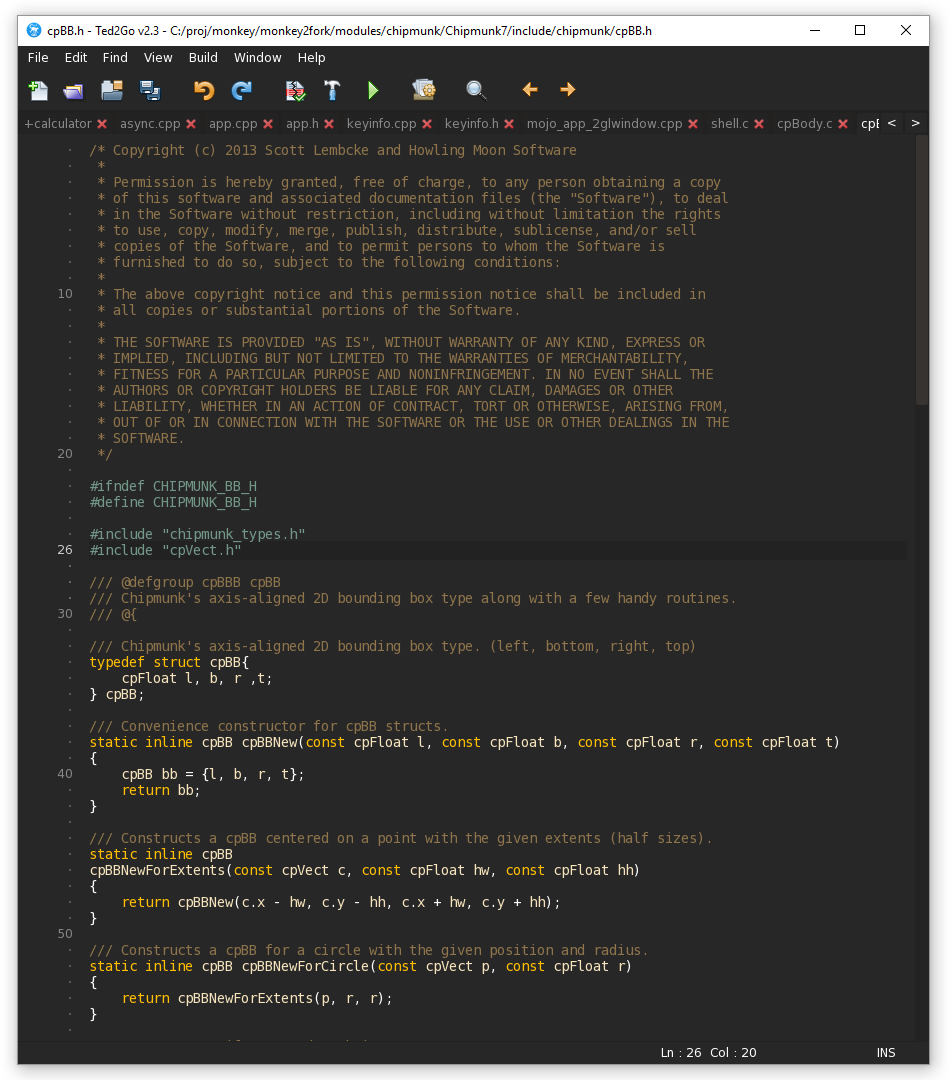
One of them was “incorrect c/cpp highlighting”.
See result on screenshots.
Attachments:
Setting “editor” font size to something like 100 only makes the line numbers big, the actual text in the editor is still the same size as the “normal” font.
Fixed in dev branch.
+1.
Thanks, it seems that I broke that.
About minimap – there was topic about this on the forum. I can’t find.
@hezkore do you have sources for that?
AFAIK, AdamStrange made his own layout system, but I didn’t look at that.
I like QT widgets, maxgui is like qt. But i don’t remember is it possible to use auto-stretching gadgets in maxgui.
The power of ui system based on flexible layout system. Let’s bring it into mx2 official repo at one point?
mojo[y]Really great work Nerobot, well done!
Tx!
Whenever I start Ted2Go the font drawing seems messed up.
Fixed.
—————–
Some new dev stuff:
- Project browser:
- New actions for folders: “Clean (delete .buildv)” and “Open on Desktop”.
- New actions – Update / Rebuild module. Wow! Now we can easily update custom module just after changed it!
- Added elapsed build time. But that time is for latest process. For exampe, if we start updating modules, elapsed time will show us ‘release’ config only because release/debug are different processes.
- Fixed incorrect fonts for opened documents.
Yes, this is a ‘bug’ of ted2go parsing stuff.
I’m going to fix it this week.
Look at this example
Monkey123456789101112131415161718192021222324252627282930313233343536373839404142434445464748495051525354555657585960616263646566676869707172737475767778798081828384858687888990919293949596979899100Namespace CustomViews#Import "<std>"#Import "<mojo>"#Import "<mojox>"Using std..Using mojo..Using mojox..Class View1 Extends ViewMethod OnRender( canvas:Canvas ) Overridecanvas.Color=Color.Greencanvas.DrawText( "View 1",Frame.Width*.5,Frame.Height*.5,.5,.5 )EndEndClass View2 Extends ViewMethod New()RenderStyle.BackgroundColor=Color.SteelEndMethod OnRender( canvas:Canvas ) Overridecanvas.Color=Color.Whitecanvas.DrawText( "View 2",Frame.Width*.5,Frame.Height*.5,.5,.5 )EndEndClass GameView Extends ViewMethod New()RenderStyle.BackgroundColor=Color.DarkGreyEndMethod OnRender( canvas:Canvas ) Overridecanvas.Color=Color.Redcanvas.DrawText( "Game View",Frame.Width*.5,Frame.Height*.5,.5,.5 )EndEndClass MainView Extends DockingViewMethod New()Super.New()Local d:=New DockingViewd.AddView( New View1,"left","50%",True )d.AddView( New View2,"left","50%",True )AddView( d,"bottom","240",True )ContentView=New GameViewEndMethod OnRender( canvas:Canvas ) OverrideSuper.OnRender( canvas )'canvas.Color=Color.Red'canvas.DrawText( "MainView",Frame.Width*.5,Frame.Height*.5,.5,.5 )EndEndClass AppWindow Extends WindowMethod New()Super.New( "CustomView test",800,600,WindowFlags.Resizable|WindowFlags.Center )Local view:=New MainViewContentView=viewEndMethod OnRender( canvas:Canvas ) OverrideSuper.OnRender( canvas )RequestRender()EndEndFunction Main()New AppInstanceNew AppWindowApp.Run()EndInside of MainView you can see two different ways of AddView – one with percentage, other with pixels.
If you use percentage – views will resizable according to parent view.
If you use pixels – resizing beam became visible, so we can change it position.
Privet from Russia.
I started v2.3 in dev branch. If anyone want to test new features – you’re welcome!
Done:
- Open files from Project browser by double-click.
- FileBrowser – add item “Open as project” and “Close Project” for folders.
- Recent Projects stuff.
- Save untitled – add .monkey2 filetype in dialog.
- Change progressbar image for all theme.
- GutterView – draw each 10 line number to make more clear view.
- Restore console visibility after stop app.
- Whitespaces – draw them after ‘tab’ if there is no char or it’s a next tab.
- If starting outside of monkey2 folder – show dialog to specify root folder.
- Change AppTitle format: FileName – Ted2goName – FilePath.
(version is in progress)
deleted.
deleted.
deleted.
-
AuthorPosts