
Forum Replies Created
-
AuthorPosts
-
No it’s not about finger up and down because I can do this to save the position (but it does not anything but a black screen if your device have no multitouch of course now).
It’s all about making the touch movement relative, you need to be able to “remember” the last position so to speak and “add” each additional movement and this works by using matrixes and I know nothing about matrixes?
Monkey123456789101112131415161718192021222324252627282930313233343536373839404142434445464748495051525354555657585960616263646566676869707172737475767778798081828384858687888990919293949596979899100101102103104105106107108109110111112113114115116117118119120121122123124Namespace Myapp#Import "<std>"#Import "<mojo>"#Import "<mojo3d>"#Import "<sdl2>"Using std..Using mojo..Using mojo3d..Using sdl2..Global instance:AppInstanceGlobal mylist:List<star> = New List<star>Const w:=1920, h:=1080Class starField s:Vec2fField m:Vec2fMethod New()s.X = Rnd(0,w)s.Y = Rnd(0,h)m.X = Rnd(-6,-01)End MethodMethod update()s+=mIf s.X < 0 Then s.X = wEnd MethodMethod draw(canvas:Canvas)canvas.Color = Color.Whitecanvas.DrawPoint(s.X,s.Y)canvas.DrawPoint(s.X+1,s.Y)canvas.DrawPoint(s.X+1,s.Y+1)canvas.DrawPoint(s.X,s.Y+1)End MethodEnd ClassClass Myapp Extends WindowPublicField gesturing:BoolField g0:AffineMat3fField oldg0:AffineMat3fField _drawImage:ImageField _drawCanvas:CanvasField _mouseDown:BoolField _mousePrevious:Vec2iField count:Int=1Field cnt:=0Method OnUpdate()RequestRender()cnt+=1EndMethod GestureMatrix:AffineMat3f( p0:Vec2f,p1:Vec2f )Local d:=p1-p0,r:=-ATan2( d.y,d.x ),s:=d.LengthReturn New AffineMat3f().Translate( p0 ).Rotate( r ).Scale( s,s )EndMethod OnKeyEvent(event:KeyEvent) OverrideSelect event.TypeCase EventType.KeyDownSelect event.KeyCase Key.EscapeApp.Terminate()EndEndEndField canvas:CanvasField wx:Int, wy:IntField xsdl:Int, oxsdl:IntField ysdl:Int, oysdl:IntMethod New( title:String="Myapp",width:Int=w,height:Int=h,flags:WindowFlags=WindowFlags.Resizable | WindowFlags.Fullscreen )Super.New(title,w,h,flags)ClearColor = Color.BlackFor Local i:=0 To 1000mylist.AddLast(New star())NextMouse.PointerVisible=FalseEndMethod OnRender(canvas:Canvas) OverrideSDL_GetMouseState(Varptr xsdl, Varptr ysdl) ' xsdl & ysdl is fastest mouseApp.RequestRender()' ------------------------------------------------------------------------------------------------' GESTURE CODELocal gmatrix:=New AffineMat3fIf Not gesturing And Touch.FingerDown( 0 ) And Touch.FingerDown( 1 )' begin gesturingg0=-GestureMatrix( Touch.FingerLocation( 0 ),Touch.FingerLocation( 1 ) )gesturing=TrueEndifIf gesturing And Touch.FingerDown( 0 ) And Touch.FingerDown( 1 )' gesturing...Else If gesturing'end gesturinggesturing=FalseEndifgmatrix=GestureMatrix( Touch.FingerLocation( 0 ),Touch.FingerLocation( 1 ) ) * g0' ------------------------------------------------------------------------------------------------canvas.PushMatrix()canvas.Matrix=gmatrixFor Local i:=Eachin mylisti.update()i.draw(canvas)Nextcanvas.PopMatrix()canvas.Flush()EndEndFunction Main()New AppInstanceNew Myapp(w,h)App.Run()EndHey welcome
 I’m lurking here too
Ya, the source of lag is that we can’t use the threadsafe SDL_PeepEvents, switching to SDL_PollEvent seem to be the only way to be lagfree.
Actually the way to use SDL_PollEvent is important too.So it seem we need to change while(SDL_PollEvent(&event)) into (SDL_PollEvent(&event))
or to change SDL_PollEvent() into SDL_WaitEvent() SDL2 generates key repeat events automatically so repeated key events needs to be filtered out manually by checking the repeat member of a SDL_KeyboardEvent.There’s a strange resemblance in Monkey2 & Monkey1-used-together-with-only-Mojo1, but it seems to be nothing but a coincidence, they have nothing to do with each other. There seem to be no inherited code which is a shame I guess because that would have made things so much simpler to fix.
If running a nice M2 app with a steady 60 fps, then a trained eye could easily compare this to something like the M1 equivalent (I can provide an code if wanted but any code works as long as it’s written in Mojo2) and then compare it with this “smooth” M2 app and you would see and feel the difference of micro stability.
I was personally fooled a long time, so when I noticed glitches I thought it was something wrong with the device like a bad update or driver. Fresh installs on 14 different systems and Windows / Macos machines (haven’t tried Linux or Pi yet because those are lower priority still for us).
Android can never give this experience so it doesn’t matter much if your developing for Android but iOS and Macos and Windows CAN give this ultrastable & smooth experience (but with M1 only so far).
It makes a huge difference on the user overall experience.
The effects are not exactly the same in all installations though, in some you get the event interrupts when you move the mouse in the app window and some gives the results shown in the video but they are both related.
It was meant for the last Monkey2 version that works without updating Macos to HighSierra.
The update that made the error is the transient from naming opengles into a general OpenGL module.
Here it is rewritten for the new one, same result. Don’t forget to set width and height to your native screen before you run it for best effect.Monkey123456789101112131415161718192021222324252627282930313233343536373839404142434445464748495051525354555657585960616263646566676869707172737475767778798081828384858687888990919293949596979899100101102103104105106107108109110111112113114115116117118119120121122123124125126127128129130131132133134135136137138139140141142143144145146147148149150151Namespace myapp#Import "<std>"#Import "<mojo>"'#Import "<mojo3d>"#Import "assets/"Using std..Using mojo..Using opengl..Const w:=1440, h:=900Class MyWindow Extends GLWindowField canvas:CanvasField icanvas:CanvasField scanvas:CanvasField image:ImageField sourceImage:ImageField targetImage:ImageField size:Int=4 ' try 8 16 32 64Field cx:IntField wx:IntField wy:IntField tilemap:=New Int[512*512]Field s:Int = 4Method OnWindowEvent(event:WindowEvent) OverrideEndMethod OnKeyEvent(event:KeyEvent) OverrideendMethod OnMouseEvent(event:MouseEvent) OverrideendMethod New() ' ( title:String,width:Int,height:Int,flags:WindowFlags=WindowFlags.Resizable )' Super.New("Myapp", w, h, WindowFlags.Fullscreen) ' fullscreen with menu and dock when mouse is at edges?' Fullscreen=False' Super.New("Myapp", w, h, WindowFlags.Resizable) '| WindowFlags.Fullscreen WindowFlags.Center windowFlags is type? Null) how mix?Super.New( "GL Window",640,480,WindowFlags.Resizable )ClearEnabled=FalseClearEnabled=FalseFor Local y:=0 To 511For Local x:=0 To 511tilemap[x + y * 512] = Int(Rnd(127))NextNextsourceImage=Image.Load( "asset::sheet.png",Null,Null )targetImage=New Image( sourceImage.Width,sourceImage.Height,PixelFormat.RGBA8,TextureFlags.Dynamic )image=New Image( 512,512,PixelFormat.RGBA8,TextureFlags.Dynamic )icanvas=New Canvas(image)scanvas=New Canvas(targetImage)' canvas=New Canvas() ONLY NEEDED IN MONKEY1 ' image.Texture.Flags &=~ TextureFlags.FilterMipmapEndProtected' ---------------------------------------------------------------------------------------Method OnRender( canvas:Canvas ) OverrideSuper.OnRender( canvas )' App.RequestRender()wx=wx+10 ' 2' canvas.Alpha=1.0scanvas.Clear(Color.Black)' INSTEAD OF SHADER (copies sourceImage to targetImage)scanvas.DrawImage(sourceImage,0,0)scanvas.Flush()' Init canvas & image'canvas.Viewport(0,0,w,h)'canvas.Scissor(0,0,w,h)'canvas.Projection2d(0,w,0,h)' canvas.Clear(Color.None)'icanvas.Viewport(0,0,w,h)'icanvas.Scissor(0,0,w,h)'icanvas.Projection2d(0,w,0,h)'icanvas.Clear(Color.None)' Draw to image' Scroll (by drawing onto itself)icanvas.Clear(Color.Black)icanvas.DrawImage(sourceImage,0,0)icanvas.DrawImage(targetImage,256,256)cx=(cx+2) Mod 512For Local temp:=0 To 127icanvas.DrawRect(64+temp,0,1,64,targetImage,0+temp+cx,0,1,64)Next' Plots something in tiles (draw something to an image *after* shader have been appliedFor Local temp:=1 To 16If Int(Rnd(1)) Then icanvas.Color = Color.Black Else icanvas.Color = Color.WhiteLocal xx:= Int(Rnd(7))Local yy:= Int(Rnd(7))icanvas.DrawRect(xx*4,yy*4,2*4,2*4)Nexticanvas.Flush()' Draw to canvas' Cookiecut 32x32 tiles from a 512x512 tilesheet and draw them as tiles of any sizeLocal scrx:=wx Mod sizeLocal scry:=wy Mod sizeLocal mapx:=wx / sizeLocal mapy:=wy / sizeLocal cnty:= -scryFor Local y:=mapy To mapy+((h/size)+1)Local cntx:=-scrxFor Local x:=mapx To mapx+((w/size)+1)Local char:= tilemap[x + y * 512]Local tilex:= char & 15Local tiley:= char Shr 4canvas.DrawRect(cntx,cnty,size,size,image,tilex Shl 5,tiley Shl 5,32,32)cntx=cntx+sizeNextcnty=cnty+sizeNextcanvas.Flush() ' Finished drawingIf Keyboard.KeyReleased(Key.Escape) Then App.Terminate()End MethodMethod OnRenderGL() OverrideglClearColor(0,0,1,1)glClearDepth(0)glClearStencil(0)glClear(GL_COLOR_BUFFER_BIT|GL_DEPTH_BUFFER_BIT|GL_STENCIL_BUFFER_BIT)glViewport(0,0,Frame.Width,Frame.Height)'glEnable( GL_SCISSOR_TEST )'glScissor( x-32,Frame.Height-x-32,64,64 )'glClearColor( 1,0,0,1 )'glClear( GL_COLOR_BUFFER_BIT )'glDisable( GL_SCISSOR_TEST )App.RequestRender()EndEnd'Function Main()' New AppInstance' New Myapp' App.Run()'End Function' NEWFunction Main()' Local cfg:=New StringMap<String>' cfg["GL_depth_buffer_enabled"]=1' cfg["GL_stencil_buffer_enabled"]=1' New AppInstance( cfg )New AppInstanceNew MyWindowApp.Run()' Sleep(1)EndWow, big thanks, good to know !
But what happens if you wants to change only the alpha but you want to keep the rest intact? Do you have to make it pixel by pixel or is a way to change alpha channel alone?Is it kosher to use canvas.BlendMode = BlendMode.Opaque to set the absolute value of R G B *and Alpha* of a pixel?
But how to set the colour to full or no alpha rrggbbaa so you can ERASE “color” an OVAL?
I just don’t understand how alpha is put in color, how to erase? is there a MODE for that?What’s needed is a logo that speaks to people and gives an impression !
Something simple yet elegant and delicious :
http://i67.tinypic.com/rwmpfn.png
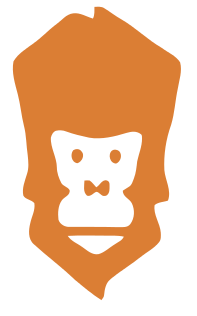
The Vector code to create it :
Monkey12345678910<?xml version="1.0" encoding="UTF-8" ?><!DOCTYPE svg PUBLIC "-//W3C//DTD SVG 1.1//EN" "http://www.w3.org/Graphics/SVG/1.1/DTD/svg11.dtd"><svg width="640pt" height="480pt" viewBox="0 0 320 240" version="1.1" xmlns="http://www.w3.org/2000/svg"><g id="#db7e34ff"><path fill="#db7e34" opacity="1.00" d=" M 75.54 5.50 C 78.19 5.44 81.11 4.95 83.44 6.58 C 88.12 9.48 92.49 12.87 97.28 15.61 C 108.65 22.29 118.04 31.81 129.49 38.35 C 134.39 42.08 140.65 44.53 144.09 49.85 C 146.02 57.03 143.27 64.29 142.14 71.38 C 140.13 80.80 139.72 90.55 136.91 99.80 C 132.75 111.34 130.86 123.76 131.48 136.02 C 132.15 144.18 137.39 152.21 134.39 160.46 C 130.88 161.77 126.60 161.53 123.70 164.08 C 122.47 171.78 128.07 178.52 128.61 186.06 C 128.73 188.76 129.01 191.85 127.05 194.02 C 123.13 198.86 117.38 201.62 112.65 205.53 C 104.83 211.85 96.10 216.94 88.39 223.39 C 84.63 226.37 83.75 231.34 83.29 235.83 C 83.27 237.53 82.12 238.83 81.15 240.11 C 73.68 235.35 66.86 229.64 60.06 223.98 C 49.47 213.82 37.65 205.06 26.82 195.18 C 22.36 190.99 22.86 184.22 24.16 178.79 C 25.24 173.35 28.42 168.18 27.47 162.48 C 25.14 159.68 20.53 159.78 18.67 156.47 C 17.39 150.55 19.93 144.75 21.59 139.17 C 23.26 134.38 22.68 129.22 22.19 124.28 C 20.98 116.42 21.18 108.36 19.15 100.63 C 17.07 92.32 16.38 83.74 14.23 75.46 C 12.01 66.93 9.11 58.03 10.78 49.16 C 14.41 42.83 21.01 39.08 26.68 34.78 C 33.34 30.19 38.70 24.05 45.23 19.29 C 49.49 16.26 52.89 11.35 58.45 10.72 C 64.08 9.93 69.10 13.39 74.34 14.84 C 75.88 11.96 75.46 8.64 75.54 5.50 M 44.74 104.61 C 42.47 105.44 41.29 107.84 40.70 110.04 C 40.26 118.37 45.45 125.75 45.49 134.03 C 45.54 138.33 47.07 142.45 48.96 146.25 C 50.40 149.01 54.18 149.45 55.67 152.06 C 56.43 156.20 51.48 157.49 49.45 160.28 C 46.36 164.70 46.20 170.50 46.76 175.69 C 47.87 179.56 52.07 181.81 55.96 181.50 C 68.97 181.60 82.00 181.43 95.01 181.73 C 98.18 181.67 102.09 182.17 104.24 179.27 C 107.80 174.56 108.00 167.80 105.46 162.58 C 103.50 158.86 98.05 157.27 98.28 152.51 C 99.94 151.47 101.60 150.44 103.22 149.34 C 105.60 147.97 106.14 145.05 107.14 142.71 C 108.85 138.36 109.21 133.67 109.76 129.08 C 111.03 123.03 113.66 117.22 113.62 110.94 C 113.45 109.76 113.91 108.03 112.68 107.33 C 109.47 104.64 104.94 105.15 101.22 106.32 C 91.56 109.24 81.36 111.84 71.23 110.12 C 65.09 108.71 58.91 107.38 52.99 105.20 C 50.38 104.19 47.47 103.93 44.74 104.61 M 54.19 188.70 C 56.83 192.95 61.78 194.61 65.63 197.49 C 69.64 200.14 73.66 204.34 78.95 203.27 C 83.78 201.89 87.36 198.11 91.59 195.60 C 94.22 193.70 97.74 192.54 99.05 189.32 C 93.79 188.08 88.35 188.71 83.00 188.53 C 73.40 188.60 63.78 188.10 54.19 188.70 Z" /><path fill="#db7e34" opacity="1.00" d=" M 58.51 120.32 C 60.43 118.91 63.59 118.82 65.05 120.96 C 68.23 123.97 65.64 129.52 61.84 130.58 C 57.09 129.91 56.05 123.47 58.51 120.32 Z" /><path fill="#db7e34" opacity="1.00" d=" M 89.56 120.51 C 91.32 119.31 93.54 119.65 95.22 120.80 C 98.11 123.79 96.73 129.32 92.90 130.83 C 87.92 130.84 86.06 123.48 89.56 120.51 Z" /><path fill="#db7e34" opacity="1.00" d=" M 67.55 144.43 C 68.91 144.34 70.28 144.20 71.65 144.38 C 73.83 145.74 75.23 148.04 77.01 149.86 C 79.96 148.23 81.58 143.35 85.53 144.39 C 88.40 145.19 87.49 148.74 87.62 150.97 C 87.67 153.32 86.60 156.58 83.86 156.77 C 81.01 157.32 79.69 153.55 77.03 153.44 C 74.54 154.41 72.55 157.61 69.59 156.48 C 66.16 153.44 67.48 148.43 67.55 144.43 Z" /></g></svg>Also, I wanna become a patreon for at least a year for a starter, but I want do that anonymously not via facebook, is that possible?
Where and how should I put the source code because I’ve never used Github or such things. Do I create a fork, make a bug report or what?
Okay got the mouse update correct now, it’s double the speed now. The keyboard seem okay, but the mousehweel never was a problem and neither was the left and right button, only the x and y position (actualy movement) was the issue that induced hickups. You move the wheel it did not hickup, those events where okay. Only moving mouse needed to be fixed, and the repeating (hold) keyboard events of course.
And the jitter that comes WITHOUT any mouse events (or other events), are also induced by events It seems because it got lot better now, too early to say if its perfect but I think I got Monkey2 smooth on all machines now.
Not HS but it’s amazinlgy smooth on HS. Except when in fullscreen you need to get the menu and or dock by moving the mouse to an edge to get perfect on High Sierra (or use Window mode is now perfect). Windows are the same on all my machines. Not a single one stutter now (except once in a minute on Highsierrta but HS does that, I think Apple will fix that in their next macos/metal2 update). But the Monkey2 part is fixed, nothing comes from the compiler anymore (what I can see).
Want to support Monkey mainly for the inspiration Blitz 1 gave to me to become a developer.
I have the dongle and hardcore manual somewhere and it had a BIG clunky dongle for the Amiga.I’m thinking maybe an Amiga is more suitable for these expriments ^^ I will dig it out because It’s such a simple machine and I love it because A single person can learn every detail inside it, within a week or two.
That’s an era thats gone !
Complexity gives um .. Android.
-
AuthorPosts