
Forum Replies Created
-
AuthorPosts
-
then it would be something like this:
<span class=”crayon-o”>#</span><span class=”crayon-r”>import</span> <span class=”crayon-s”>”../../MonkeyLibraries/rameses3d/rameses3d”</span>
lets say you are in project2
../ takes you to MonkeyProjects
../../ takes you to the core folder (lets say monkey2)
../../MonkeyLibraries takes you to the monkey libraries
from there you can go to your libraries project
why not just use something like:
Monkey1#import "../opengl/rameses3d"where ../ goes to the folder above the current folder?
and another with completely different models…
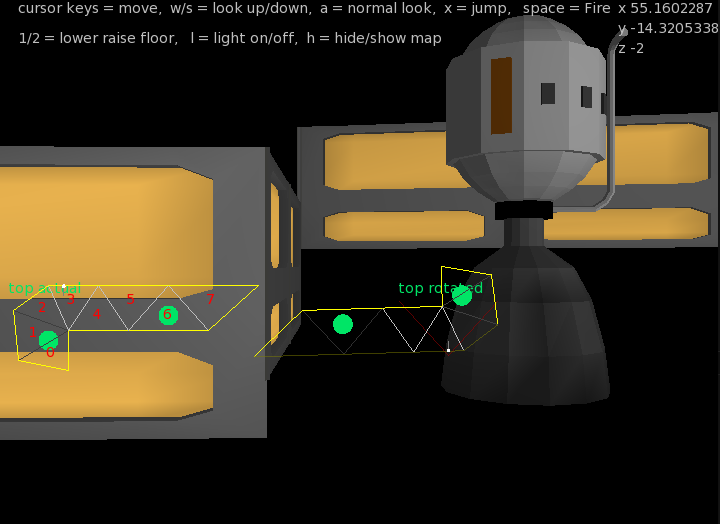
working on looking up/down and firing. and also actors. Where an actor is anything that moves…
yep. upload through VBO’s. in this case I am tracking the 3d object calls. then I cycle through those objects that have been called to render, and render them in one go ( sending the vbo data once and just amending the matrix, so only one copy of multiple models is sent)
@therevills Currently dev is stalled on that one. I got so far with the universe/systems and planets. got so far with the ships and what could be don with them. It was the final part about how to deal with the actual ‘game’ part where it crashed and burnt. My thoughts were to do a low poly version of elite, with the 3d space view (realtime). The other guy (Mainsworthy) was more interested in a flat turn based solution.
Here is the interesting thing – turn based is good, but I am not the best person to do it as I don’t really like that sort of thing and have difficulty in working out how it all fits together. The realtime elite style would be very simple to do, but would be competing against very high AAA looking games with fantastic engines, etc. I would need to find a good way to do so it would give people a reason to play.
Any suggestions?
BTW the elite stuff was good at creating the 3d stuff though – the doom 3d stuff uses the base 3d renderer I created for the elite stuff…
Here’s another shot
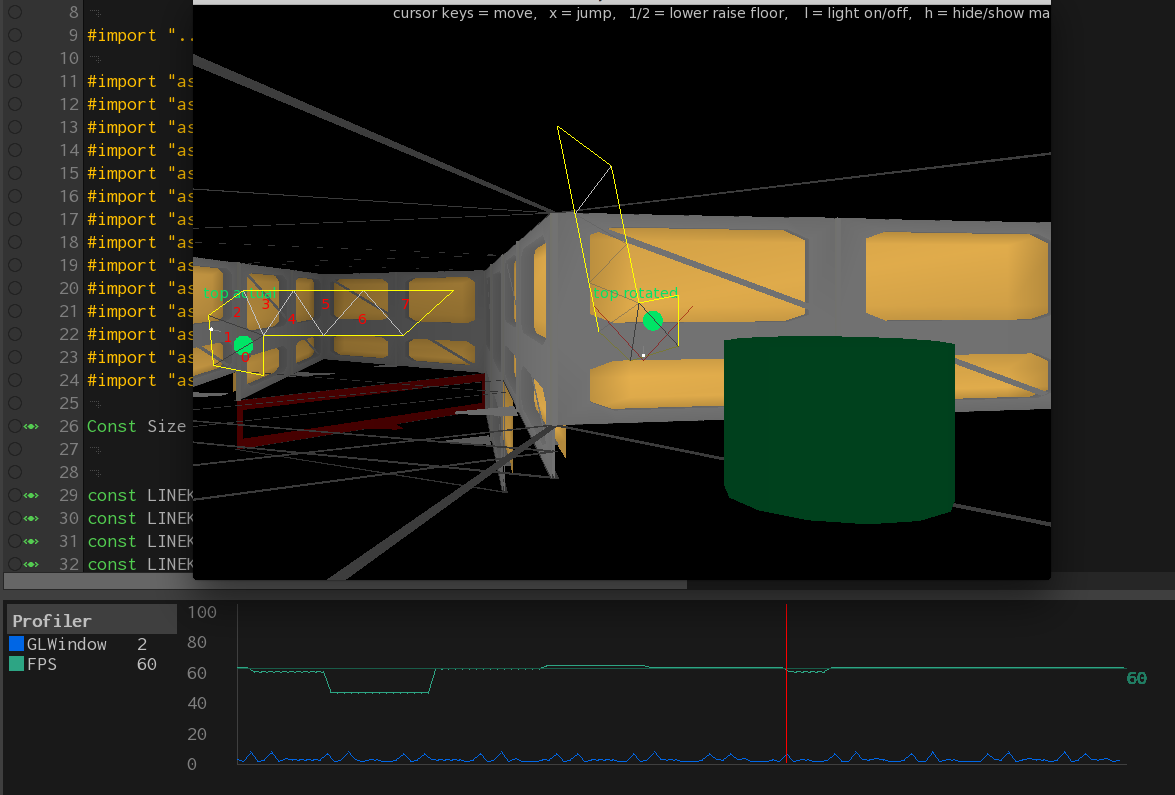
This time showing something more like real world usage: profiling my doom investigations and 3d performance.
there are two profile variables being used. one watching the FPS and one the millisecs taken by the GL rendering.
This is in debug mode and you can see there is a double spike in the gl (sort of like a heartbeat) every few 100 milliseconds or so.
You can also see the fps sits ate just above or below 60. I’ve added marker lines at 60 so you can see the deviation.
the sudden drop in fps was when I moved off the window to activate the screen capture.
excellent new. thanks. I’ve been busy with the 3d side of things – just optimised the rendering so that the models are cached and sent only once to the renderer – before it was partial, the models would be resent if a different model was used.
This is the guy who inspired me to look back at doom.
https://www.youtube.com/watch?v=HQYsFshbkYw&spfreload=10
This is programming done oldskool. be prepared to feel “not worthy”!
He is a genius…
Next up is ceilings and walls
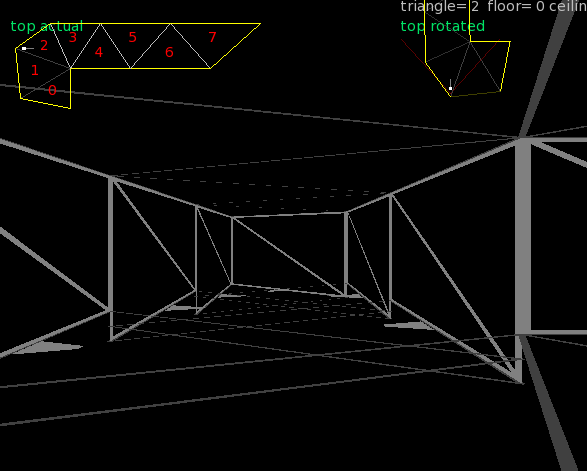
The walls are the lighter grey with a slash through them. they also have a small label on the bottom so you can see which direction they are facing.
Although this show shows progressive dropping floors, the ceilings remain at the same level, and the wall models are correctly scaled.
I’ve put in place provision for floor heights that can change – so lists are no possible too.
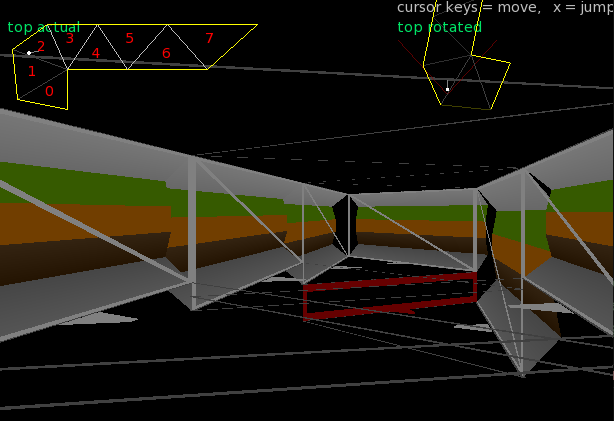
and here’s a shot with some debug wall models added
interesting stuff, especially the bits about SDL_GetPrefPath. Something I was wanting to know how to do

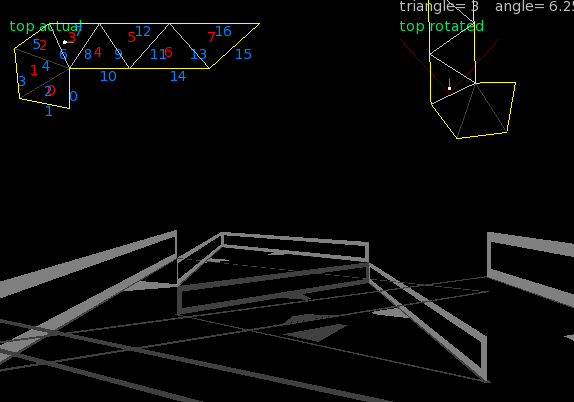
last one for the day. not too interesting in the 3d visuals front:

But.. if you look at the 2d maps you can see the following:
top left shows triangle culling dependant on the facing direction. the number in aqua are the triangles being culled
middle shows line culling. in this case it does a (very) simple test to determine if a line can be seen and then takes the previous triangle culling. Any line that is shown faded/dark has been culled.
I think that the triangle culling could be extended to included triangle connected with the culled triangle? but currently I am happy about this as a culling system so far.
Culling becomes more and more important as the complexity increases. You don’t want to send any data to be rendered if it isn’t seen…
Got jumping working now and different heights with correct jump systems and fall systems. I needed to go back to doom and test the timings and they more or less match now
I’m not actually using any doom code or concepts. I’m coming at it from a map perspective. The portal system and bsp systems are there to throw away geometry and unneeded rendering. At this stage I want to get the map right and operational.
I thought about using map sections/sectors, which would do something similar.
One of main aims was to see if I could actually do it. on this small scale it looks possible.
Sliding collision sorted – phew
Here’s a shot showing automatic culling of walls, plus floors at different heights with walls at correct floor heights:
This is now the basic Doom map system complete.
There’s some very interesting stuff in there. thanks for that one.
Still bogged down with sliding collision. but slowly moving forward…
interesting to note the diagonal behaviour.
Still working on the base map generation.
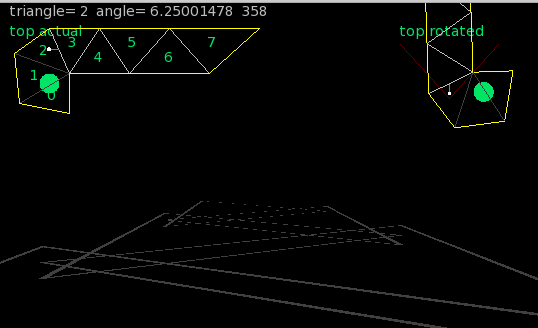
Here you can see I’ve removed the wall objects, but you can see that each triangle now has a floor level. this is shown in the main pic by the triangles dropping in height -Stairs!
Also looking at the two top maps you can see all exterior walls are now yellow. and triangles that are connected, BUT have different heights are shown as a lighter grey.
Previously this was done when you defined the linekind, but I’ve now removed this and it is all automatically calculated!
Unlike doom where there is a long wait when a map is created and it goes into the BSP (Binary space partitioning), this is all realtime and be calculated whenever it needs to be.
I think next will be to streamline the vertex rotations, and use them as a “behind me, remove me” system to speed up drawing…
-
AuthorPosts
