Forum Replies Created
-
AuthorPosts
-
I’m now going into a final testing phase before alpha launch
When you are not on and active sound, the help page will show in the main window:
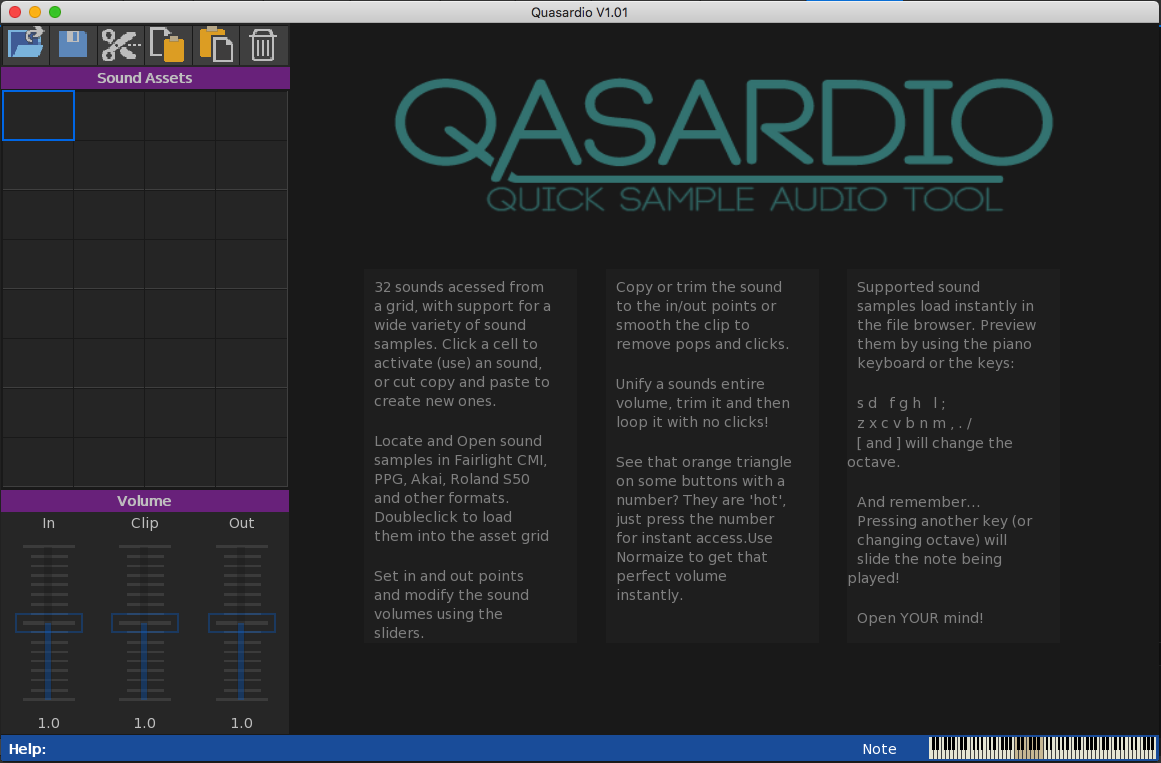
Track editing as in sequencing?
beta will be arriving in next few days. I need to get windows version of monkey2 up to the same standard as macOS one first

Thanks. still a few things to track down.
It’s now got a name: Qasardio (quick sample audio tool)
Releasing is not the problem. that is to do with modifications needed to run the code.
The gui system is completely custom (not mojox), and I have mad numerous additions to std and mojo modules to allow extra functionality.
If you are happy about this then there would be no problem?
No worries, I also did the same to the pink circle so it will operate across all backgrounds now.
2nd logo is the correct one. the first one has some slight outline problems on the tail
Attachments:
Here’s a more final version (the pink 2 removed for clarity in viewing) with attention being put into viewing at smaller resolutions.
Attachments:
@ Mark. Do you want me to mail you the files?
Here’s work to rectify the small logo issues
and the finished one.
I dropped the pink “2” due to clarity
The final version also has some subtle borders on the text to aid viewing on lighter backgrounds

Attachments:
ok. how would this work for desktop?
where are you getting InternalDir() from?
Thanks
Just did a non debug build (first time) and it’s super speedy loading big files!ok. Step 1 is now finished. automatic loading of many sample types:
EMU: emulator 1,2, emax, proteous
Yamaha sample formats
Amiga 8svx, 16 bit, iff with upsampling to 16 bit to give better noise reduction
Akai sound libraries
Kurzweil sound libraries
Wav 8,16,24 bit
Aif to 24 bit
Soundfont2
all sorts of odd img and bin formats for entire disks
entire fairlight voice systems
Roland 12 bit sound libraries for s50 samplers
Korg Oasis and microsampler libraries
Basically the updated Wave2 loading system with a few extras.
I needed to augment the standard Monkey2 AudioData loading systems to make them quicker ;/
Next step will be to add the full editing systems so you can load and edit the samples
You might want to think about effects busses.
in essence. you have a buss – which is a buffer the same size as the output.
for each ‘sound’ you have a float from 0 to 1 for each bus.
at 0 the ‘sound’ will not go to the buss, at 1 it will be full volume to the bus. so you have a volume that sets the amount gong to the bus.
For each buffer loop. (once filled) you will have some audio in the bus buffer. You then just do your effect on this buffer.
The result is the output buffer plus the effect bus buffer
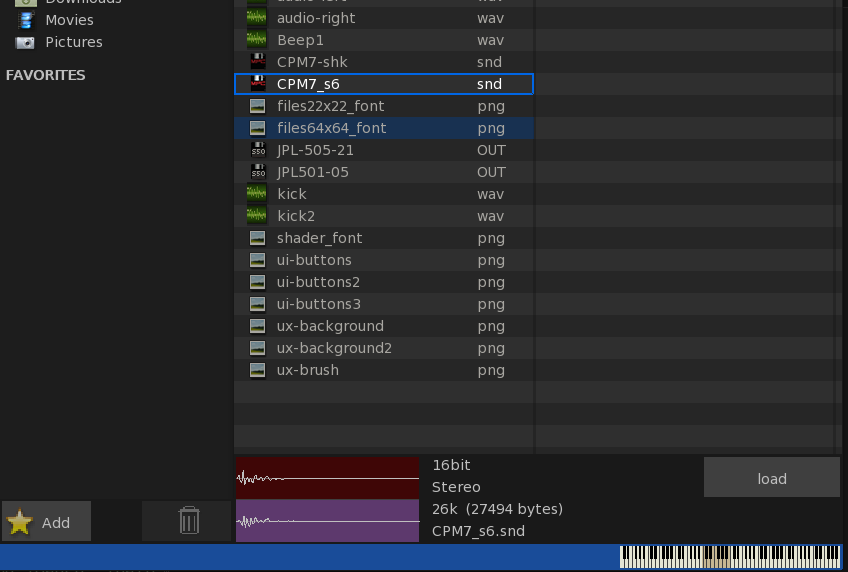
Here’s a look at it opening an Akai .Snd file
You can see both stereo channels properly loaded. with the file manager showing the correct disk icons.
I’ve also added the piano view showing the current octave and note being played, the can be done directly through the keyboard or by clicking with the mouse.
Attachments:
minor update on whats happening here.
standard wav and ogg supported. I will add the other 12bit and 24 bit later for .wav
Akai .Snd mono and stereo 16 bit formats supported
Roland s50 .out format supported
I’ll now get working to move the other format readers from blitzMax wave2 to monkey2.
First will be .aif format
-
AuthorPosts